




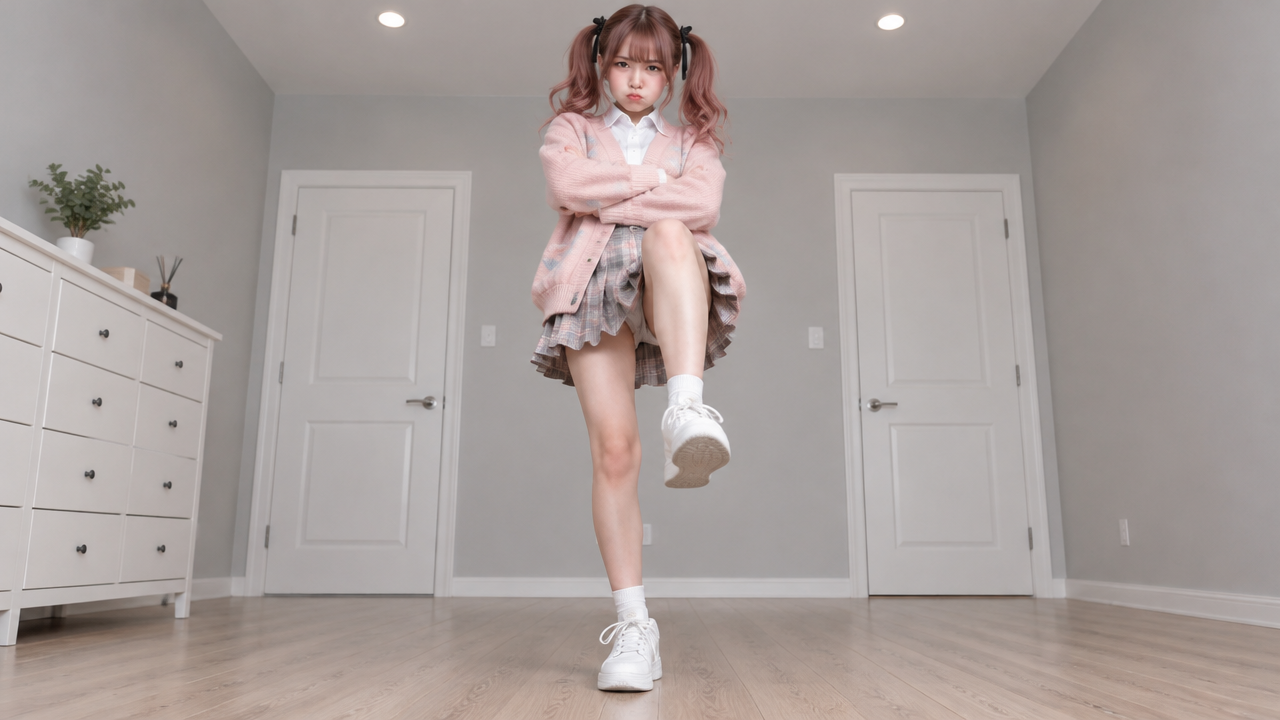
Transform your photos into hilarious Natsuki Stomp AI trend videos instantly! Generate anime tsundere pouting and stomping dance clips with your face for free. No skills needed, just upload and create!

Generate Your Natsuki Stomp AI Trend Video Instantly

Enter your prompt and upload a photo to let AI transform it into a viral Natsuki Stomp video trend in seconds. Perfect for creators, meme enthusiasts, or anyone wanting to join the anime tsundere dance challenge without effort.

No More Manual Editing: Create Tsundere Dance Videos with AI

Tired of complicated video editing software or lacking the skills to animate? Our AI-powered tool eliminates the need for manual work. Simply upload your photo, and let our Natsuki Stomp creator bring your vision to life in seconds. Say goodbye to tedious frame-by-frame adjustments!

Put Your Face in Viral Trends: Personalize Natsuki Stomp Clips

Want to join the Natsuki Stomp viral edit trend but don't know how to add your face? Our AI tool makes it easy! Upload any photo, and our advanced AI will transform it into an anime character dance trend clip with your chosen likeness, ready for sharing on social media.

Animate Photos into Tsundere Pouting and Stomping Routines

Ever wondered how to animate a still photo into a dynamic video? Our custom Natsuki Stomp video generator brings your images to life! Effortlessly animate photos into expressive tsundere pouting and stomping routines, complete with cross arms and a "hmph" turn away, creating an authentic anime vibe.

Your Go-To AI Natsuki Stomp Video Maker

Discover why thousands choose our platform to create their favorite Natsuki Stomp AI trend videos. We prioritize user experience, privacy, and accessibility.

Free to Use

Create unlimited Natsuki Stomp AI trend videos without any hidden costs. Experience the full power of our AI generator for free.

All Private

Your uploads and generated videos are completely secure and private. We never store your data, ensuring your content remains yours.

Beginner-Friendly

No technical skills or prior experience required. Our intuitive interface makes generating Natsuki Stomp dance memes simple for everyone.

Article

Why Use a Natsuki Stomp AI Trend Video Generator?

The Natsuki Stomp AI trend is taking social media by storm, but creating high-quality, personalized videos can be a challenge. Our AI Natsuki Stomp video generator is designed to simplify this process, allowing anyone to effortlessly join the viral movement. Whether you want to "put your face in tsundere dance AI" or "transform photo into anime dance video AI", our tool provides the perfect solution.

  • Instant Creation: Generate Natsuki Stomp videos in seconds, not hours.
  • Personalization: Easily add your photo to tsundere dance trend AI clips.
  • No Skills Needed: Perfect for beginners, no complex software required.
  • Highly Viral: Create engaging content ready for social media shares.
  • Cost-Effective: Enjoy all features of the best AI Natsuki Stomp video maker for free.
  • Creative Freedom: Experiment with various pouting and stomping poses and expressions.

How to Create Your Natsuki Stomp AI Trend Video

Get started in three simple steps. Our intuitive AI tool makes generating your personalized Natsuki Stomp video trend clip quick and easy. Follow these steps to transform your photos into viral anime tsundere dance videos today!

  1. 단계 1 / 3

    단계 1

    Upload Your Photo: Choose a clear image of yourself or anyone you want to animate.

  2. 단계 2 / 3

    단계 2

    Describe Your Video: Briefly tell our AI the Natsuki Stomp style or specific tsundere pouting and stomping expression you envision.

  3. 단계 3 / 3

    단계 3

    Generate & Share: Click "Generate," and in moments, your custom Natsuki Stomp video is ready to download and share!

Natsuki Stomp AI Trend FAQ

The Natsuki Stomp AI trend is a popular social media challenge where users create animated videos of characters (often their own photos transformed into anime style) performing a specific "tsundere" dance routine, characterized by pouting, stomping, and turning away. Our tool helps you generate these videos easily.

FAQ 섹션 사용 방법

Tab 키로 질문 사이를 이동하고 Enter 또는 Space로 답변을 펼치거나 접을 수 있습니다. 위/아래 화살표 키로 질문 간 이동이 가능합니다.