Have you ever looked at a stapler, a sushi roll, or even a monster truck and thought, “That would be adorable if it were soft and huggable?” Thanks to the Nano Banana Pro AI model, you don’t need a sewing machine to make that happen.
In the world of AI art, the “Plushie Style” trend is exploding. From digital marketers looking for catchy assets to hobbyists creating dream toys, everyone wants that fuzzy, 3D-rendered look. Nano Banana Pro is the secret weapon for achieving hyper-realistic texture, perfect lighting, and adorable aesthetics.
In this guide, we will break down exactly how to use Nano Banana Pro to transform everyday objects into high-quality plush toys. We will cover everything from prompt engineering to material textures, lighting, and rendering settings.
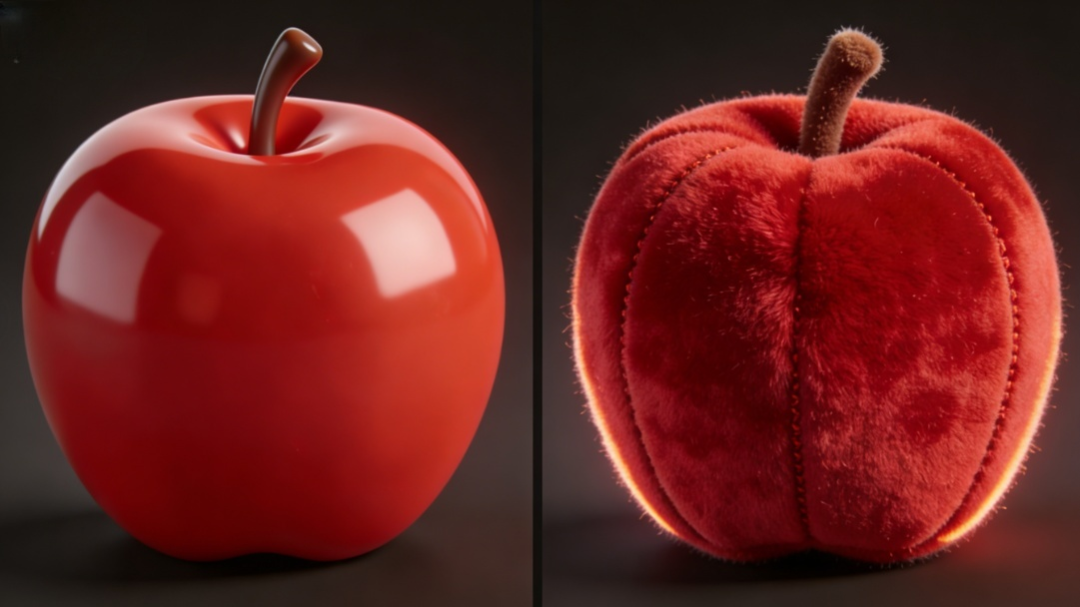
The Master Formula: How to Write the Perfect Prompt
To get the best results with Nano Banana Pro, you need to be specific. A vague prompt yields vague results. Use this structural formula:
[Subject] + [Style/Material Transformation] + [Expression/Features] + [Color Palette] + [Lighting/Atmosphere] + [Background] + [Rendering Technicals]
Let’s break down each section with specific keywords that Nano Banana Pro loves.
1. The Subject & Transformation
Start by defining what the object is, but immediately qualify it as a toy.
- Keywords: Cute plush toy version of [Object], Anthropomorphic [Object], Soft stuffed animal [Object].
2. Material & Texture (Crucial Step)
This is where the magic happens. You must describe the fabric to get that tactile feel.
- Fabric Types: Felt, Wool, Velvet, Fleece, Knitted texture, Fluffy faux fur.
- Details: Visible seam lines, Stitching details, Soft fabric grain, Squishy form, Imperfect handmade texture.
3. Expressions & Features (The Soul)
Give your object life. Nano Banana Pro excels at cute, emotive faces.
- Eyes: Button eyes, Shiny black beads, Big glossy 3D eyes.
- Mood: Happy expression, Goofy smile, Curious look, Tilted head.
- Shape: Chibi proportions, Round shape, Stubby limbs.
4. Color Scheme
Define the vibe. Plushies usually look best with specific color theories.
- Pastel: Macaron colors, Soft pink and baby blue, Mint green.
- Vibrant: Dopamine brights, Neon accents, High saturation.
- Cozy: Warm earth tones, Beige and cream, Matte colors.
5. Lighting
Lighting dictates how the fur/fabric looks. You want to highlight the fuzziness (subsurface scattering).
- Setup: Soft studio lighting, Three-point lighting, Rim light (essential for glowing edges on fur).
- Vibe: Warm cozy atmosphere, Dreamy glow, Softbox lighting.
6. Background
Keep it clean so the focus remains on the plushie.
- Keywords: Solid pastel background, Minimalist studio background, Bokeh, Blurred depth of field.
7. Rendering & Engine
Tell the AI to aim for a high-end 3D art look, not a flat drawing.
- Keywords: 3D render, C4D, Octane Render, Blender cycles, Unreal Engine 5, 8k resolution, Hyper-realistic.
Ready-to-Use Prompt Examples
Here are three distinct styles you can copy and paste into Nano Banana Pro to test its capabilities.
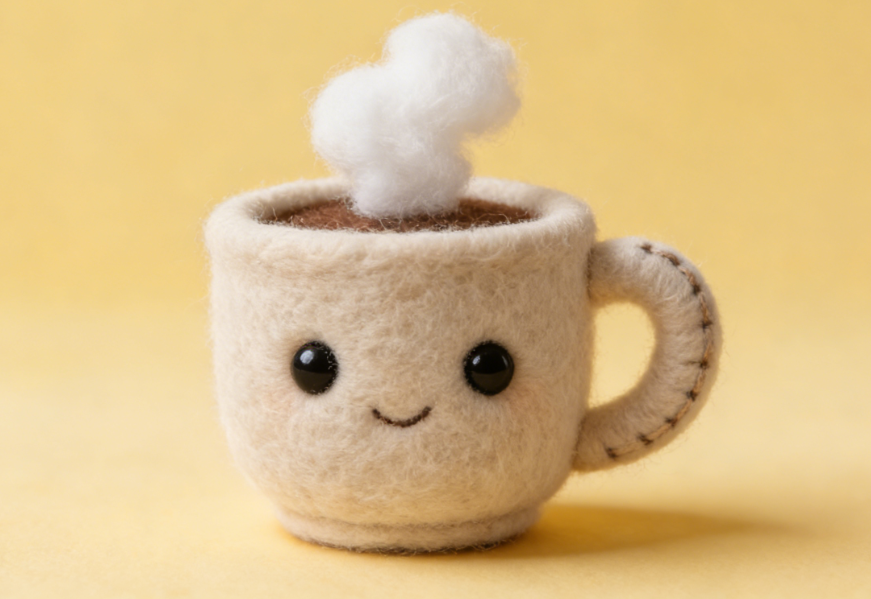
Example 1: The “Morning Coffee” Plushie (Cozy & Felt)
Prompt:A cute plush toy version of a coffee mug, anthropomorphic, happy face with small bead eyes, made of high-quality felt fabric, visible thick stitching on the handle, steam made of cotton wool. Colors: Soft beige, mocha brown, and cream. Lighting: Morning sunlight, soft shadows, rim lighting to highlight fabric fuzz. Render: C4D style, Octane render, 8k, solid pastel yellow background.
Example 2: The “Cyber-Sneaker” Monster (Vibrant & Furry)
Prompt:A sneaker transformed into a fluffy monster plushie, long shaggy faux fur texture, neon laces, big goofy glossy eyes, tongue sticking out. Colors: Electric blue, lime green, and hot pink. Lighting: Studio softbox lighting, volumetric lighting. Render: Hyper-realistic, adorable, Unreal Engine 5, clay render texture, detailed fur, blurred urban background.
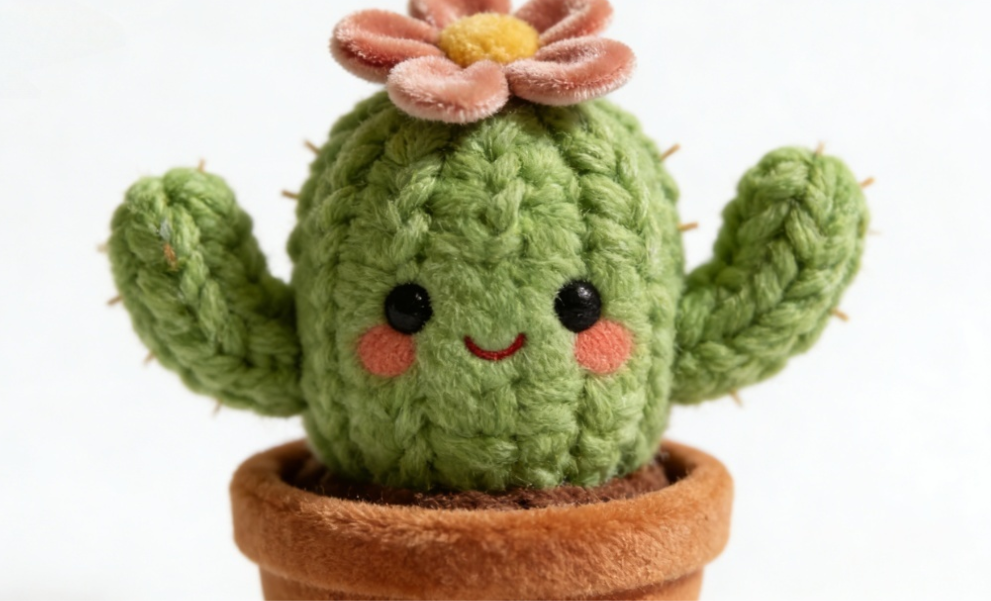
Example 3: The “Garden Cactus” (Knitted & Soft)
Prompt:A potted cactus as a knitted stuffed animal, wool yarn texture, crochet pattern clearly visible, no spikes but soft yarn knots, cute blushing face, flower on top made of velvet. Colors: Sage green, coral pink, terracotta pot. Lighting: Bright natural lighting, soft focus. Render: Macro photography style, depth of field, 3D art, minimalist white background.
Pro Tips for Success with Nano Banana Pro
1. Use Negative Prompts
To ensure your object doesn’t look like hard plastic or a creepy hybrid, add these to your negative prompt box:
(Negative Prompt): Plastic, hard surface, metal, photorealistic skin, deformed, scary, dirty, low resolution, watermark, blurry, bad anatomy, human face.
2. Adjust “CFG Scale” and “Steps”
- Sampling Steps: Set between 30 to 50. Plush textures need time to render the fine hairs and fabric grain.
- CFG Scale: Keep it between 7 and 10. You want the AI to follow the prompt strictly but allow enough creativity for the “fluff” to generate naturally.
3. The “Rim Light” Trick
Always include “Rim Light” or “Backlight” in your prompt. This forces the AI to render light passing through the edges of the object, which creates that realistic “fuzz” halo that makes plushies look soft.
Conclusion
Using Nano Banana Pro to turn the world into a soft, cuddly playground is one of the most satisfying ways to use AI. Whether you are turning a scary spider into a velvet friend or creating a mascot for your brand, the key lies in describing the texture and the light.
If you can describe how it feels to touch it, Nano Banana Pro can render it. And now our website AIAI.com is equipped with the Nano Banana Pro system — come and experience it ,make the world a softer place!

Thinking about a perm? Don't risk the damage yet. Use the best Curly Hair Filter to visualize tight curls, beach Read more
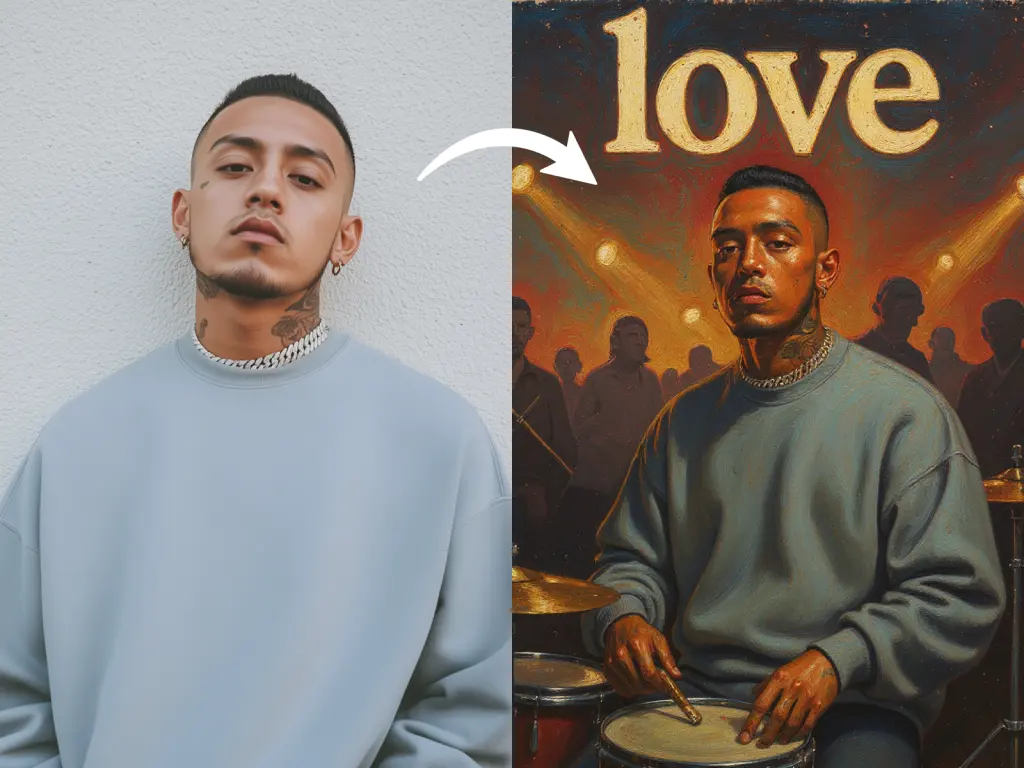
Create custom album covers with an AI album art generator. Upload a photo, apply styles, and add album titles instantly Read more
Still wasting hours manually aligning grey boxes in Figma before writing a single line of copy? Discover how generative AI Read more
Design unique Minecraft skins instantly with an AI Minecraft Skin Generator. Create custom skins from text prompts or images, customize Read more


