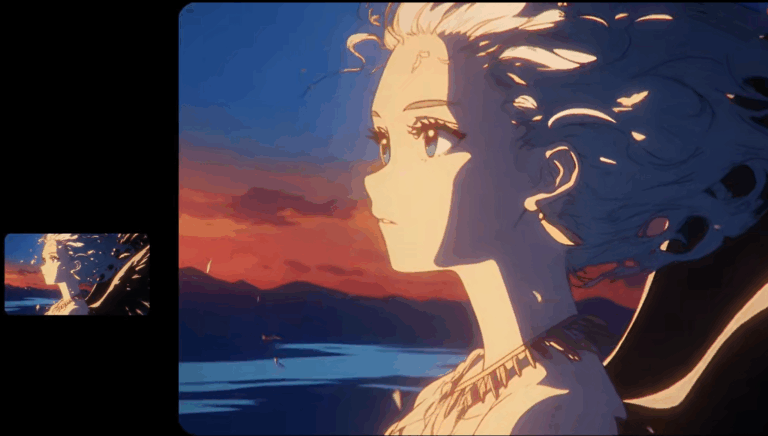
The AI video generation landscape has never been more competitive. But among the noise, the newly released Vidu Q3 is rapidly capturing the attention of creators everywhere.
If you are an anime creator, short video director, or developer, you are probably tired of AI videos that are “silent” or suffer from “single, stiff camera angles.” Vidu Q3 was built to solve these exact pain points.
It doesn’t just improve visual consistency; it brings two killer features to the table: Native Audio-Video Synchronization and Smart Camera Cuts. Many insiders are already calling it the “Best AI Anime Generator of 2026.”
Today, let’s tear down Vidu Q3’s core features and see how it makes content more vivid, immersive, and three-dimensional.
1. Audio-Video Sync: Let Your AI Video “Speak”
Previously, AI Anime Generators (Text-to-Video models) were essentially silent film generators. Adding dubbing later was a hassle, and matching lip movements was nearly impossible. Vidu Q3 changes the game as a true multimodal model.
Native Sound Effects & Dialogue: You no longer need external AI audio tools. Vidu Q3 generates matching sound effects (like explosions or wind) and character dialogue directly alongside the visuals.
Script via Prompt: This is a screenwriter’s dream. You can write your character’s lines directly into the Prompt. Vidu Q3 generates the scene with the character speaking, featuring high-precision lip-syncing.
For anime creation, this means you can generate a fully voiced anime scene in one go, drastically lowering the barrier to entry for production.
2. Smart Auto-Cut: Your AI “Cinematographer”
Many AI videos look like they were shot on a security camera because they lack cinematic language. Vidu Q3 introduces film-grade intelligent cutting:
Automatic Shot Planning: The model understands the content. For a fight scene, it automatically switches between wide shots, close-ups, and over-the-shoulder angles to add narrative tension.
Custom Camera Control: If you have specific storyboarding needs, you can define the camera movement logic directly in your prompt.
This capability turns Vidu Q3 outputs from flat GIFs into “micro-films” with genuine narrative depth.
3. Duration & Quality: 16 Seconds of Coherent Storytelling
In the short-form video era, longer duration means more room for storytelling. Vidu Q3 stretches the generation limit from the traditional 4-5 seconds to a flexible 1-16 seconds.
Richer Content: 16 seconds is enough to tell a complete joke or showcase complex anime camera movements.
Consistency is Key: Even during a full 16-second generation, Vidu Q3 maintains character features and background consistency. Say goodbye to the “melting face” effect.
4.Vidu Q3 Tech Specs (For Developers & SaaS Users)
For creators and enterprise users chasing ultimate image quality, Vidu Q3 offers incredible flexibility:
- Flexible Duration: Choose anywhere from 1s to 16s.
- Ultra-HD Resolution:
- SaaS Users: Standard 1080P HD, perfect for social media.
- API Users: Options ranging from 360P to 2K, suitable for everything from mobile previews to large-screen displays.
- Full Aspect Ratio Support:
- Text-to-Video: Supports mainstream ratios like 16:9, 9:16, 1:1, 3:4, and 4:3.
- Image-to-Video: Supports ANY ratio. It respects the source image dimensions completely. This is a huge win for e-commerce motion graphics.
5.Why You Should Try Vidu Q3 Now
Whether you want to produce an AI anime series or high-efficiency commercial video, Vidu Q3 is currently one of the most comprehensive choices on the market.
It’s no longer just a material generator; it is an all-in-one workstation that acts as your Director (Cuts), Sound Engineer (Audio), and Cinematographer (Visuals).
6.Tutorial: How to Try Vidu Q3 on AIAI.com (No GPU Required)
Since Vidu Q3 is dubbed the “Best AI Anime Generator,” how can the average user try it? You don’t need complex coding skills or an expensive local GPU. AIAI.com has already integrated the Vidu Q3 model, offering an out-of-the-box creative platform for everyone.
On AIAI.com, you get lightning-fast cloud rendering and a visual interface designed to maximize the model’s potential.
Here is a 3-step guide to creating a 2K AI Anime Short on AIAI.com:
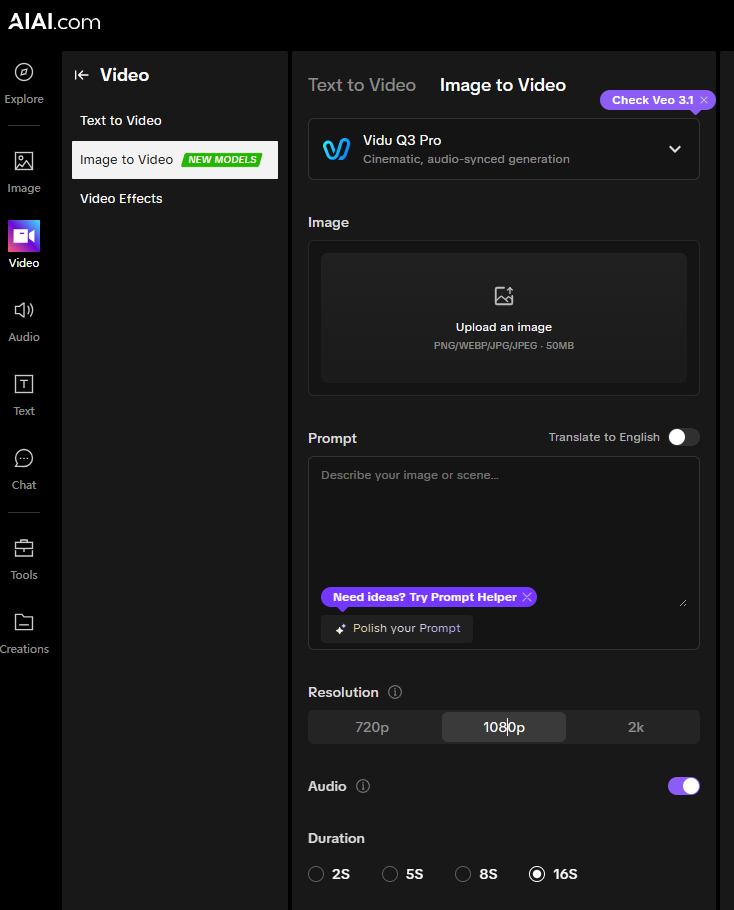
Step 1: Select the Vidu Q3 Engine
Log in to your AIAI.com workspace and select “Vidu Q3” from the model list. The platform supports flexible modes:
Text-to-Video: Start from scratch by typing an imaginative prompt.
Image-to-Video: Upload your anime sketch or character art. Vidu Q3 will animate it while perfectly preserving the original style (in any aspect ratio).
Step 2: Activate “Audio-Sync” & “Auto-Cut”
This is the magic moment on AIAI.com.
- Input Dialogue: In the prompt box, describe the scene and write the character’s lines.Prompt Example: A silver-haired anime girl standing on a rooftop, wind blowing through her hair (camera zooms in to close-up). She opens her mouth and says: “This battle has only just begun.”
(You will see the generated video features perfect lip-sync and ambient wind noise.) - Set Camera: Check the “Auto-Cut” option on the interface. The model will automatically plan the shots based on your plot—no manual editing required.
Step 3: Adjust Duration & Quality
For the ultimate visual experience, tweak the output settings:
Duration: Slide the bar to 16s. This is crucial for narrative content; you can finally generate a complete scene rather than fragmented clips.
Resolution: If you are a premium user on AIAI.com, go straight for 1080P or 2K. Thanks to Vidu Q3’s native high-res capability, the video remains crisp even in full-screen.
Don’t let your ideas stay in your head. Vidu Q3’s power combined with AIAI.com‘s simplicity allows anyone to become an anime director.
👉 Click here to go to AIAI.com and generate your first Vidu Q3 Anime Video for free!
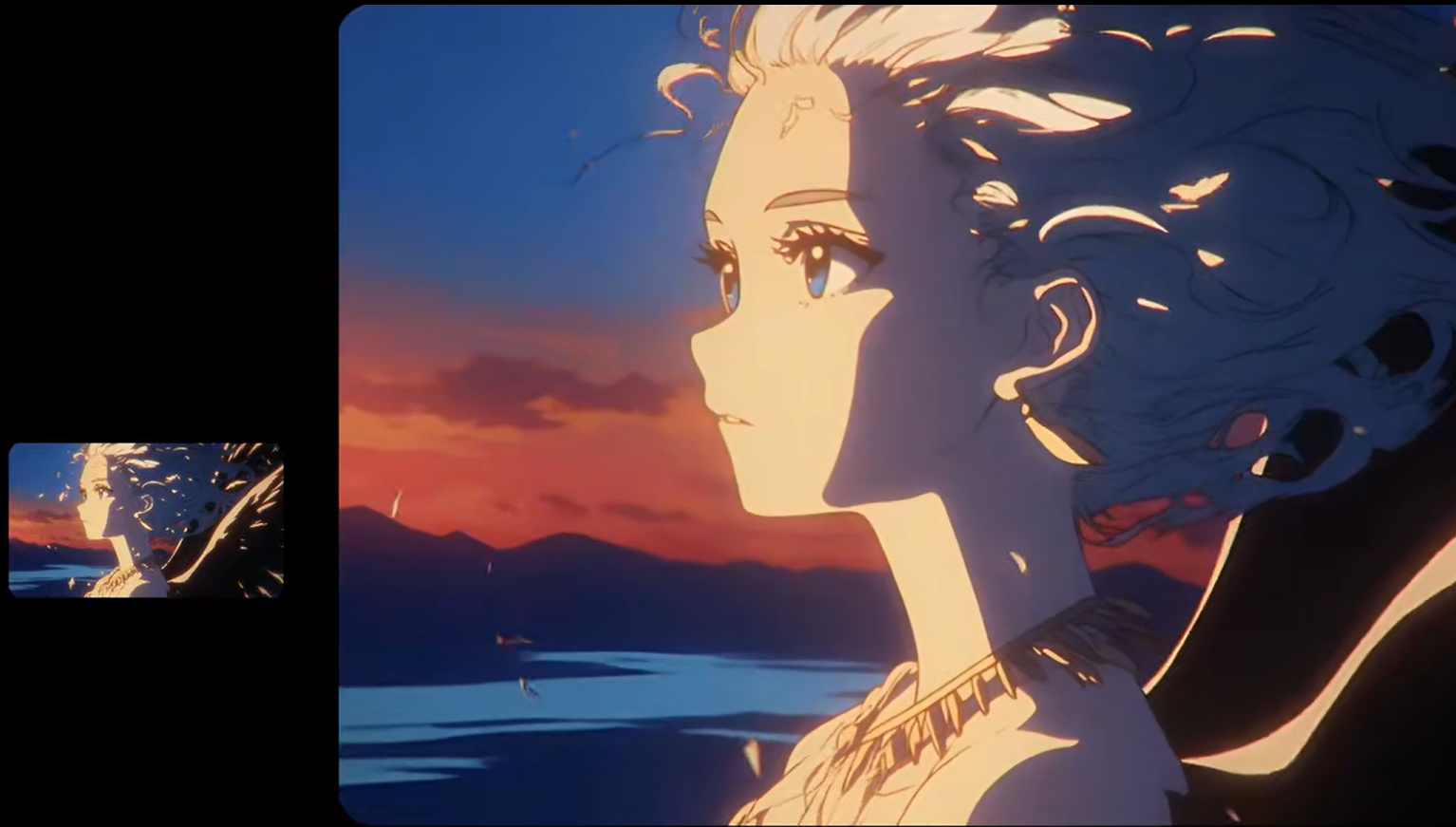
AI Anime Video Generator effortlessly using AIAI.com's powerful Vidu Q3 model. Transform images with text prompts or just photos into Read more
Hi, I’m Mia—a 23-year-old entry-level architectural designer at a small firm in Chicago, fresh out of design school. My biggest Read more