Anyone who’s ever spent a Saturday afternoon manually tracing a rough paper sketch in CAD knows exactly what a hand-cramping grind it is—which is why finding a reliable AI Cad Drawing Generator can feel like an absolute lifesaver.
We have all been there: staring at a blank screen, importing a client’s messy doodle, manually scaling every line, and wasting hours configuring baseline layers. If a client suddenly wants to move a partition layout or adjust a structural bracket, you often have to go all the way back to square one.
Recently, I was prepping a custom schematic pitch for a new project. Desperate to bypass the manual CAD fatigue, I started looking into how other design teams were speeding up their technical workflows. The industry data is actually pretty eye-opening: McKinsey reports that integrating AI into computer-aided drafting and product design can reduce drafting time by up to 50% . Furthermore, a recent CAD trend report notes that the AI-integrated CAD market is growing at 18.5% annually, with 64% of designers opting for cloud-based tools over heavy, local software.
Curious to see if the technology was actually practical or just overhyped marketing, I spent a week testing basically every spatial design tool and web app I could get my hands on. I stumbled onto a browser-based AI Cad Drawing Generator that actually fit my workflow.
Here is my honest journey from total manual fatigue to finding a solution that works.
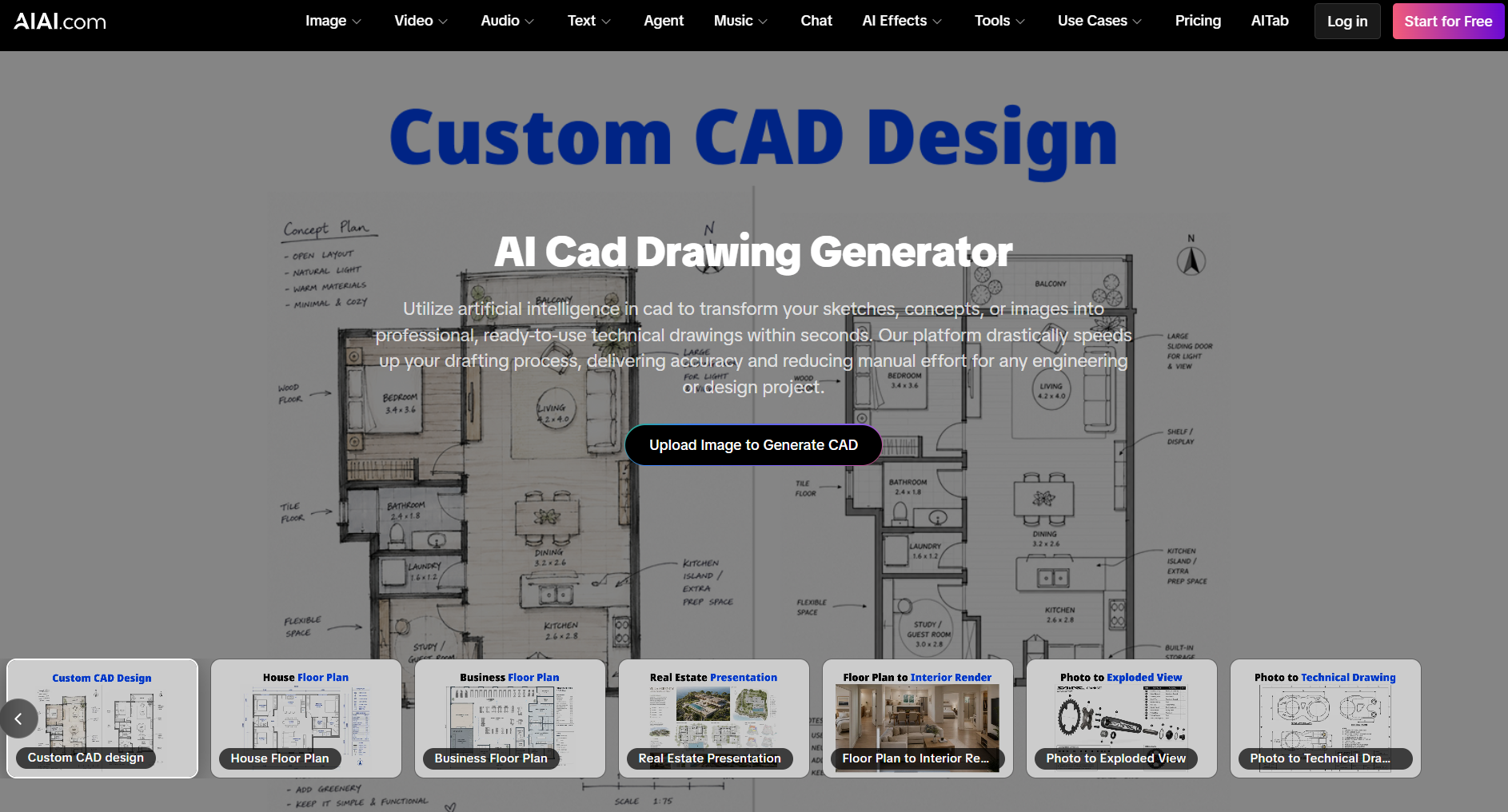
What is an AI Cad Drawing Generator?
An AI Cad Drawing Generator is a cloud-based application designed to translate text inputs, hand-drawn lines, or programmatic parameters into structured CAD layouts and technical drawings.
Instead of forcing you to build a complex 3D model from scratch just to test a passing idea, you describe the space in plain English or upload a simple drawing. The software then processes your input to generate detailed building facades, spatial layouts, or interior material concepts.
The system doesn’t just copy and paste static images; it interprets spatial volumes, depths, and material textures to turn your abstract thoughts into realistic technical concepts in a fraction of the time.
Is AI Actually Coming for Your CAD Job?
Whenever a new design technology emerges, I immediately head over to Reddit to see what real-world professionals are saying. In a recent thread called “AI’s future in CAD….?”, designers and Certified SolidWorks Experts (CSWE) discussed if generative tools are a threat or a helpful aid.
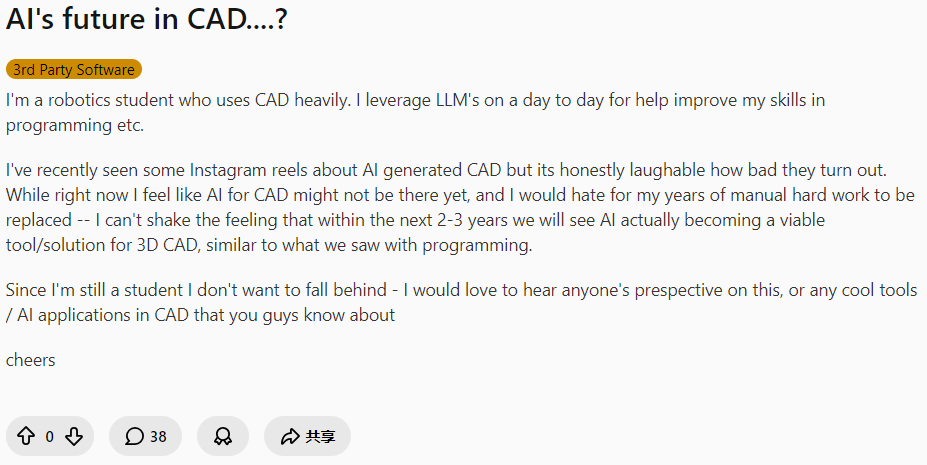
The discussion perfectly captures the everyday reality of the industry, and honestly, some of these takes are pure gold:
u/LowManufacturer1002:“I think AI will take over drawings first. Kind of a ‘the engineer sets up datums and critical-to-quality elements, and the AI fills in the rest’… but that’s like 5% of my job. Once AI can navigate specific quality systems, I think I’ll be okay.”
u/Giggles95036 (Certified SolidWorks Expert):“I always say I know AI will replace me the day the customer actually knows what they want and need… 😂 🤣”
u/Mintsopoulos:“Our jobs will forever be safe haha.”
This exchange highlights a massive truth. AI isn’t going to magically replace your engineering brain or write complex system logic. What it will do is automate the tedious 5% of your job—the endless manual tracing, formatting, and drafting.
By letting a smart tool handle the “drawing” phase, you free up your mind to focus on the actual design logic. So, if AI is here to take over the boring drafting grind so we can focus on actual engineering, how does it actually make our work better? Let’s look at the numbers.
Why Choose AI Over Traditional Manual Drafting?
If you are already comfortable with CAD and traditional drafting suites, you might wonder why you should bother adding another tool to your pipeline. After testing it in my own workflow, the practical advantages became obvious:
- Superior Efficiency: Traditional drafting can take days. With AI, you can quickly create and compare many detailed visuals. This cuts drafting time by up to 90% compared to doing it by hand.
- High Precision: It creates technical drawings that meet strict design and engineering standards.
- Automated Workflow: You don’t need to spend hours setting up complex lighting grids, camera angles, or texture mapping. The AI handles the heavy lifting, allowing you to focus purely on the creative direction.
- Error Reduction & Cost Savings: AI cuts down on human mistakes in complex drafting. It also significantly reduces costs tied to lengthy traditional CAD work.
When we mention AI providing “precision” now, we don’t mean creating construction blueprints that follow building codes. It’s about “design intent precision.” This means providing a clear visual guide. That way, you won’t have to guess when a client requests “warm, earthy textures.”
Is There a Free AI Cad Drawing Generator?
Once you see the value of AI-powered drafting, your very next question is probably: Can I actually try this for free?
The honest answer is: Yes, but most fully free, generic options out there come with major deal-breakers.
If you search Google for an ai cad drawing generator free of charge, you’ll find plenty of general-purpose art generators. However, trying to use them for real technical drafting usually reveals some major roadblocks:
- The “Fantasy Art” Effect: Many generic AI tools create stunning illustrations. They look great, but they often lack technical sense. They do not understand basic geometry, material thicknesses, or proper assembly logic.
- Confusing Discord Commands: Many free tools force you to type in complex codes inside public chat rooms on Discord. It is slow, public, and hard to control.
- No Privacy: If you are working on a commercial project for a client, you cannot have your designs floating around on public forums.
Designers often face a choice between two distinct paths when seeking a solution:
- Route A: The Heavy Download: Many users look for a free ai cad drawing generator. They want to run the software directly on their computers. But let’s be honest—setting up a local AI engine requires a high-end workstation with a monster graphics card. It’s expensive, clunky, and tethers you to one desk.
- Route B: The Cloud-Native Browser: This is why finding a robust ai cad drawing generator free online is such a massive leap forward. Think of it like streaming Netflix instead of buying a heavy gaming console. By using cloud processing power, you can create clean technical concepts on a regular laptop or tablet. There are no hardware limits as long as you choose a tool made for technical design that also respects your privacy.
So, of all the dedicated platforms out there, which browser-based tool actually delivers on this promise?
The Friendly Faceoff: OpenArt vs. CGDream vs. AIAI.com
Before settling on my favorite tool, I wanted to see how the biggest competitors stacked up in the tech space.
I ran some test files through the openart ai cad drawing generator first . It’s great for loose, hand-drawn sketches. However, it doesn’t provide the rigid layout lines needed for technical drafting. It can feel a bit too abstract when you need a clear structure, often turning detailed machine parts into weirdly organic shapes.
Next, I put the cgdream ai cad drawing generator through its paces. It excels at turning 3D models into various art styles. However, it isn’t meant to create a clean, vector-style 2D CAD layout from a simple 2D drawing.
AIAI.com ended up being the sweet spot, and here is why it completely won me over:
- Parametric Controls over “Prompt Guesswork”: With most tools, you have to pray your text prompt works. On AIAI.com, the control panel lets you choose exact aspect ratios like 1:1, 2:3, and 3:2. You can also set output specifications, such as architectural or mechanical CAD standards, using easy drop-down menus.
- Actually Understands Technical Assemblies: Unlike competitors that create flat facades, AIAI can analyze complex mechanical products. It generates an Exploded Assembly View with clear, numbered callout bubbles and matching part lists.
- A True Specialized Suite: It doesn’t treat technical drafting as an afterthought. It’s the only platform with unique modules on the homepage. You’ll find sections for house floor plans, business layouts, patent-style drawings, and 2D-to-3D rendering.
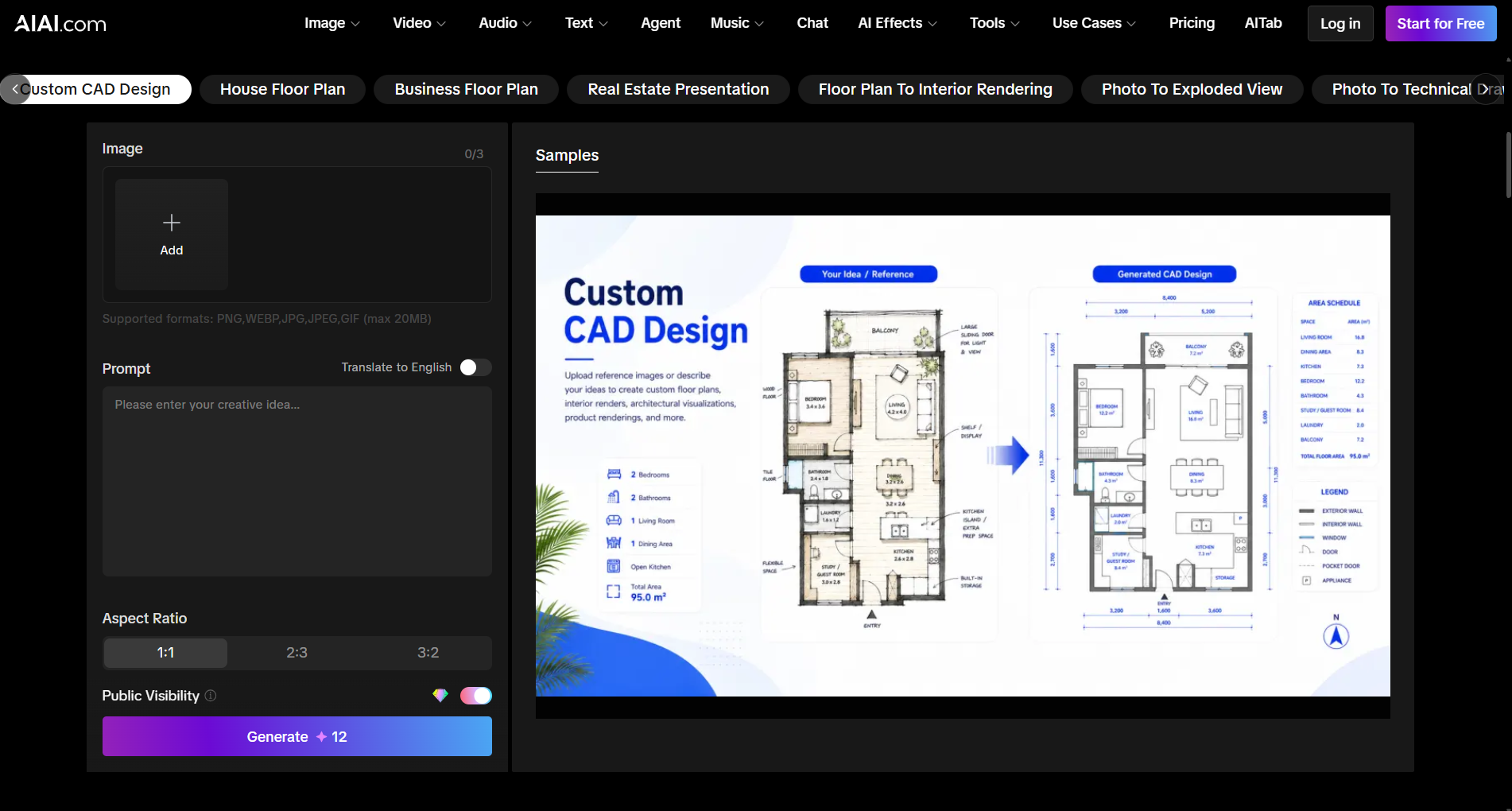
Inside the Toolbox: 6 Power Features of AIAI.com
Choosing AIAI.com solved all my privacy and hardware worries. But what can you actually do once you log into the platform?
Rather than offering a single, generic text box, the platform organizes its generative features into several core tools that match different steps of a real-world design process:
- Custom CAD Design: Upload any image or outline to generate a detailed, structured 2D CAD plan with dimensions and labels.
- House & Business Floor Plans: Instantly plan residential or commercial spaces by mapping functional layout partitions.
- Real Estate Presentation: Generate clean, customer-facing visual guides perfect for real estate brochures or investor pitches.
- Floor Plan to Interior Render: Seamlessly bridge the gap between flat 2D layouts and furnished 3D visualization.
- Photo to Exploded View: Ideal for inventors and product designers. It takes a product photo and visualizes its component assembly structure in a clean layout.
- Photo to Technical Drawing: Instantly generate patent-style schematics or technical drawings from any basic image.
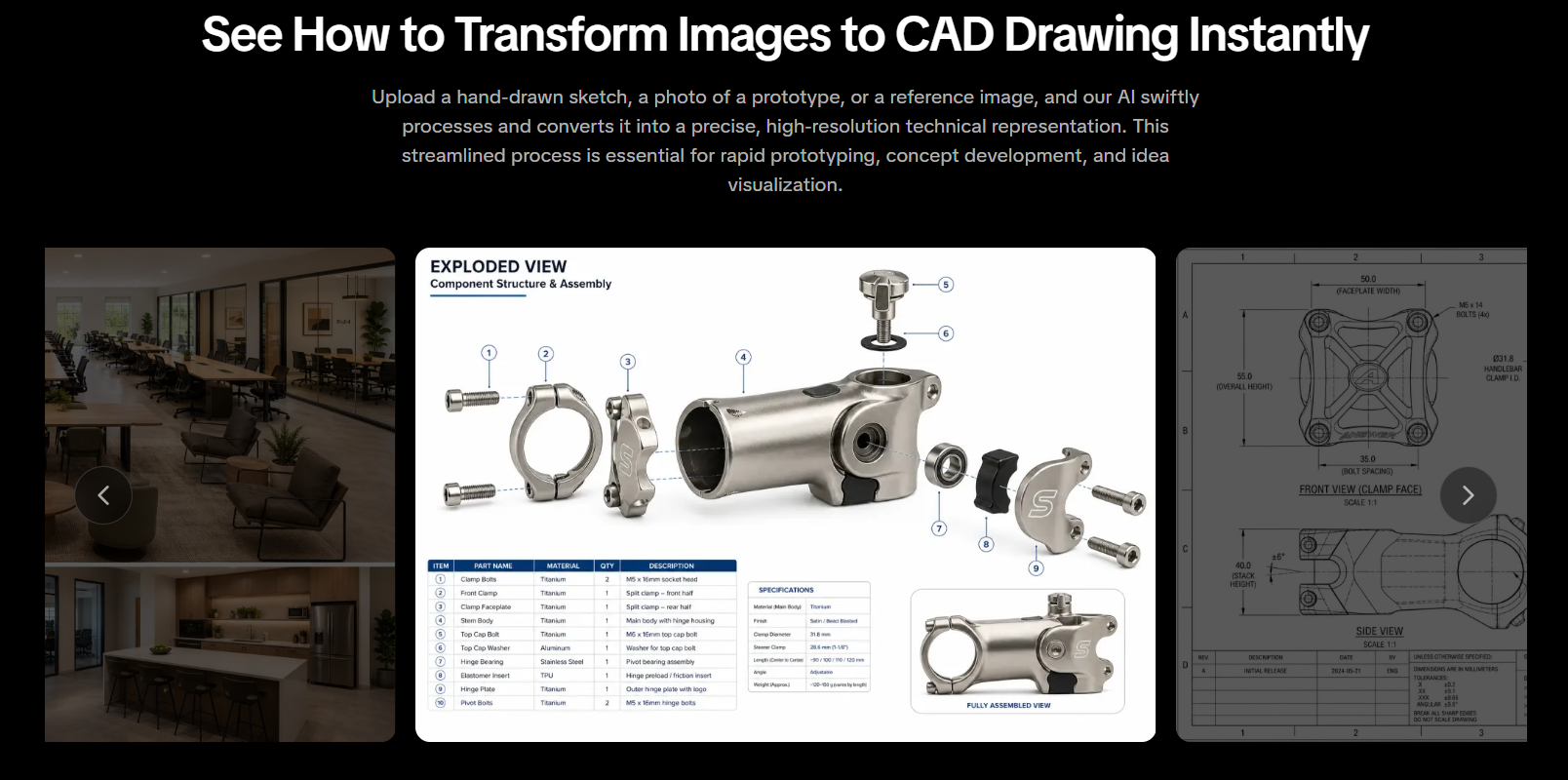
How to Use This AI CAD Drawing Generator From Image
The AIAI.com interface is incredibly straightforward. I tested this ai cad drawing generator from image by grabbing a messy, hand-drawn sketch of a three-room cabin layout I’d drawn on a scrap piece of paper, and the process was incredibly simple:
- Step 1: Upload Your Sketch
Open the AIAI.com platform, navigate to the Custom CAD Design tab, and drag and drop your hand-drawn sketch (supports formats like PNG or JPG up to 20MB) into the upload box. - Step 2: Customize Your Design Parameters
Use the simple drop-down menus on the control panel to define your project parameters, such as building type and architectural style. You can also select your preferred Aspect Ratio (1:1, 2:3, or 3:2). - Step 3: Generate and Download
Type in a brief text prompt to describe your materials and lighting (e.g., “warm interior lighting, wood and glass facade”), hit the “Generate” button, and watch your sketch come to life as a photorealistic render in seconds.
Where This Technology Shines: Real-World Use Cases
You don’t need to be a corporate draftsman to get value out of this tool. Here is where I have seen it make the biggest impact in real-world scenarios:
- Freelancers & Indie Designers: You can present bold ideas to clients right away. Use realistic visual assets from day one. No need to spend a week on manual CAD sketches.
- Inventors & Product Designers: If you want to patent a product or show an invention, you can create clear technical drafts and exploded views without costly modeling software.
- Real Estate Marketers: You can quickly show buyers how a fixer-upper can look. Use virtual remodeling and real-time layout rendering to highlight its potential.
5 Frequently Asked Questions About AI CAD and Technical Drawings
Is the AI Cad Drawing Generator free to use?
Yes. AIAI.com offers a robust free tier that allows you to generate a set number of high-quality designs every month without any financial commitment. For professional users who require unlimited generations and advanced features, flexible upgrade options are available.
How accurate are the AI-generated technical drawings?
The tool is built to be an early-stage conceptual partner. While it does not replace structural calculations, local building codes, or the precision of final CAD blueprints, it is highly accurate in translating design styles, materials, and spatial volumes during the brainstorming phase.
Can the platform handle converting an image to CAD format?
Yes . With the “Sketch to Render” and “Photo to Technical Drawing” modules, the system can parse flat images or manual line sketches and swiftly process them into structured CAD representations .
What input formats are supported by the AI CAD automated system?
AIAI.com currently supports all major image formats for upload, including PNG, WEBP, JPG, JPEG, and GIF, with a maximum file size support of up to 20MB per upload.
How does artificial intelligence in CAD benefit my engineering workflow?
It fundamentally transitions CAD from a labor-intensive drafting task into an efficient, automated process. This allows engineering and design teams to focus on core innovation, problem-solving, and system logic rather than repetitive drafting.
Final Thoughts
Bottom line: AI won’t magically replace your brain. It won’t sign off on your mechanical engineering specs or do your structural math. It’s a design tool, not a certified engineer.
It will save you from repetitive, hand-cramping drafting work. It transforms your regular web browser into a lively digital sketchpad. This sketchpad handles all the visual details for you. This way, you can keep your creative energy for the fun part of designing.
Instead of staring at a blank CAD template for another hour, why not go check it out? Grab a rough doodle, snap a quick photo of a prototype on your desk, and run it through the system.
Head over to AIAI.com and run a few generations for free—your wrists and your schedule will thank you.

Most of what you hear about AI in manufacturing is corporate hype—but when applied to the right bottlenecks, the results Read more

Planning a marriage proposal? Discover how an AI image generator can transform your ideas into stunning visuals, helping you choose Read more

Turn your pet into a Christmas character without costumes or chaos. Explore easy AI pet photo ideas for holiday cards, Read more

Discover how Nano Banana Pro's AI image-to-image feature can turn your ordinary photos into stunning "Stranger Things" themed artwork. Unleash Read more


