Valentine’s Day hits a little differently when you’re in a long-distance relationship. While everyone else is out at fancy dinners or posting cute selfies together, we’re usually propping up a phone for a FaceTime date, trying to make it feels like the real thing. With Valentine’s Day just around the corner, the distance is starting to feel a lot heavier.
I was scrolling through my camera roll the other day and it hit me we don’t have any recent photos together. But this year, I found a way to “cheat” the distance. I discovered a way to take a dream trip to Paris without even leaving my couch. It sounds a little crazy, but I really make it through AIAI.com. If you’re tired of being miles apart, you have to try an AI couple photo maker.
Distance Shouldn’t Stop You From Making Valentine’s Memories
The struggle of not having any recent photos together
The hardest part about being miles apart isn’t the plane tickets, it’s the lack of shared memories in your camera roll. My phone is full of screenshots of our video calls, but we don’t have those casual, standing side by side shots. On Valentine’s Day, that gap feels even wider. You just want something that feels real, not another digital reminder of the distance.
Why digital surprises are the new favorite for LDR couples
Sending flowers is sweet, but it feels like you’re just going through the motions. Physical gifts don’t solve the feeling of being lonely, either. That’s why I’ve started leaning into digital surprises. They feel more personal because they require a bit of creativity. A shared digital experience or a custom-made memory shows you’re thinking about your future together, not just checking a box on a gift list.
What Is an AI Couple Photo Maker
A simple look at the tech that brings two people together
Think of it as a smart shortcut to a perfect photo. It takes two separate selfies and uses the AI to blend you into a single scene. You don’t need to be a Photoshop pro. You just upload your photos, and the tool does all the hard work. It figures out where to place you so it looks like you’re actually together.
Creating realistic memories instead of messy, fake edits
Old-school apps are used to just cut and paste your head onto a stock photo. The lighting never matched, and you ended up looking like a floating cardboard cutout. It looks more like a bad collage than a real photo.
Tools like AIAI.com utilize generative AI, not simple editing. Here is the difference:
- Lighting Reconstruction: The AI analyzes the light source on your face and rebuilds the shadows to match the new background.
- Perspective Matching: It adjusts your height and body angle so you look like you are actually standing next to your partner, not just floating beside them.
- Texture Blending: It ensures the grain of the photo matches, so one person doesn’t look 4K sharp while the other looks blurry.
For example, if you’re standing on a beach, the tool makes sure your feet look like they’re pressing into the sand, with tiny and natural shadows where your toes meet the ground. It even matches the colors, so you don’t look too bright or too dark. It feels like a real snapshot of a real date.
My Personal Journey Using AIAI.com to Plan a Virtual Date
I wanted our first joint photo in months to be something special, so I went with a classic sunset shot in front of the Eiffel Tower.
The Process:
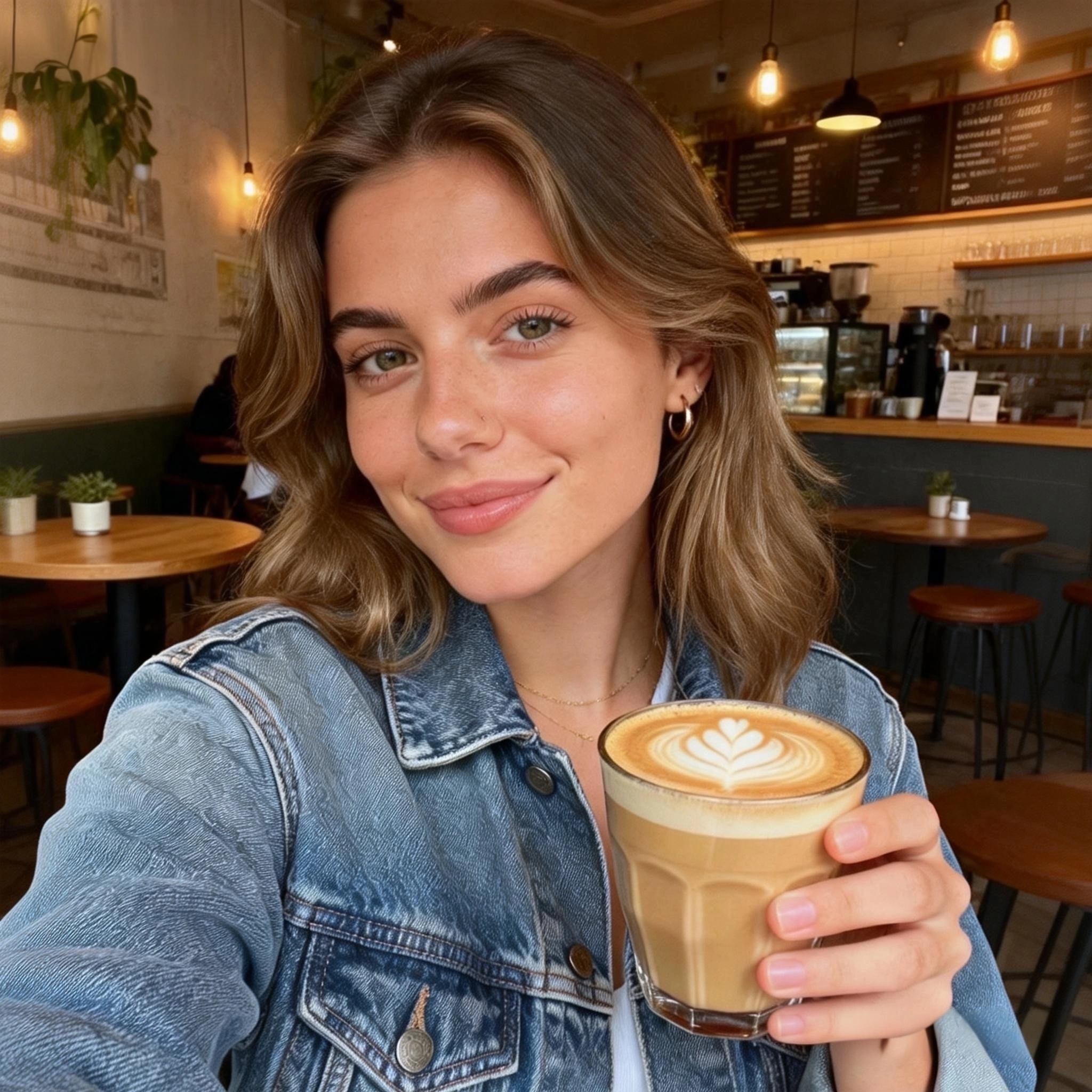
- My Photo: I used a photo I took at a local cafe. I was wearing a denim jacket, and the lighting was soft.
- His Photo: I grabbed a picture of him grilling in his backyard. He was in a grey t-shirt with that goofy smile I love.
- Let AI work
When the result popped up, I was totally shocked. The tool pulled those warm, golden light from the sunset and brushed them over us. It even made the background brighter so the Eiffel Tower looked radiant behind us. But the best part was how it handled our pose. We were standing there hand in hand in photo. Our grip looked so natural and sweet, not stiff or awkward at all. Everything about the photo felt soft and bright. It didn’t look like a cheap edit or a fake backdrop. It looked like we had just finished a long walk through Paris and had a perfect moment together before the sun went down.


How to Use This Tool
It’s very easy to use:
- Upload your favorites: Select clear selfies of yourself and your partner.
- Choose Your Vibe: Pick a destination (Paris, Tokyo, Beach) and a pose (hugging, holding hands).
- Generate: Wait a few seconds for the AI to blend the shots.
- Save and surprise: Download your new memory and send it over.
Simple Tricks to Make Your AI Photos Look Real
If you want to get more natural photos, there are two quick tricks I learned:
- Match the lighting: If your selfie is in bright sunlight, pick a partner photo that isn’t in a dark room. The best results happen when both photos have soft, natural lighting.
- Watch the angles: Check your camera angles.If you’re looking up at the camera, try to find a photo of your partner doing the same. When the perspectives align, the blend becomes seamless.
Generate a Photo by Yourself
Distance is just a number, but these little memories are what keep us going. Using an AI couple photo maker isn’t about faking a trip, it’s about visualizing that day when you won’t have to be apart. Seeing us together in Paris gave me a little boost of hope, and I know it’ll do the same for you and your partner this Valentine’s Day. Try to create your photos, and you will surely be surprised.
Learn how to use an AI-powered Veo Watermark Remover to delete Google Veo video watermarks online quickly and create clean, Read more
Old videos looking blurry on modern screens? I tested an AI video upscaler to enhance video quality up to 4K Read more
Faced with a sudden landlord deadline or moving into a new space? Here is how to create a professional, dimension-accurate Read more

Life in plastic, it's fantastic! Use the best AI Barbie Generator to turn your selfies into stunning dolls. Create custom Read more


