Create Professional Travel Infographics with Nano Banana Pro
Travel creators, bloggers, brands, and educators all rely on clear, visually appealing infographics to convey information quickly.
With Nano Banana Pro, you can generate high-quality, photorealistic travel infographics in minutes, no design tools or graphic design experience require.
This guide shows how to create effective Travel Tips Infographics using Nano Banana Pro, along with ready-to-use prompts and sample structures.
Why use Nano Banana Pro for Travel Infographics?
- Accurate Text Rendering
Infographics rely heavily on readable text. Nano Banana Pro can generate crisp, correctly spelled English text—no more AI gibberish. - High-Fidelity Visual Elements (Retrieval Ability)
Whether it’s passports, luggage, maps, or safety equipment, the model retrieves accurate references for professional-quality visuals. - Intelligent Layout Understanding (Reasoning Ability)
Nano Banana Pro understands infographic structures like titles, sections, lists, icons, and captions. - Photorealistic Styling
Generate realistic icons, objects, and visual elements that make your infographic stand out.
Step by Step Gudie: Creating a Travel Tips Infographic
Step1 Choose your theme:
Pcaking tips, safety, budgeting, cultural etiquette, first-time travel.
Step2 Outline your content:
Write down 3–5 key tips you want to include.
Step3 Build your prompt:
layout structure
color palette
specific text to render
icons and elements
style (photorealistic / minimal / modern)
Step4 Generate and refine
Adjusting spacing, color, or text if needed. Re-generate for variations.
Photorealistic Travel Tips Infographic Examples
Example1: “Essential Tavel Packing Tips” Infographic
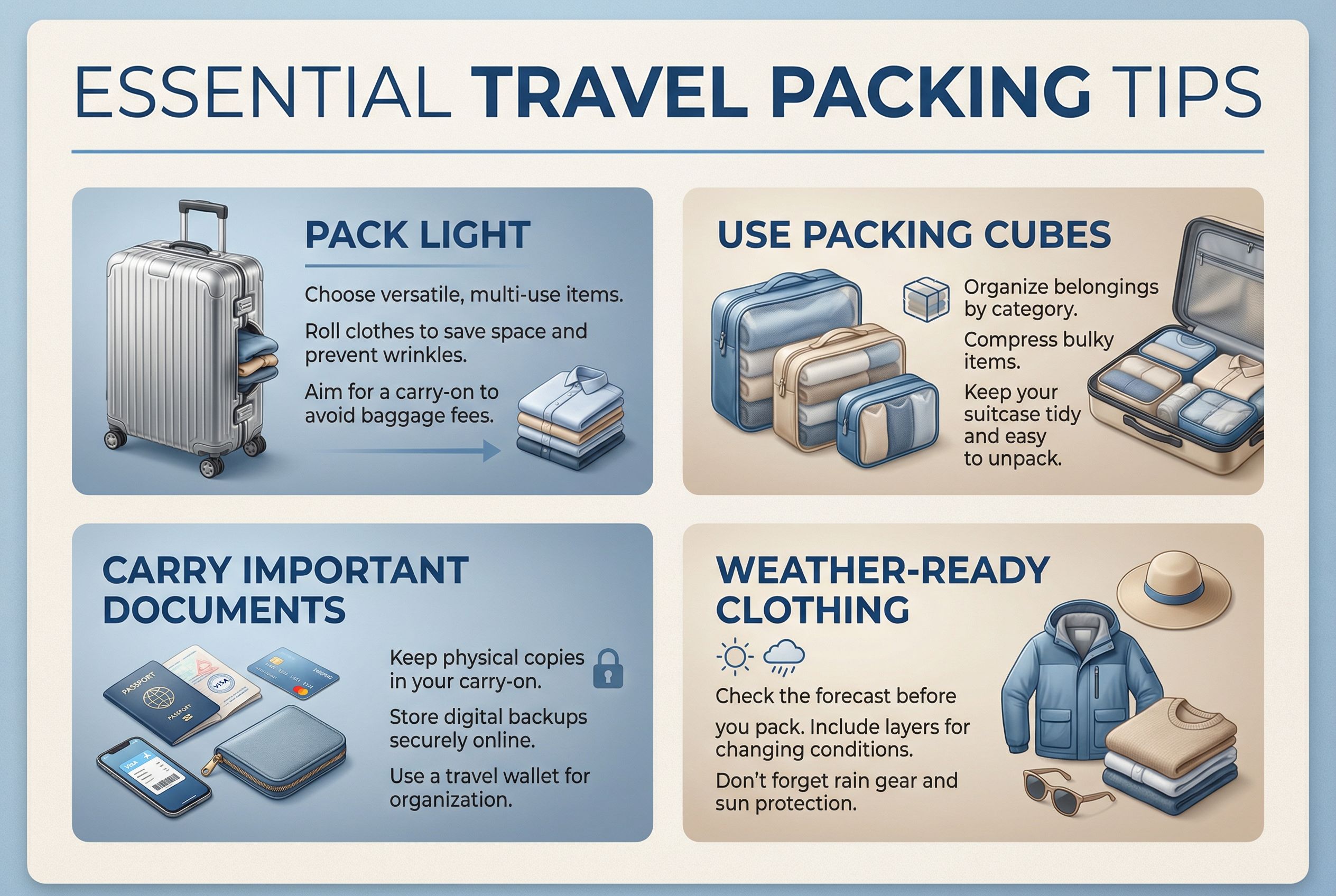
Example prompt:
A photorealistic travel tips infographic titled “Essential Travel Packing Tips”. Clean, modern layout with 4 sections: “Pack Light”, “Use Packing Cubes”, “Carry Important Documents”, “Weather-ready Clothing”. Include realistic icons: suitcase, packing cubes, passport, clothing. Soft blue and beige color palette. Clear, readable English typography. Professional infographic style.
These are suit for blogs, pinterest or Instagram post.
Example2: “Safety Tips for Every Traveler” Infographic
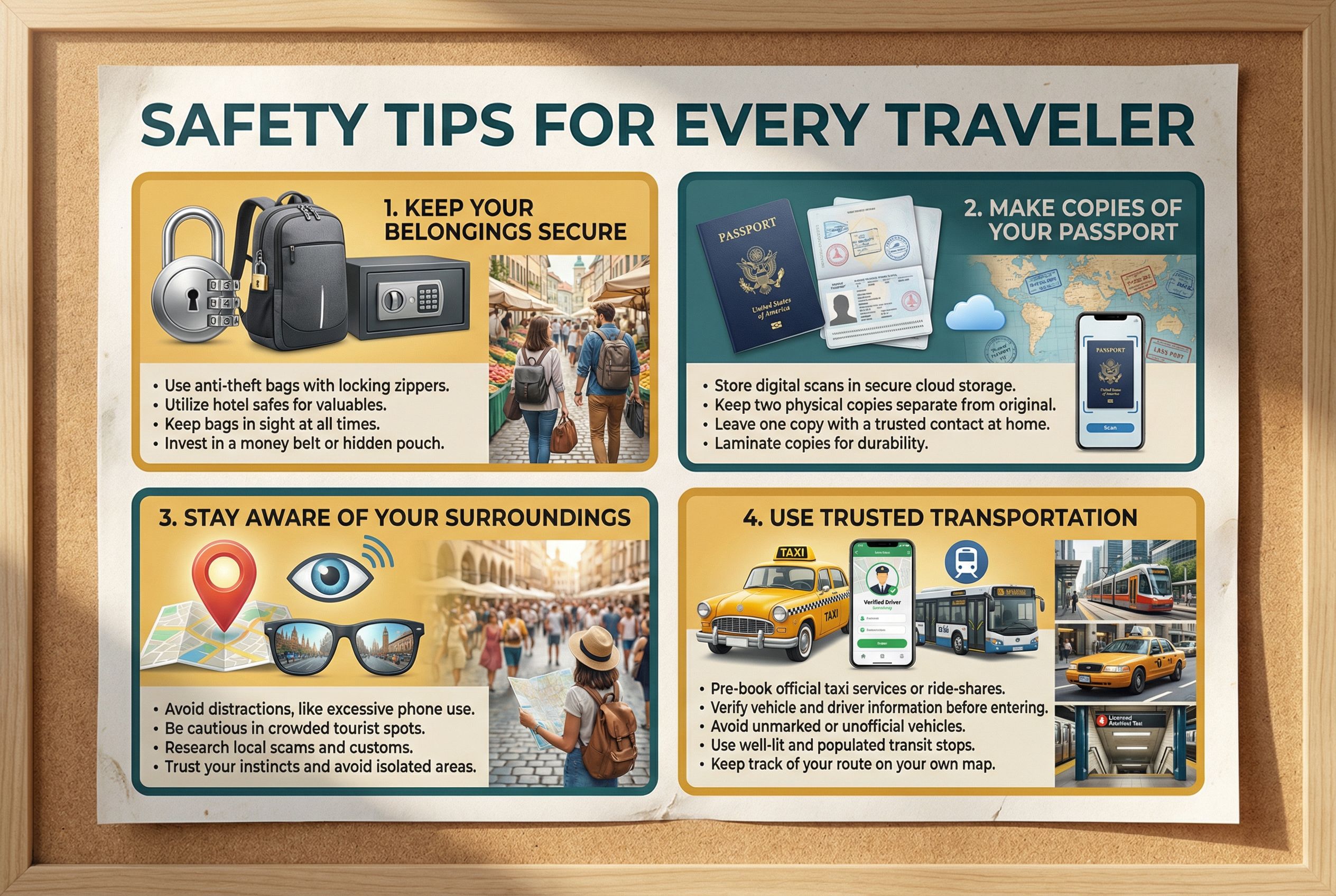
Example prompt:
A photorealistic travel safety infographic titled “Safety Tips for Every Traveler”.
- Use Trusted Transportation
- Use realistic iconography: locks, passport copies, map pins, taxi symbols.
- Warm yellow and teal color palette. Clean, high-contrast text.
- Modern infographic style.
- Keep Your Belongings Secure
- Make Copies of Your Passport
- Stay Aware of Your Surroundings
They are perfect for travel agencies, airport screens, or safety awareness content.
Example4: “First-Time International Travel Guide” Infographic

Example prompt:
A photorealistic infographic titled “First-Time International Travel Guide”.
- Learn Basic Local Phrases
- Include realistic icons: visa passport, insurance paper, currency, speech bubbles.
- Navy blue and beige color palette. Editorial-style layout.
- High clarity English text.
- Check Visa Requirements
- Book Travel Insurance
- Prepare Currency
They are suit for beginners, travel educators, newsletters, or blog headers.
Tips for Creating Better Travel Inforgraphics
- Use a consistent color palette to match your brand identity
- Include exact text in your prompt for the best layout accuracy
- Specify “photorealistic icons” to avoid cartoonish outputs
- Keep infographics within 3–6 sections for readability
- Use “consistency mode” to generate a full series with matching style
Start Designing Your Travel Infographics Today
Nano Banana Pro makes it easy to create professional, engaging, and photorealistic travel infographics. Whether you’re producing education content, marketing material, or blog graphics, Nano Banana Pro can dramatically speed up your creative workflow.
A few months ago, I was helping a small startup team in San Francisco figure out how to reorganize their Read more
I’ve always liked the look of traditional pencil drawings. A simple graphite sketch can make a portrait feel personal, while Read more

Explore Nano Banana Pro's AI Short Hair Filter to instantly visualize yourself with a new short hairstyle. Experiment with cuts, Read more
Introduction As someone who creates content across multiple platforms, I often repurpose videos for TikTok, Instagram Reels, YouTube Shorts, and Read more


