If you are searching for a reliable free video watermark remover that actually works without blurring your footage, you are in the right place. I edit a lot of videos for my social media channels, and honestly, nothing frustrates me more than finding the perfect clip—only to realize it has a giant, distracting logo stamped right across the frame.
Whether it’s a downloaded TikTok video, an anime clip with hardcoded subtitles you can’t turn off, or a cinematic shot generated by the latest AI models like Kling or Sora 2 with a brand mark in the corner, that little stamp instantly makes your whole project look cheap.
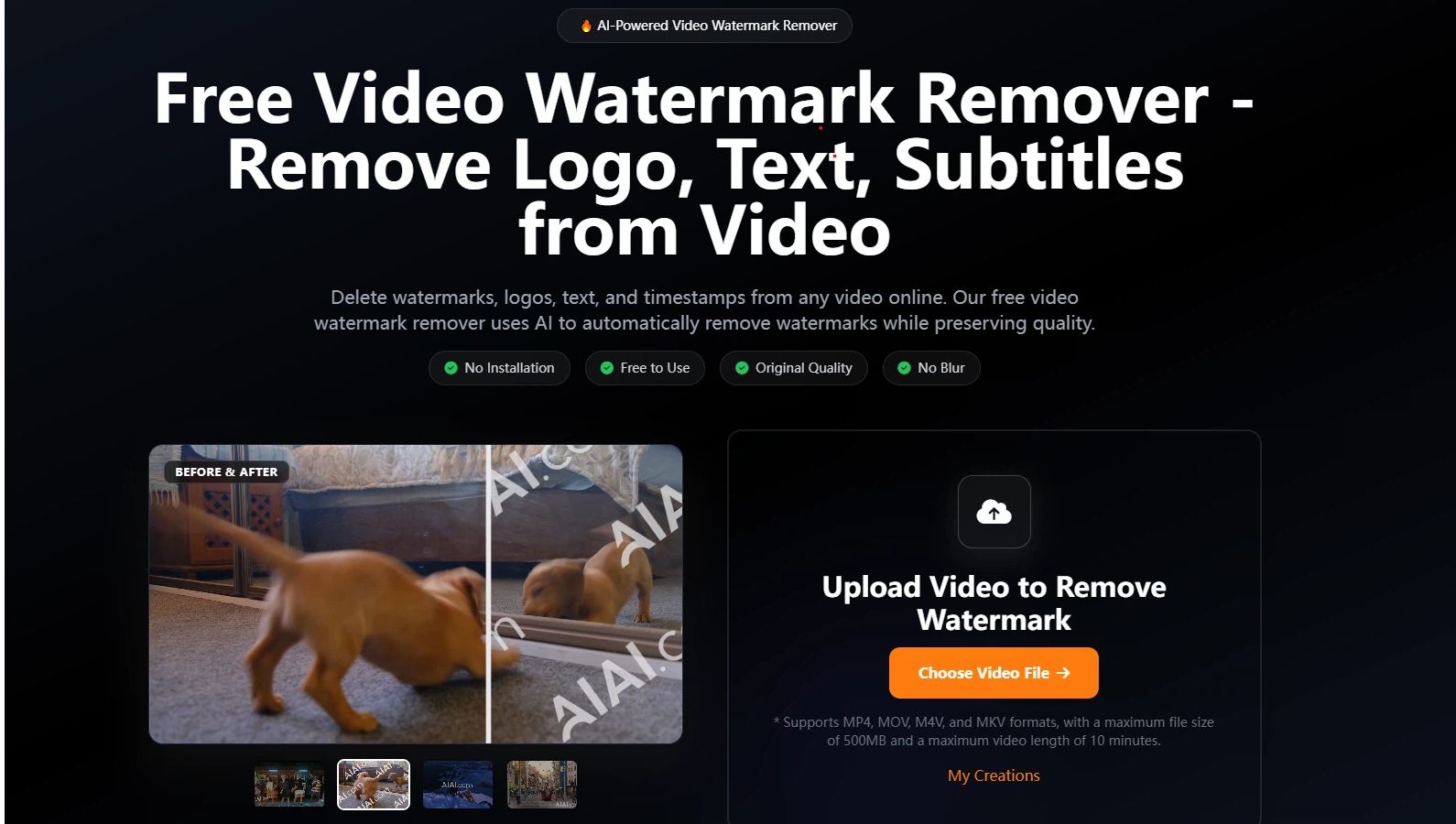
I started looking for a smarter way to clean up my footage. After testing dozens of online tools, I finally settled on AIAI.com. This is a comprehensive website that brings together multiple cutting-edge AI models. Their free video watermark remover utilizes artificial intelligence technology to automatically erase logos while perfectly maintaining the original video quality.
Here is why it easily handles complex watermark removal and has become a permanent tool in my editing workflow.
Why AI Reconstruction is the Ultimate Watermark Killer
If you search for a “free video watermark remover” online, the vast majority of websites just offer a rigid, basic algorithm. But in real-world editing, that is not enough. Erasing hardcoded text on a solid color background and removing a semi-transparent logo over a moving river or a crowd of people are two entirely different tasks.
The biggest advantage of the free video watermark remover on AIAI.com is its massive AI computing power and intelligent analysis:
- Advanced Inpainting for Any Scenario: When I upload a watermarked video, the AI analyzes the specific material of the footage (anime, live-action photography, CGI). It doesn’t just smudge the logo away. Instead, it uses mathematical algorithms to accurately predict and reconstruct the missing textures and motion paths behind the logo.
- Seamless and Lossless Quality: It consistently generates a clean, unblurred frame without any visual distortion—as if the watermark was never there. Plus, everything runs in the cloud. I don’t need to install any heavy software, and it can process 4K videos in minutes.
4 Core Scenarios I Use This Tool Every Week
This tool goes way beyond just removing TikTok logos. Here are the specific scenarios where it saves me hours of work:
1. Cleaning AI-Generated Videos (Kling, Sora 2)
AI video generation tech in 2026 is mind-blowing, but those corner brand watermarks ruin the cinematic vibe. The free video watermark remover on AIAI.com is optimized for the noise and textures of AI-generated content. It not only automatically erases Vidu or Kling watermarks but also perfectly preserves the complex, high-definition details of the original video.
2. Saving Free Video Editor Exports
Have you ever spent hours testing a new video editor (like Filmora or KineMaster), only to export your project and find a giant brand stamp plastered across your footage? Instead of paying for an expensive premium license just for one export, I simply throw the file into AIAI.com and let the AI wipe the other software’s stamp away.
3. Erasing Hardcoded Subtitles (Hard Subs)
Sometimes I need a clean clip from a movie or anime for an edit, but the only version I can find has subtitles hardcoded into the actual video file. This tool erases that text flawlessly without warping the characters or the background scenery.
4. Repurposing Social Media Clips
If you cross-post content, you already know that Instagram Reels will actively downrank videos that have a TikTok or YouTube Shorts logo on them. I use this tool to instantly wipe those bouncing logos, giving me a clean source file that I can post on any platform.
My Workflow: 3 Simple Steps to Remove Watermarks
You don’t need to know how to use Premiere Pro or After Effects. The entire process is incredibly straightforward.
Step 1: Upload the Video
Open the free video watermark remover page. Just drag and drop your MP4 or MOV file. (It supports files up to 500MB and up to 10 minutes long, which is more than enough for social media creators).
Step 2: Select the Watermark & Let AI Intervene
The tool usually auto-detects common logos and timestamps. If it misses something (like a custom sticker), you just manually draw a box over the area you want to erase. The system automatically processes and reconstructs the footage in that zone.
Step 3: Process and Download
Click process, and go grab a coffee. Within minutes, your clean video is ready to download. The best part is that it maintains the original quality and resolution. It absolutely will not compress your file into a low-res, pixelated mess.
The Honest Truth: How the “Free” Mechanism Actually Works
I hate when websites claim to be “free,” but suddenly hit you with a paywall the second you try to download your finished file.
So, let me give you the honest breakdown of how the free video watermark remover on AIAI.com works: it uses a highly transparent “Free-to-try” model.
When you register an account, the system automatically deposits 20 Free Credits into your balance. This is enough for you to fully process a few short videos and witness the quality of the AI reconstruction for yourself—no credit card required.
If you are just a casual user, these free credits are usually enough to save a few urgent clips. If you process a massive amount of footage daily like I do, their credit packages are very affordable. More importantly, the platform respects your privacy; once your video is processed, it is automatically deleted from their servers.
Stop Letting Logos Ruin Your Best Footage
A clean video is a professional video. Whether you are a marketer, an educator, or just a creator trying to make a cool edit, using advanced AI technology to automatically remove watermarks while maintaining video quality is currently the best choice on the market.
Go claim your free credits and see the before-and-after difference for yourself.
[Click Here to Try the Free Video Watermark Remover on AIAI.com]

Explore how an AI video generator can speed up content creation for social media, business videos, product promos, and blog-to-video Read more

A Grinch filter lets you transform a regular photo into a Grinch-inspired image—green skin, expressive eyes, and that unmistakable “holiday Read more
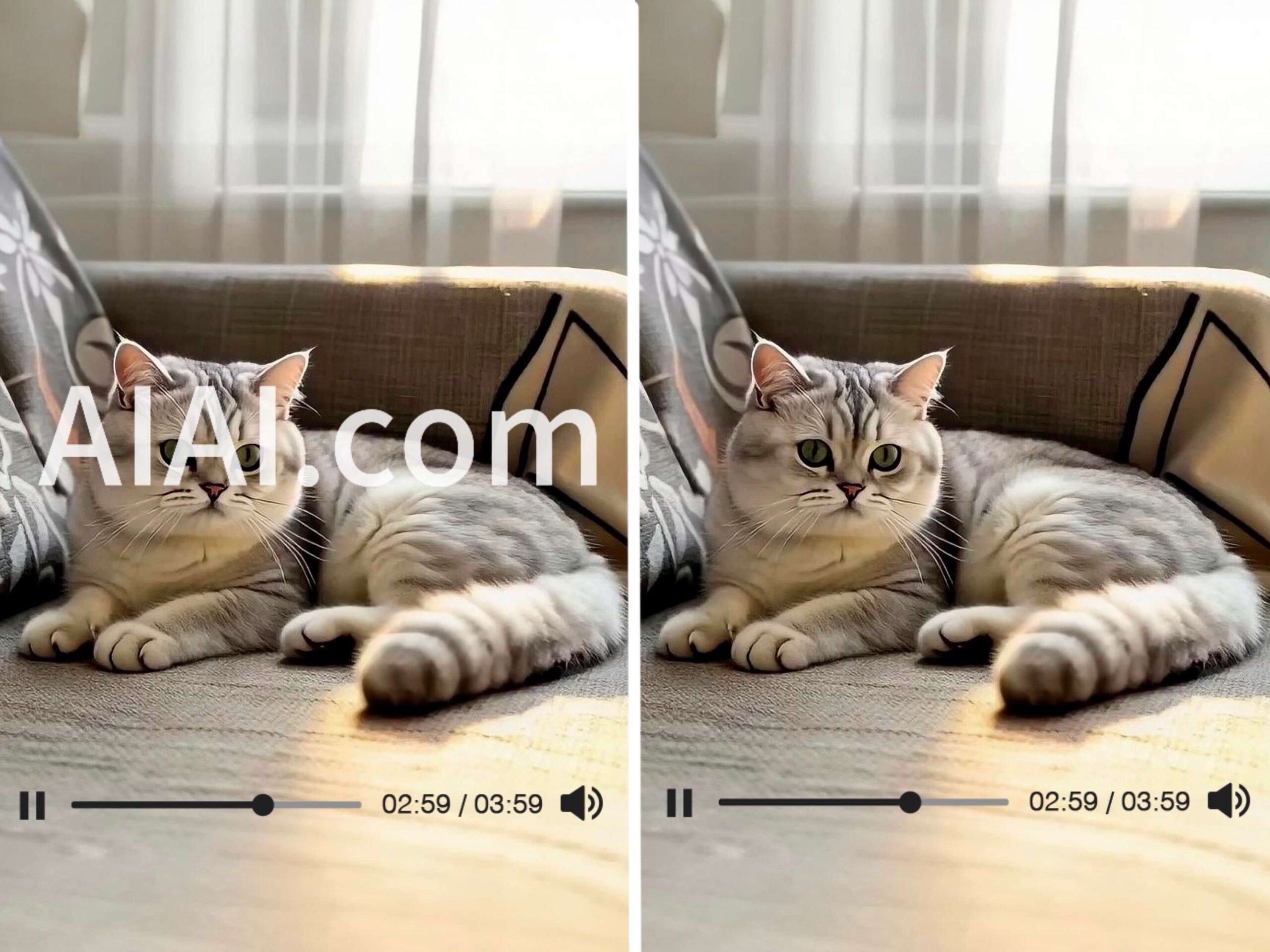
Struggling with watermarks on your clips? Learn how to remove watermark from video using AIAI.com. This AI video watermark remover Read more

If you’ve ever struggled with a watermark ruining your video, this guide walks you through how to remove watermark from Read more


