Not everyone wants another perfect Christmas photo. Every December, there are two groups.
Group A is all about cozy lights, matching pajamas, and carefully staged holiday photos.
Group B thinks Christmas is better with a little chaos.
If you’re reading this, there’s a good chance you’re in Group B. That’s where the Grinch filter comes in.
A Grinch-style image doesn’t scream “holiday cheer.” It raises an eyebrow at it.
What Is a Grinch Filter?
An AI Grinch filter can turn almost any image into a playful, Grinch-inspired version in seconds, creating that iconic mischievous green look.
This filter is for people who want:
- a not so perfect and boring Christmas photo
- something funny for a profile picture or group chat
- a holiday image that says “I’m festive, but tired”
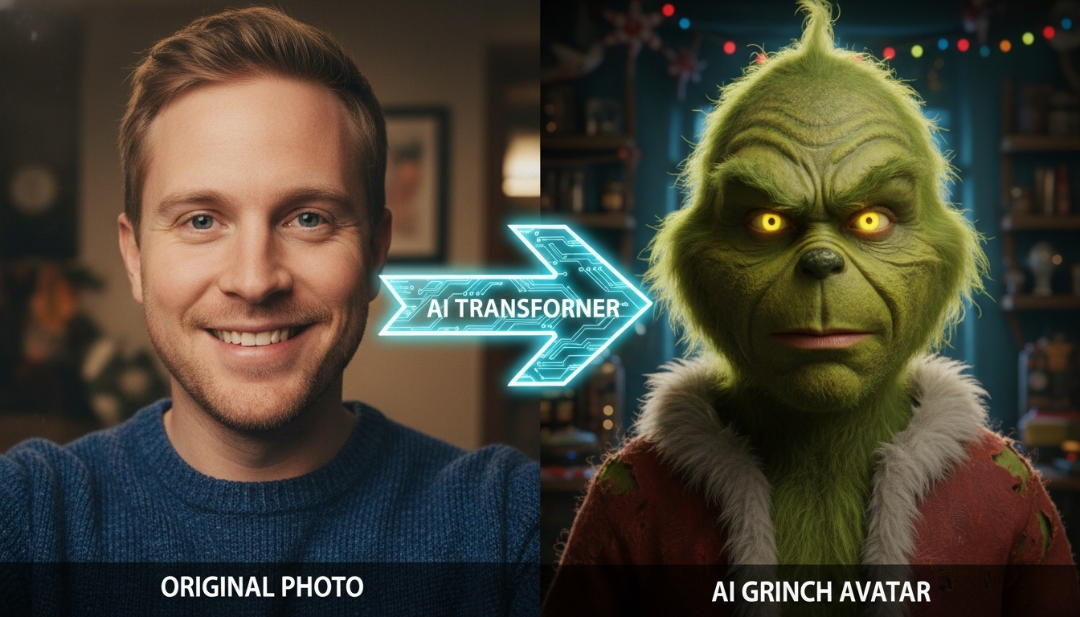
What Makes the AIAI Grinch Filter Work Better
Instead of having a flat cheap green mask slapped on a selfie, the Grinch filter on AIAI.com is designed around one idea: keep the photo human, add the mischief. The result still feels like you, just greener, moodier, and more honest about the holidays. No editing skills. No Photoshop headaches. Just upload, click, and enjoy the result.
Why the Grinch Look Never Gets Old
Sometimes you don’t want to say how you feel. You want a green, grumpy alter ego to say it for you.
- Overcrowded malls
- Too many gift exchanges
- One more “ugly sweater” invite
That’s why Grinch-style images show up everywhere during the holidays: profile photos, group chats, and Christmas cards that definitely won’t be sent to Grandma.
Where Most Grinch Filters Go Wrong
There are plenty of filters online that promise a “Grinch effect.” Most of them fall into one of two categories:
- Sticker-style overlays The face stays the same, a green mask sits on top, and it looks fake instantly.
- Too many controls Sliders, toggles, “advanced” options, none of which fix the core issue.
A Grinch filter generator avoids both. It keeps the structure of the original image while adding Grinch-inspired features: green skin tones, expressive eyes, and that unmistakable smirk.
How to Use the Grinch Filter (It’s Very Simple)
You don’t need a tutorial video or a long setup.
Here’s how it works on AIAI.com :
- Upload your image
- Select the Grinch filter
- Let the AI do its thing
- Download and share
That’s it.
No confusing sliders. No “advanced settings” that no one actually uses. It’s designed for people who want results, not a lesson in digital art.
Tips to Get a Better Grinch-Style Image
While the filter is easy to use, a few small choices can make the output even better:
- Clear faces work best: Front-facing or slightly angled photos give the AI more to work with
- Good lighting helps: Natural light beats dark, blurry images
- Expressions matter: Smirks, raised eyebrows, or dramatic looks translate especially well
- Pets are a secret weapon: Cats and dogs often look unintentionally perfect as Grinch characters
You don’t need a professional photo. Some of the funniest results come from casual phone pics.
Choose the Right Photo
- Clear face, minimal blur
- Front-facing or slight angle works best
- Natural expressions translate better than forced smiles
Pets Are Surprisingly Effective
Cats and dogs often look unintentionally perfect as Grinch characters. Something about the judgmental energy just works.
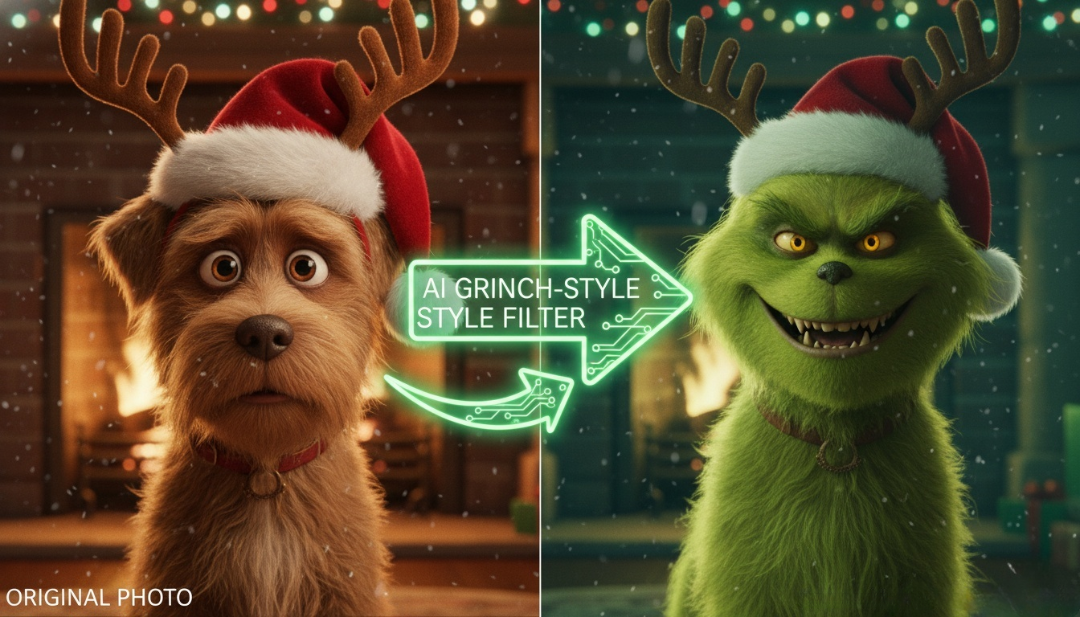
Popular Ways People Use Grinch-Style Images
- Holiday profile pictures (especially for people avoiding “family-card energy”)
- Group chat jokes, especially in family or work chats
- Christmas cards for friends who appreciate sarcasm
- Pet photos that steal more attention than intended
- Couple photos, if you have watched the SNL love is blind episode with Ariana Grande and Grinch, you know what I am talking about.
Why This Filter Is Made for Sharing
Let’s be honest: if a filter isn’t shareable, it doesn’t last.
Grinch-style images work because people want to show them to others. They invite reactions. They spark jokes. They get replies that say, “Why does this suit you so well?”
Whether you post it on social media or drop it into a group chat, it feels like a small inside joke everyone can enjoy.
And during the holidays, that’s kind of the point.
Not Every Holiday Photo Needs to Be Sweet
There’s room for cozy lights and matching pajamas. There’s also room for green faces and quiet sarcasm.
If you’re tired of the same festive photos and want something with personality, give it a try. Worst case? You get a good laugh. Best case? You find your new favorite holiday profile picture.
And if your Grinch ends up looking a little too accurate… well, the season can be a lot, and that’s between you and Christmas.
🎄😏

Creating a 2D Floor Plan used to mean opening specialized design software, drawing walls manually, checking measurements, placing doors and Read more

Designing an office layout always sounds easier than it actually is. On paper, it’s just desks, meeting rooms, maybe a Read more
Unlock your best 2026! Discover how to design a stunning, aesthetic vision board that goes beyond pretty pictures—learn the secrets Read more

Finding a reliable AI Body Generator can be challenging because creating realistic full-body AI images requires more than just generating Read more


