If you’ve ever started a new project, business, or online presence, you probably faced this moment: you need a logo, but you have no idea where to start.
Maybe you can’t afford a designer yet. Maybe you tried Canva or Illustrator and ended up staring at a blank screen for hours. Or maybe you just want to test an idea fast before investing heavily.
This is exactly where an AI Logo Generator becomes a game-changer. It helps you solve the problem most early-stage creators face: how to get a professional-looking logo without the time, money, or design skills.
Why Using an AI Logo Generator Makes Sense
Here’s the problem in plain terms:
- You want your brand to look credible.
- You don’t have the skills to design a logo from scratch.
- Hiring a designer is expensive and slow.
- You need something usable now, not in a month.

An AI Logo Generator tackles all of these issues at once. You give it your brand name, some preferences, maybe your industry, and within minutes you have multiple logo options. From there, you can refine, download, and use them across your website, social media, and products.
It’s like having a design assistant who never sleeps.
Step 1: Clarify Your Brand Needs Before Generating
Before you open any AI tool, take a few minutes to answer these questions:
- Who is my target audience?
- What feeling should my logo convey (trustworthy, fun, modern, premium…)?
- Do I want an icon, just text, or both?
- What colors or style vibes align with my brand?
These simple choices make a huge difference. The more specific your input, the better the AI-generated logo will match your actual brand vision.
Step 2: Use an AI Logo Generator Strategically
Once your preferences are ready, feed them into the AI tool. Most tools will:
- Ask for your brand name (and sometimes a slogan).
- Let you choose style directions like minimalist, bold, playful, or modern.
- Generate multiple logo concepts in minutes.
Here’s the key: treat the results as a starting point, not a finished product. Pick your favorite options, tweak colors, adjust fonts, or swap icons. The AI is fast, but your judgment ensures the logo fits your brand’s personality.
Quick Start with AIAI.com
If you’re ready to generate your logo today, one of the easiest ways to start is by visiting AIAI.com. This platform lets you:
- Enter your brand name and slogan
- Choose your preferred style, color palette, and icon vibe
- Instantly generate multiple logo concepts you can tweak
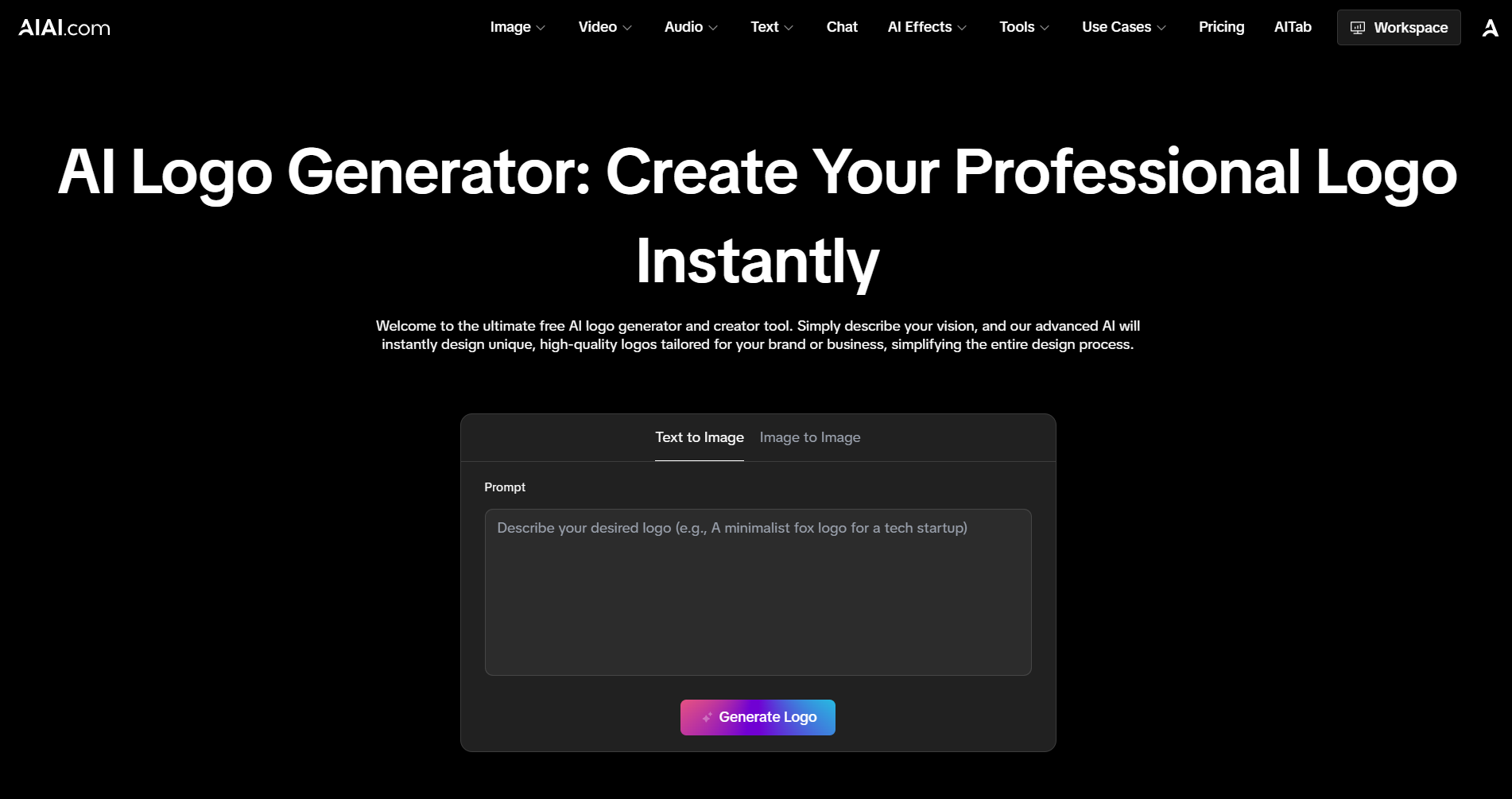
What makes it practical is that you can see several options in minutes, pick one that feels right, and download it in formats ready for web, social media, or print.
For example, if you’re launching a small online store or testing a side project, AIAI.com helps you go from “I need a logo” to “my brand finally looks real” in a matter of minutes—without hiring a designer or learning complex software.
Think of it as your personal AI-powered design assistant that gets the basics right fast, so you can focus on building your brand rather than stressing over the first visual step.
Step 3: Iterate Quickly and Confidently
The biggest advantage of AI tools is speed. You can try several directions in an afternoon—something that would take days if done manually.
- Don’t settle for the first option.
- Compare multiple outputs side by side.
- Experiment with small adjustments to font, spacing, or color palette.
By iterating quickly, you can find a logo that feels polished, even if you have zero design experience.
Step 4: Export and Use Anywhere
Once you have a logo you like, make sure the AI tool allows you to download files in usable formats. Ideally, you want:
- PNG or JPEG for web and social media
- SVG for scaling on websites, apps, and print materials
- Transparent background option for versatile usage
With these files, your brand suddenly looks professional—without hiring anyone or spending days in design software.
Bonus Tips for Maximum Impact
- Keep it simple: Logos that are too complex rarely scale well across different platforms.
- Stay consistent: Use your AI-generated logo colors and fonts across all brand touchpoints.
- Think long-term: Even if this logo is temporary, choose something you can live with while your brand grows.
An AI Logo Generator is most effective when used thoughtfully—not just as a quick fix, but as a practical tool to solve your branding problem today.
Who Benefits Most
This approach works especially well for:
- New entrepreneurs launching small businesses
- Side hustlers testing a product or service
- Creators building an online presence fast
- Anyone needing a logo yesterday without design skills
If you’re in any of these situations, using an AI Logo Generator can save you time, money, and stress—while giving your brand a professional edge.
Final Takeaway
The next time you feel stuck on a logo, remember: you don’t need weeks of design work or a huge budget to get something good. With an AI Logo Generator, you can generate multiple professional options in minutes, tweak them to your liking, and finally move forward with your project confidently.
It’s not magic. It’s practical problem-solving for modern creators.

Introduction: Bring Your Memories to Life on Your Fridge Your refrigerator is more than just a container for chilled food—it's Read more

Explore Christmas gift game ideas with 4 fun games and step-by-step AI tools guide. Make your holiday gift exchange exciting, Read more
Remove text from image instantly with AI. Clean watermarks, subtitles, and overlays while preserving background quality and high-resolution details.

struggle with dim lighting or bad angles? Nano Banana Pro AI lets you edit photos with simple text commands. No Read more


