Making videos used to feel like a whole project.
You needed editing skills, time, and honestly… a bit of patience. If you’ve ever opened a traditional video editor and then immediately closed it, you’ll know what I mean.
That’s exactly why AI video generators are getting so much attention right now. They take most of the heavy lifting off your plate and let you focus on the idea instead.
In this guide, I’ll walk you through what an AI video generator actually does, where it’s useful, and what it’s like to use one in real life.
What an AI Video Generator Does — And How You Actually Use It
Most articles stop at “it turns text into video,” which is technically true—but not very helpful.
So here’s a clearer way to think about it:
👉 What it does:
It takes your input (text, images, or ideas) and turns it into a structured video.
👉 How you use it (in real life):
Step 1: Start With a Simple Script
You don’t need anything fancy. Just write a few short lines.
For example:
- One idea per sentence
- Keep it clear and direct
- Think in “scenes,” not paragraphs
This matters more than people think. A messy script usually leads to a messy video.
Step 2: Let the AI Generate the First Draft
Once you paste your script, the tool will usually:
- Break it into scenes
- Match visuals to each part
- Add subtitles
- Generate a voiceover
At this stage, don’t expect perfection.
Think of it as a rough draft, not a finished video.
Step 3: Fix What Feels “Off”
This is where the real improvement happens.
Common things to adjust:
- Swap visuals that don’t match well
- Change voice tone or speed
- Shorten or split awkward scenes
You’re not rebuilding—just refining.
Step 4: Export and Use It Where It Makes Sense
Once it looks decent, you can use it for:
- Social media content
- Blog embeds
- Quick test videos
It doesn’t need to be perfect to be useful.
My Experience Using an AI Video Generator on AIAI
I didn’t go in expecting much, to be honest. I’ve tried a few AI tools before, and some of them feel more like demos than something you’d actually use long-term.
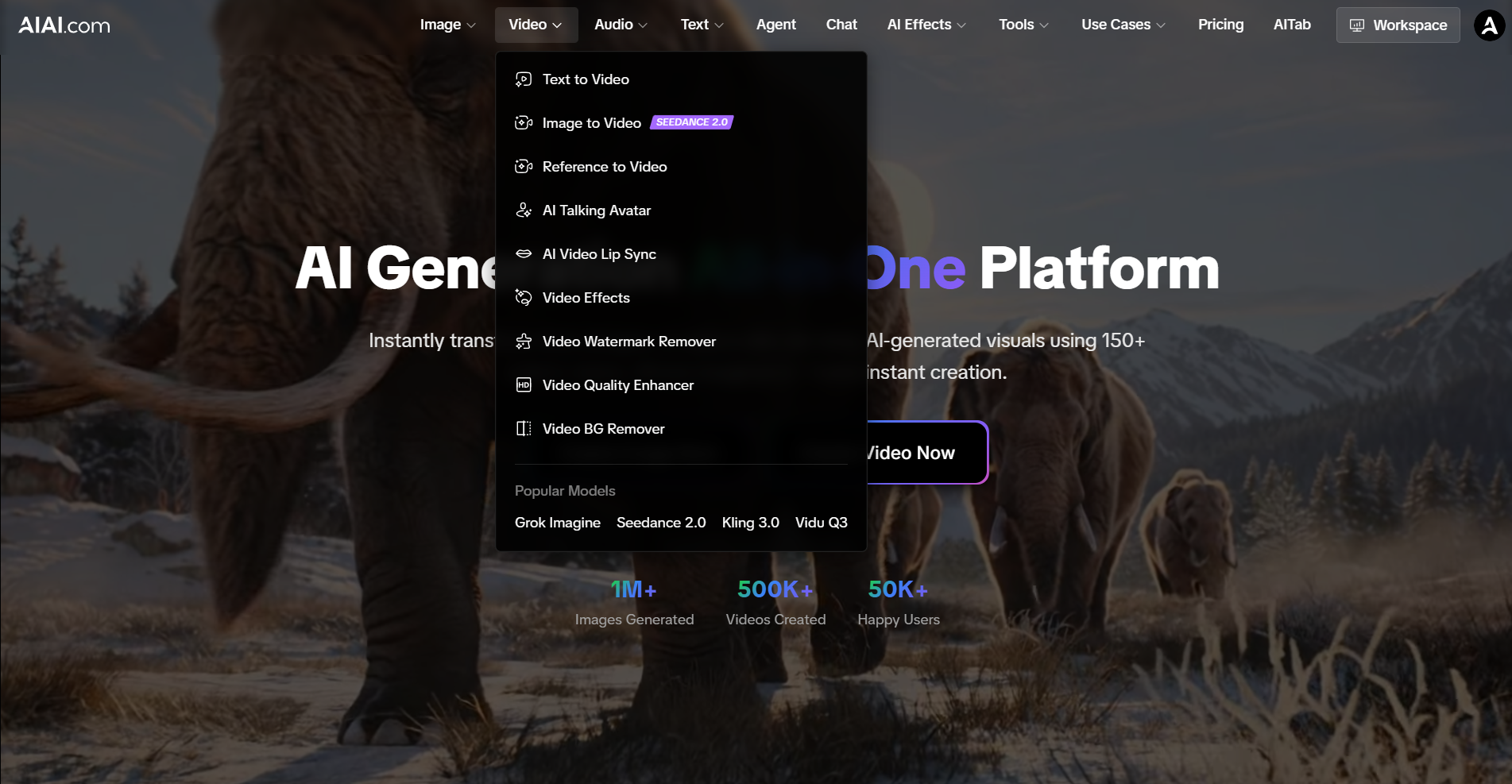
But once I got into the AIAI dashboard, I noticed it’s not just a single “generate video” button—it’s more like a small toolkit.
On the left side, there are several options like:
- Text to Video
- Image to Video (Seedance 2.0)
- Reference to Video
- AI Talking Avatar
- AI Video Lip Sync
- Video Effects
- Video Watermark Remover
- Video Quality Enhancer
- Video BG Remover
After that, I got curious and started testing different tools based on what I actually needed at the moment, instead of just clicking through everything.
One thing I tried was turning a static blog image into a short video using Image to Video. I wasn’t expecting much, but it actually added subtle motion and made the visual feel more alive than I thought it would.
Then I tested the AI Talking Avatar feature, mainly out of curiosity. I wanted to see how it would feel to have a “person” explain content without filming anything myself. It’s not perfect, especially if you’re looking for something super realistic, but for faceless content or quick explainers, it does the job.
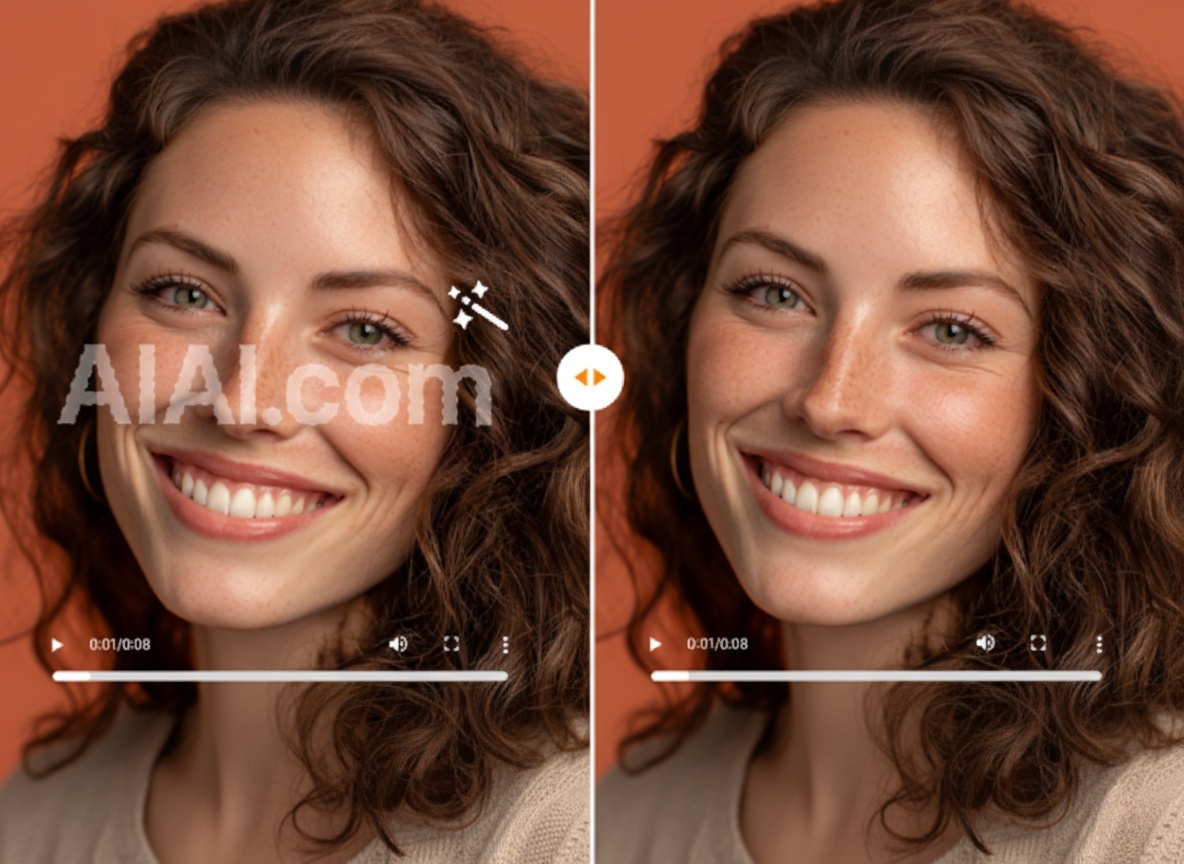
I also played around with a couple of the utility tools like Video Watermark Remover and Video Quality Enhancer. These don’t feel as “creative,” but they’re surprisingly practical when you’re trying to clean up or repurpose existing videos instead of starting from scratch.
Final Result
The output wasn’t cinematic, but it was good enough to use.
I could see it working for:
- Social posts
- Blog embeds
- Quick content drafts
And the biggest difference was time.
What would normally take me 1–2 hours took around 10–15 minutes, including tweaks.
What Can You Use It For?
This is where it becomes genuinely useful—not just a novelty tool.
1. Short-Form Content
Probably the easiest entry point.
If you’re posting on TikTok, Instagram Reels, or YouTube Shorts, AI tools help you:
- Turn ideas into content quickly
- Stay consistent without burnout
- Test multiple formats
2. Blog & Affiliate Content
This one is underrated.
You can take:
- A product review
- A comparison post
- A how-to guide
…and turn it into a simple supporting video.
It doesn’t have to be perfect—just clear and watchable.
3. Faceless YouTube Channels
A lot of people are quietly building these now.
Typical setup:
- Script → AI visuals → AI voiceover
It works best for:
- Educational content
- Lists and explainers
- Light storytelling
If you’ve ever felt stuck staring at a video editor, not knowing where to start, an AI video generator can honestly take a lot of that pressure off.
It’s not about replacing creativity—it’s more about removing the friction. You still need an idea, but you don’t need to spend hours figuring out timelines, cuts, or voiceovers just to get something watchable.
From my experience, tools like AIAI aren’t perfect, but they’re practical. They’re especially useful when you want to:
- Turn an idea into a quick draft
- Test content before investing more time
- Create simple videos without a full production setup
And maybe that’s the biggest shift.
You don’t have to treat video as a “big project” anymore. Sometimes, it’s just something you can try, adjust, and improve as you go.

Generate architectural designs instantly with an AI architecture generator. Turn text or sketches into realistic building and interior visuals with Read more
If you’ve been creating videos for TikTok, YouTube Shorts, or social media, you’ve probably noticed something common — downloaded or Read more

Transform Your Photos: Instant Background Removal, Effortless Perfection! Ever struggled to perfectly cut out a subject from a photo? Whether Read more

If you’ve been using Meta’s latest generative features on Instagram or WhatsApp, you’ve likely encountered that frustrating "Imagined with AI" Read more