As someone who tests AI tools regularly, I’ve downloaded plenty of AI-generated images for blog posts, social media content, and presentations. The problem is that some images come with logos, watermarks, or unwanted text overlays that make them look less professional. I’ve tried removing them manually before—even opened After Effects for a quick edit once—but my computer started lagging, and the process took far longer than expected.
That’s why I was interested in trying a Gemini Logo Remover. Instead of spending time cloning pixels or learning complex editing techniques, AI can automatically remove unwanted logos and reconstruct the background in just a few clicks. For creators, marketers, and anyone working with images, it’s a much faster way to get clean, professional-looking visuals.
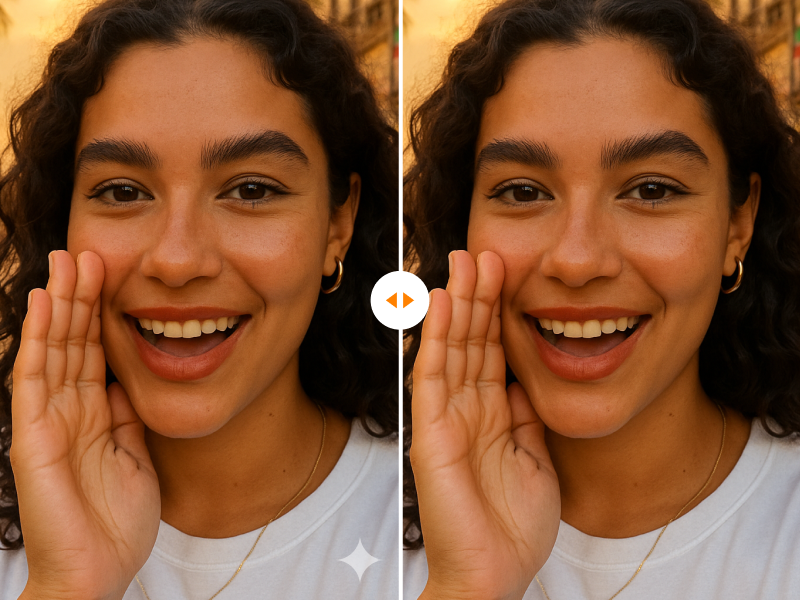
Introduction
Downloading an AI-generated image only to find an unwanted logo or watermark can be frustrating. Whether you’re preparing marketing materials, social media graphics, presentations, or creative projects, visible logos can distract from the final design and limit how the image can be used.
A Gemini Logo Remover helps solve this problem. Using AI-powered image editing, users can remove logos, watermarks, and unwanted elements while preserving the quality of the original image. Instead of manually cloning pixels or spending hours in photo editing software, AI can produce clean results in just a few clicks.
What Is a Gemini Logo Remover?
Definition
A Gemini Logo Remover is an AI-powered image editing tool designed to detect and remove logos, watermarks, text overlays, and other unwanted visual elements from images.
The goal is to reconstruct the missing background naturally so the edited image appears seamless.
How It Works
Typical workflow:
- Upload an image
- Select the logo area
- AI analyzes surrounding pixels
- Background reconstruction begins
- Download the cleaned image
Why Remove Logos from Images?
Improve Visual Presentation
Logos can distract viewers from the main content of an image.
Create Professional Marketing Materials
Clean visuals look more polished in:
- Advertisements
- Social media posts
- Blog graphics
- Presentations
Enhance Creative Projects
Designers often need clean backgrounds for further editing and customization.
Save Editing Time
AI dramatically reduces the need for manual retouching.
How AI Logo Removal Technology Works
Object Detection
AI identifies the logo or watermark automatically.
Context-Aware Inpainting
The system predicts what should exist behind the removed area.
Texture Reconstruction
AI recreates textures, patterns, and colors that blend naturally.
Detail Preservation
Advanced models preserve edges, lighting, and image quality.
Key Features of a Gemini Logo Remover
One-Click Logo Removal
Remove logos quickly without advanced editing skills.
Watermark Removal
Eliminate unwanted text and watermark overlays.
Background Restoration
Maintain realistic and natural-looking backgrounds.
High-Resolution Support
Process large images while preserving quality.
Batch Processing
Edit multiple images efficiently.
Common Use Cases
Social Media Content
Create cleaner and more engaging visuals.
Blog and Website Graphics
Remove distractions from featured images.
Marketing Campaigns
Prepare professional promotional materials.
Product Photography
Clean up product images before publication.
Creative Design Projects
Generate editable assets for designers and creators.
Best Practices for Better Logo Removal Results
Use High-Resolution Images
Higher image quality generally produces better restoration results.
Select Only the Necessary Area
Avoid masking large portions of the image.
Review Complex Backgrounds Carefully
Patterns, faces, and detailed objects may require additional adjustments.
Generate Multiple Versions
Compare outputs and choose the most natural result.
Gemini Logo Remover vs Traditional Photo Editing
| Feature | Gemini Logo Remover | Traditional Editing Software |
|---|---|---|
| Ease of Use | High | Moderate |
| Editing Speed | Fast | Slow |
| Learning Curve | Low | High |
| Automation | AI-Powered | Manual |
| Time Required | Seconds | Minutes or Hours |
Conclusion
A Gemini Logo Remover offers a fast and efficient way to clean up images by removing logos, watermarks, and other unwanted visual elements.
Whether you’re creating marketing content, social media graphics, blog images, or creative projects, AI-powered logo removal can help you achieve cleaner, more professional-looking results with minimal effort.

It’s late December 2025. If your social feed looks anything like mine, the "Ice Angel" makeup look is back in full force, Read more

OpenAI is rumored to release GPT-5.2 this Tuesday, December 9, in a "Code Red" response to Google's Gemini 3. Here Read more
AIAI: Your All-in-One Creative Hub for Turning Ideas Into Reality AIAI (official site: https://www.aiai.com/) is a comprehensive creative platform focused Read more

Discover Nana Banana Pro, the ultimate AI beard removal tool. Effortlessly create realistic clean-shaven photos with natural skin texture and Read more