Recording video has become simple. Phones shoot in 4K. Editing apps are everywhere. Uploading takes seconds.
What hasn’t become simple is the background.
You don’t always notice it while filming. Then you hit replay and suddenly there’s a pile of laundry, uneven lighting, a half-open door, or something random in the corner pulling attention away from you.
For years, the solution was a green screen. That worked, but now AI Video Background Remover just makes it a lot easier.
Instead of setting up a green screen or manually masking each frame in editing software, AI handles the separation automatically.
Let’s break down exactly how this technology works and how you can use it effectively.
What an AI Video Background Remover Does
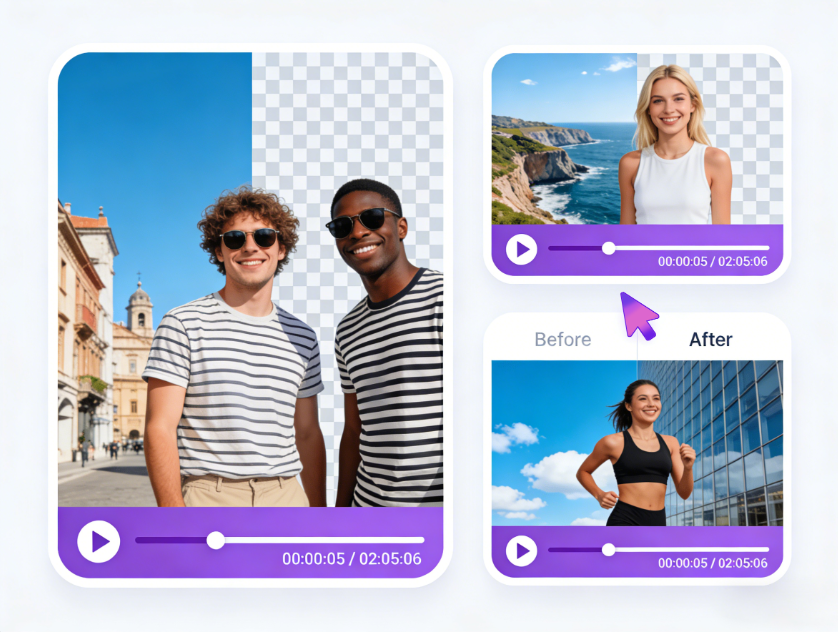
At its core, this tool uses machine learning to identify the main subject in a video (usually a person) and cleanly separate them from their environment. But video is far more complex than a static photo. The software must analyze body outlines, facial structures, hair edges, and rapid movements across dozens of frames per second.
Then it removes the background and keeps the subject intact.
The result is a clean cutout that you can place over:
- A solid color
- A professional office scene
- A branded background
- A blurred environment
Why Removing Background From Video Is Harder Than Photos
Background removal in a still image is relatively straightforward. The AI identifies the subject once and separates it.
Video is different.
A five-second clip at 30 frames per second contains 150 individual frames. The AI has to:
- Detect the subject
- Track movement
- Maintain edge consistency
- Handle hair and hand motion
- Avoid flickering
And it has to do that over and over without losing track of the subject.
Why Green Screens Aren’t Always Practical
Green screens work well in controlled environments. But most people recording videos at home or in small offices don’t have:
- Even lighting across the backdrop
- Enough space to position the screen correctly
- Time to adjust shadows and color spill
Without proper setup, green screen footage often looks uneven.
An AI video background remover skips that requirement. You record normally. The AI handles the separation afterward.
When This Tool Is Most Useful
An AI video background remover makes sense in situations like:
Short-form social content
On platforms like TikTok, Reels, and Shorts, viewer retention is everything. A clean, distraction-free background keeps all eyes on the speaker.
Online courses and tutorials
Educators can maintain a consistent, professional backdrop across all their lesson modules, even if they film them in different rooms on different days.
Product demos
Removing background clutter ensures the viewer’s eyes are drawn directly to the product being showcased.
Remote presentations
Recorded Zoom-style content benefits greatly from a neutral backdrop, especially if you’re presenting to corporate clients.
How to Use AIAI’s AI Video Background Remover
The process is straightforward.
Step 1: Upload Your Video
Go to AIAI.com and upload the clip. The video can be recorded on a phone or camera. No special setup is required.
For best results, make sure:
- The subject is clearly visible
- Lighting is reasonably even
- Clothing does not match the background exactly
Step 2: Select AI Video Background Remover
Choose the background removal tool. The system scans the video and identifies the subject frame by frame.
This typically takes a short amount of time depending on video length.
Step 3: Review the Subject Cutout
Once processed, you’ll see the isolated subject.
Check for:
- Clean edges around hair
- Stable tracking during movement
- No flickering between frames
A strong AI video background remover maintains consistency throughout the clip.
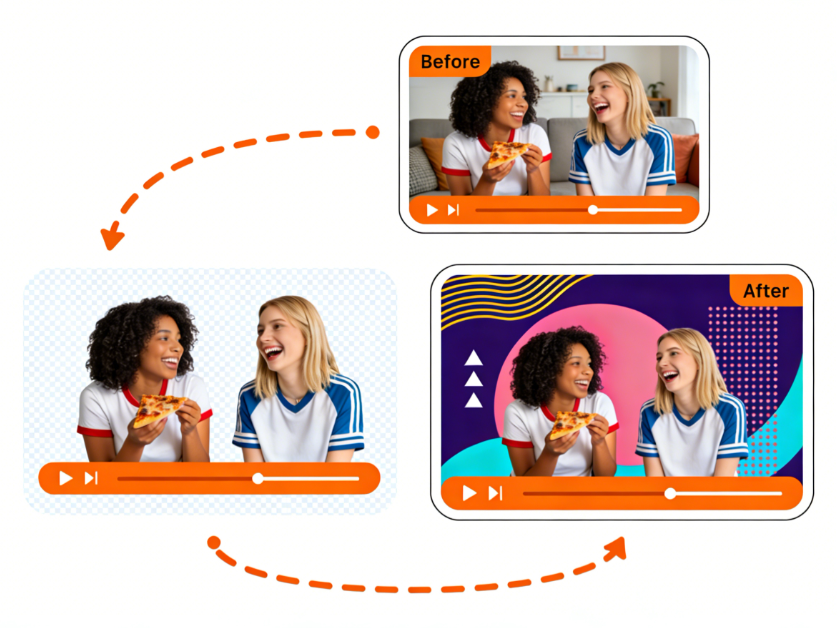
Step 4: Add a New Background
You can:
- Keep the background transparent
- Insert a still image
- Add a subtle video background
- Use a clean color backdrop
For professional use, simple backgrounds often work best.
Step 5: Export the Final Video
Download and use it across platforms — social media, presentations, websites, or ads.
What Separates a Good Tool From an Average One
Video background removal is more complex than image background removal. The system must maintain accuracy across many frames in sequence.
Look for:
- Stable edge detection
- Natural handling of hair and hands
- Consistent subject tracking
- No frame-to-frame distortion
AIAI’s AI Video Background Remover focuses on stability rather than heavy visual effects. The goal is subtlety.
If viewers don’t notice the edit, that’s a success.
A Few Practical Tips
Even with AI, certain conditions help:
- Stand a few feet away from the background
- Avoid strong backlighting
- Wear clothing that contrasts with the wall
- Keep movements natural, not exaggerated
AI improves efficiency. It doesn’t replace basic filming awareness.
Final Thoughts
An AI Video Background Remover isn’t about transforming your video into something dramatic. It’s about simplifying production.
You record once.
You remove distractions.
You publish.
For creators, small business owners, educators, and remote professionals, that simplicity matters.
If you’re looking for a way to create cleaner videos without adding equipment or editing complexity, AIAI’s AI Video Background Remover is designed to do exactly that: efficiently and without unnecessary steps.

Let’s be real for a second: trying to remove green screen from video manually can be a nightmare. If you’ve ever tried Read more