Nano Banana Pro: Unveiling the Updates and Usage Tips!
This article is about Google DeepMind’s Nano Banana Pro (Gemini 3 Pro Image Preview), a powerful image generation and editing model. It elaborates on the updated features, such as multi – language text image generation. It also gives usage tips for different user groups and points out limitations to help users. For developers, it shows how to use this model to build applications.
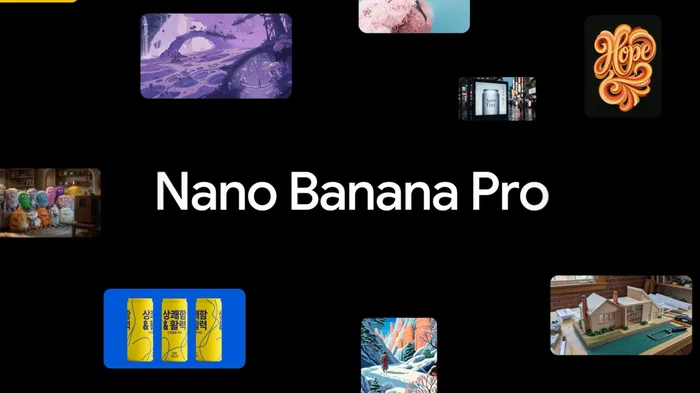
Introduction to Nano Banana Pro
Google DeepMind launched Nano Banana Pro (Gemini 3 Pro Image Preview) at midnight on November 20, based on Gemini 3 Pro. Months ago, it released Nano Banana (Gemini 2.5 Flash Image). Nano Banana improved image editing. Now, Nano Banana Pro is even better. It elaborates on its updated features, such as generating accurate text images in multiple languages, high-fidelity visual effects, and creative controls. Meanwhile, it offers usage tips for different user groups and points out the current limitations, helping users fully understand and utilize this model.
Updated Features
1. Multi – language Accurate Text Image Generation
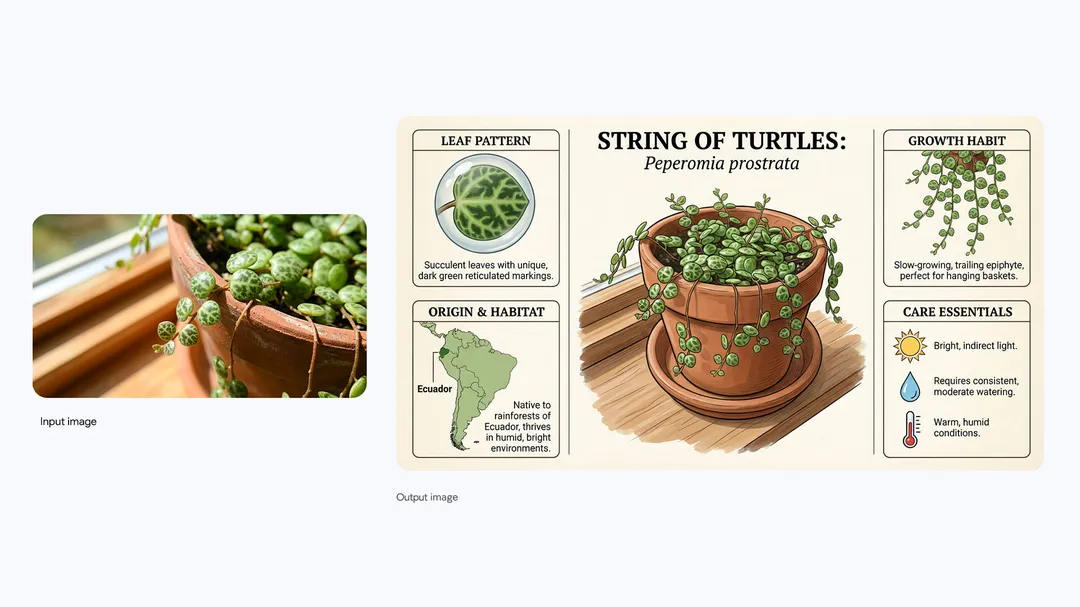
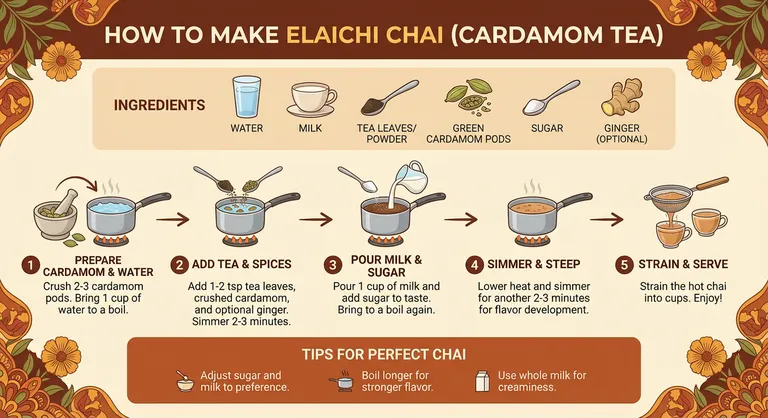
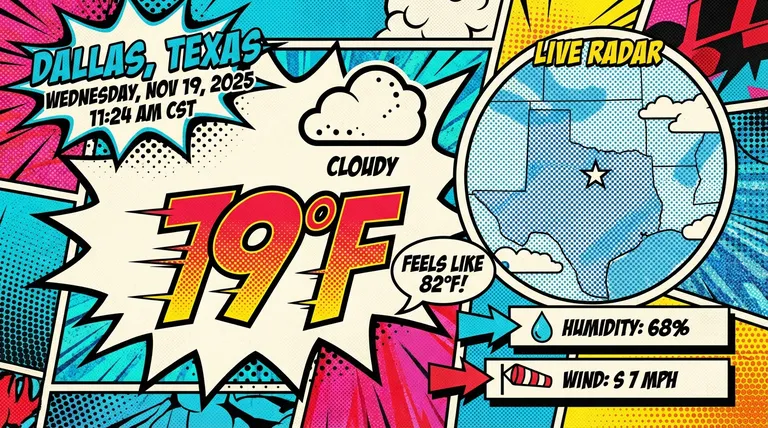
Nano Banana Pro can make multi – language text images. It’s good for prototype design and international content. With Gemini 3’s help, it creates useful content. It can connect to Google Search for real – time info.
2. High – fidelity Visual Effects and Creative Controls
- Design Consistency: Nano Banana Pro lets users blend 14 images. It keeps 5 people’s consistency. It helps turn concepts into products.
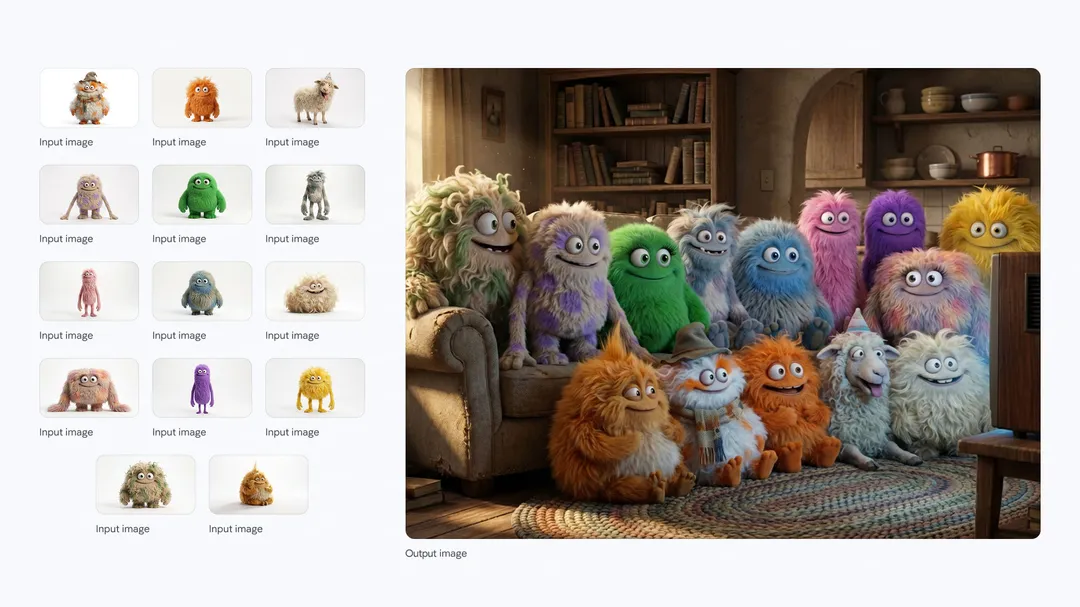
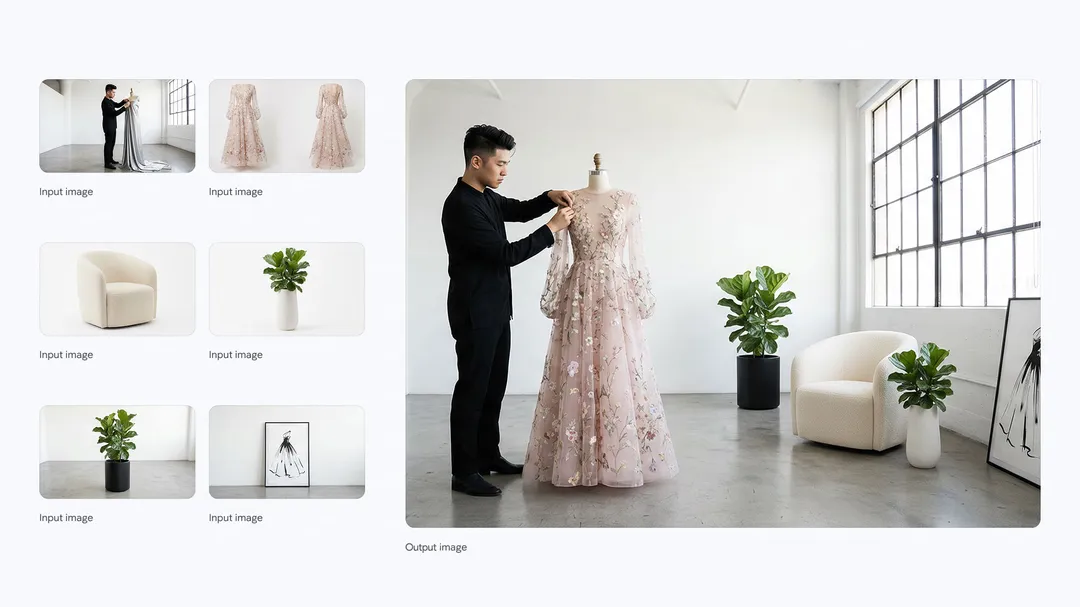
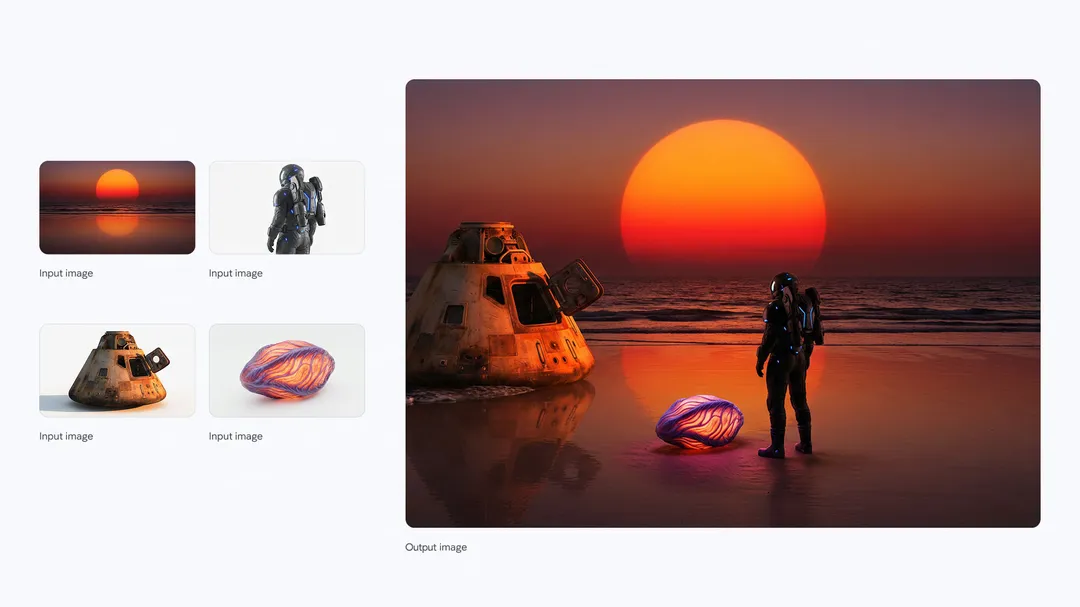
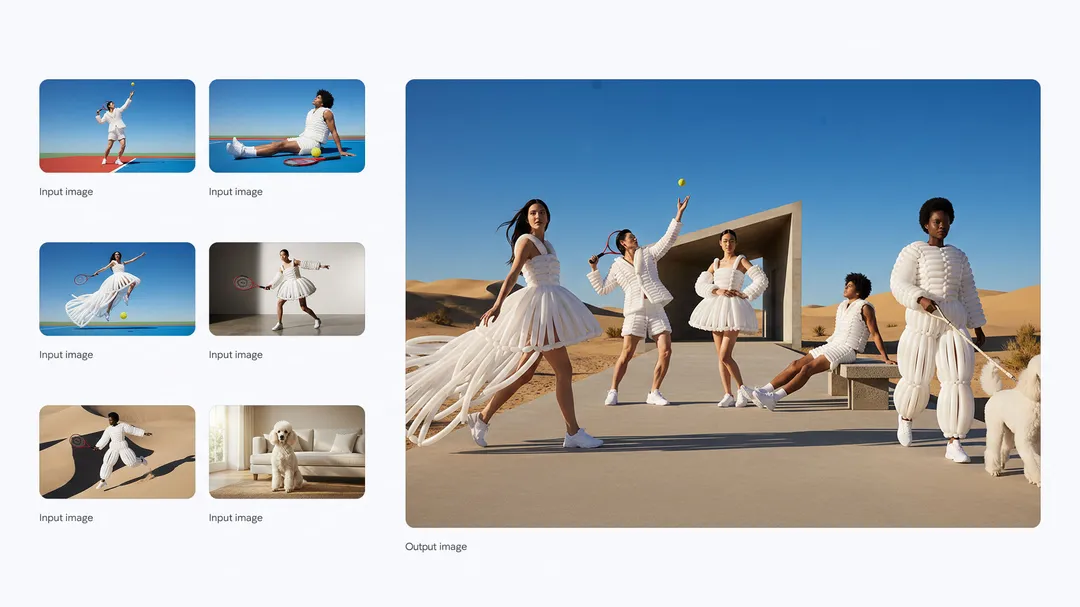
- Studio – level Creative Controls: The model offers advanced controls. Users can adjust camera, focus, and lighting. It supports different resolutions and aspect ratios.
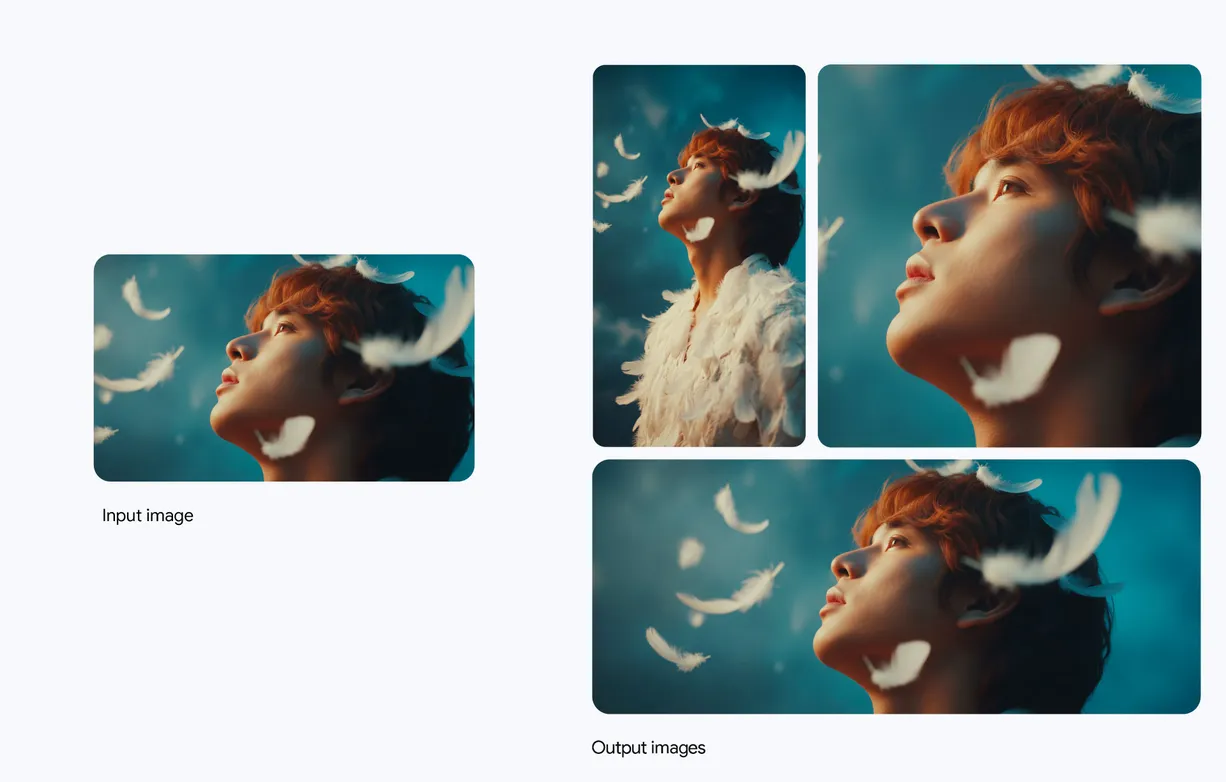
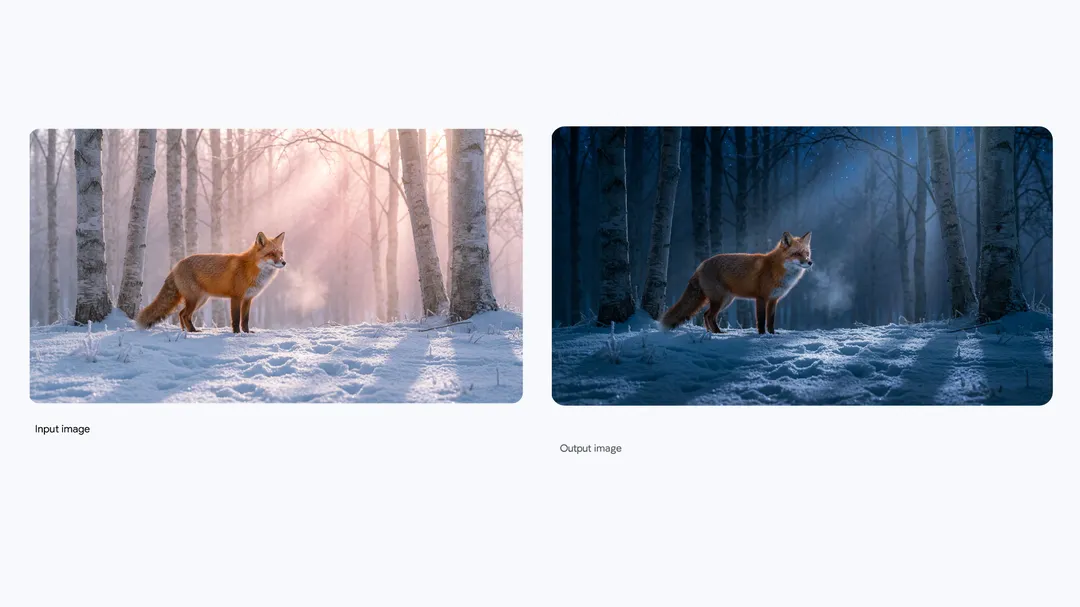
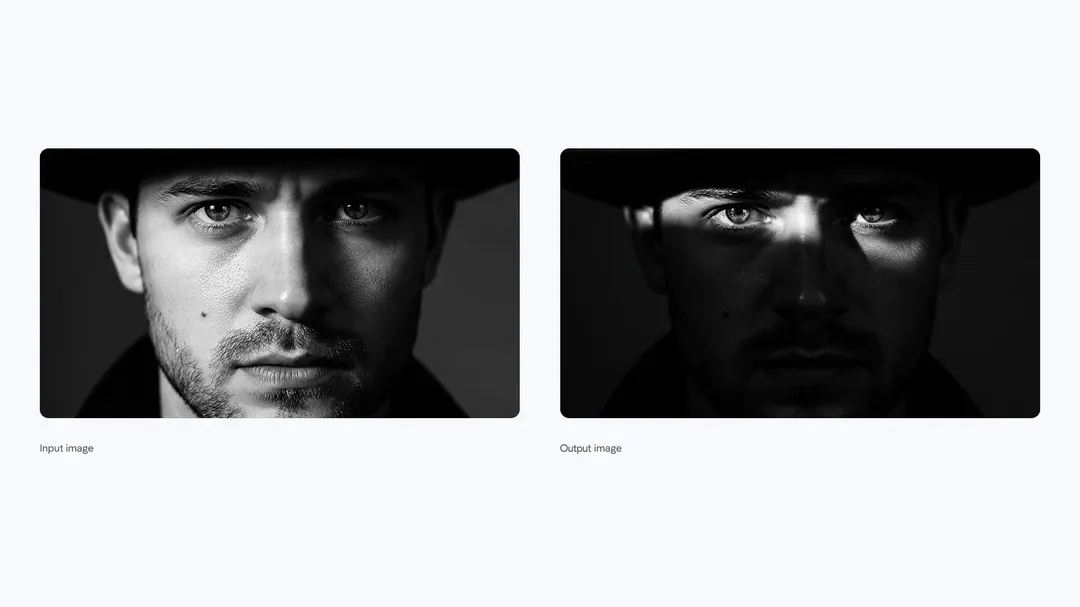
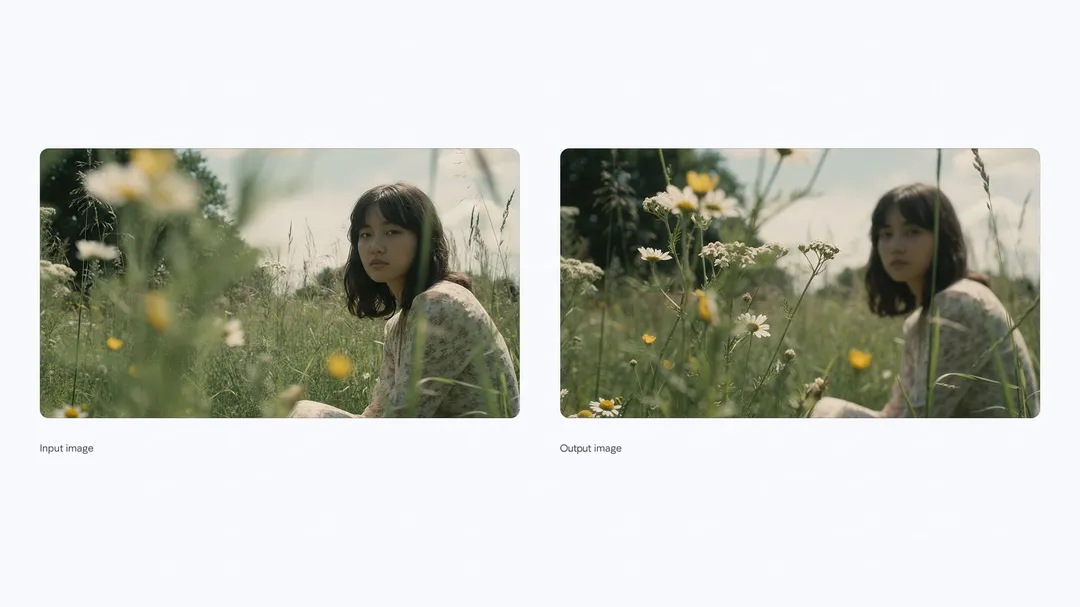
For developers, if you’re building advanced tools that require precision, Gemini 3 Pro Image gives you control over the physics (lighting, camera, focus, color grading) and composition of the image to ensure professional – quality outputs. With 2K and 4k resolution available, you can ensure outputs meet resolution standards required for professional production. You can effortlessly create cohesive advertisements by combining diverse elements such as product images, logos, and references.
3. Multi – platform Trials and Watermark Transparency
Users can try Nano Banana Pro on Google products. All generated media has a SynthID watermark. Free and Pro users’ images have a visible watermark. Ultra subscribers’ images don’t.This state – of – the – art image generation and editing model is starting to roll out in paid preview to build a new wave of intelligent, multimodal applications with the Gemini API in Google AI Studio and Vertex AI for enterprises. In Google Antigravity (a new agentic development platform), coding agents can now directly leverage these image generation capabilities to generate detailed UI mockups for user review or even new visual assets before implementing in code. Additionally, leading creative platforms like Adobe and Figma are integrating the model.
Usage Tips
1. For Ordinary Consumers and Students
- Choose the Right Usage Scenario: For quick editing, choose Nano Banana. For complex work, choose Nano Banana Pro. Free users have limited quotas. Plus, Pro, and Ultra users have more.
- Utilize the Search Function: US Pro and Ultra subscribers can use it in AI Mode. It can generate real – time info images.
- Create in NotebookLM: Global NotebookLM subscribers can use it for creation.
2. For Professionals
- Enhance Creativity in Google Ads: Google upgraded Google Ads with Nano Banana Pro. Advertisers can make better ads.
- Apply in Workspace: It’s coming to Google Slides and Vids. Professionals can create high – quality images.
3. For Developers and Enterprises
- Develop in the Gemini API and Google AI Studio: It’s available in these tools. Developers can create user experiences. Enterprises can build in Vertex AI. Try the model’s capabilities in the comic book generator app in Google AI Studio, where you can create original multi – page comic books featuring you and a friend, complete with advanced text rendering and stylization.
- Utilize the SynthID Technology: Use the watermark for image traceability.
4. For Creative People
- In Flow, Ultra subscribers can use it for filmmaking. It gives more control over scenes.
General Prompting Skills
1. Be Clear about What You Want
When you’re giving instructions to create an image, it’s important to be as clear as possible. First, say exactly who or what should be in the picture. For example, instead of just saying “a robot,” say “a stoic robot barista with glowing blue optics.” Also, describe how the picture should be taken. Is it a close – up, a wide – angle shot, or something else? Mention what’s happening in the scene, like “the robot is brewing a cup of coffee.” Where does the action take place? It could be “a futuristic cafe on Mars.” Decide on the style of the image, such as “3D animation” or “watercolor painting.” And if you’re changing an existing image, tell exactly what to change, like “change the man’s tie to green.”
2. Add More Details for Better Results
If you want professional – looking images, you need to add more details to your instructions. Think about the size and shape of the picture, like if it should be a vertical poster or a wide – screen shot. Describe how the camera should be used, for example, a low – angle shot with a shallow depth of field. Say what text should be in the image and how it should look. If it’s a diagram, make sure you ask for accurate information. And if you’re using other images as references, explain what each one is for.
3. Different Ways to Get Good Images
- Make Text Look Great: Clear and nice – looking text can make your posters, diagrams, and product samples much better.
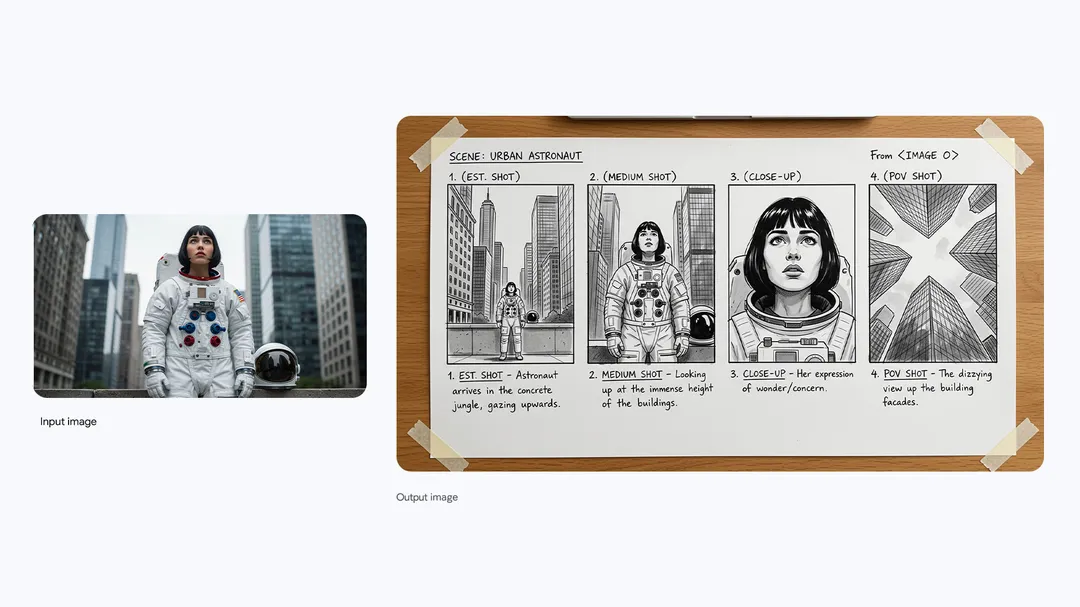
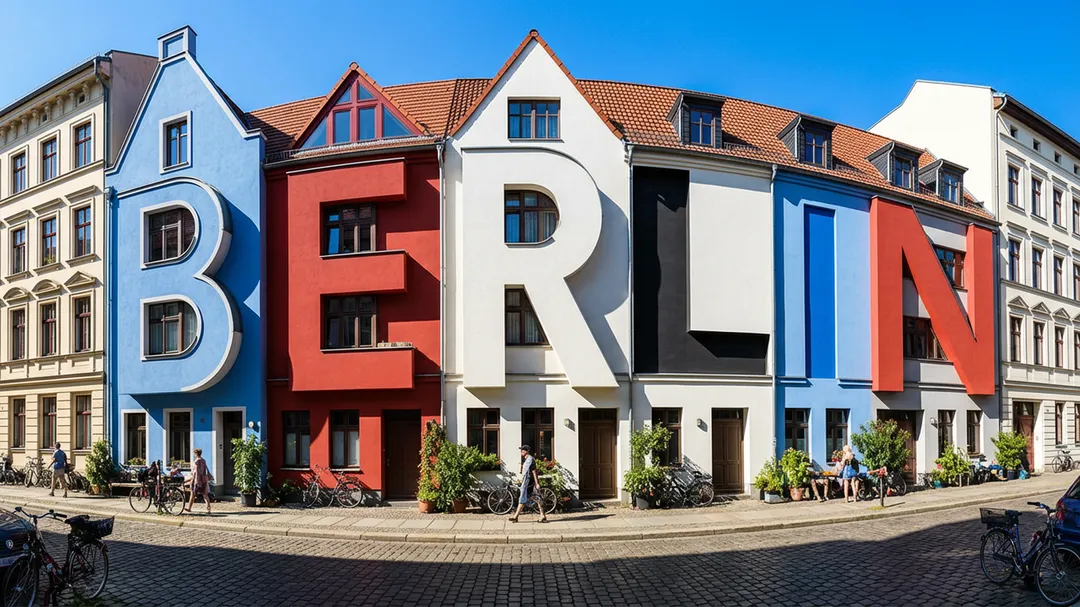
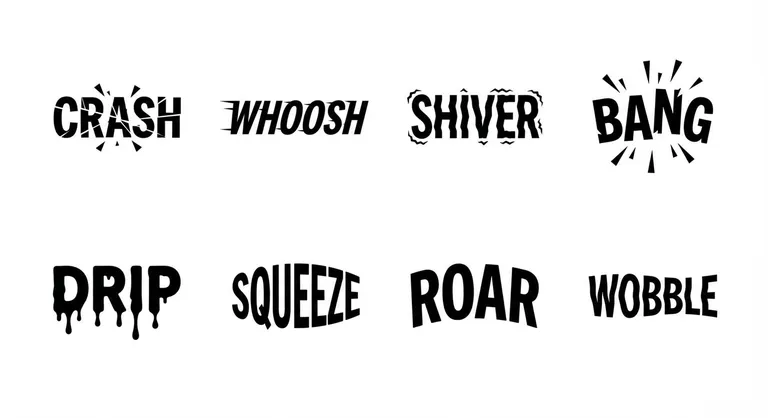
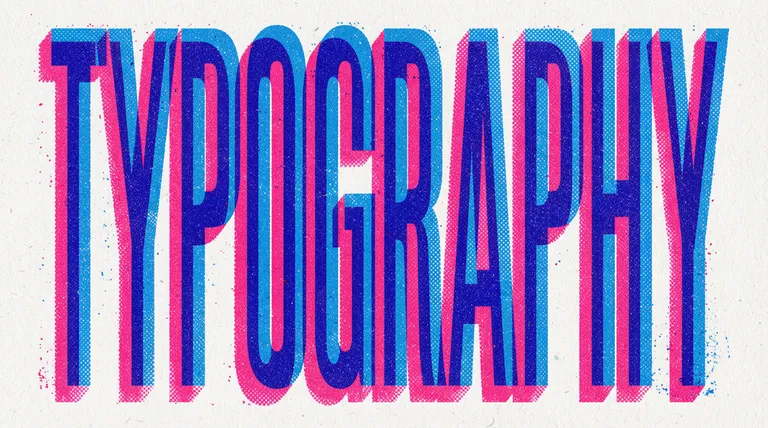
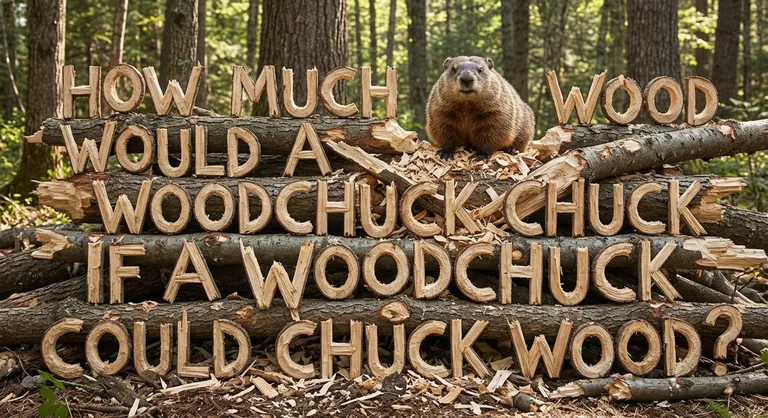
- Use Real – world Knowledge: The model can use what it knows about the real world to make more accurate and detailed images. For example, it can make biological diagrams or historical maps more factual.
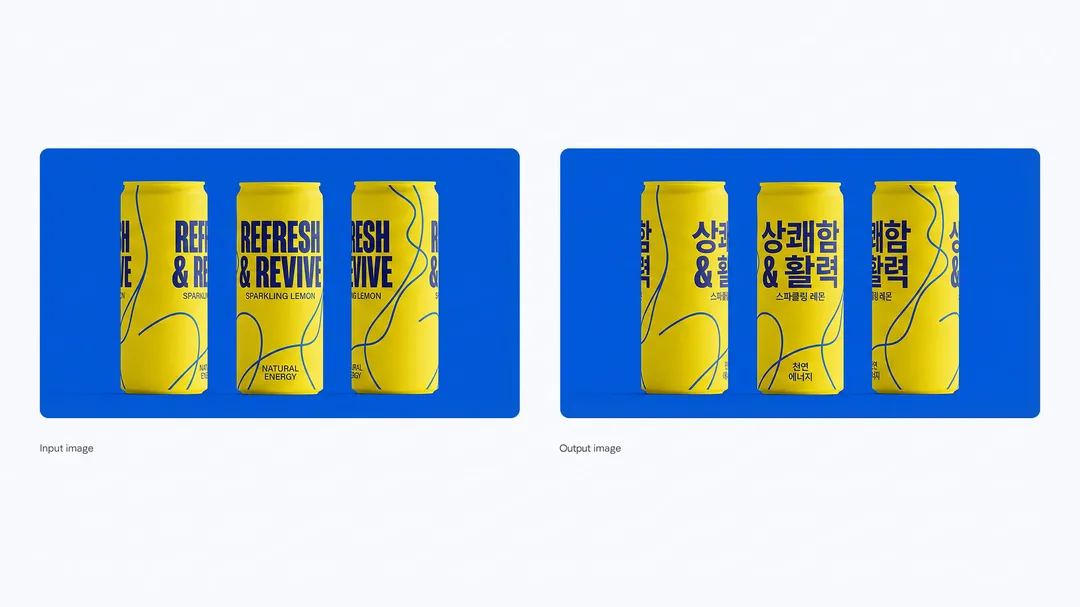
- Translate and Adapt for Different Places: You can change the language in an image easily. This is great for making products suitable for different countries. The model can understand the meaning of the image and change the text on things like menus or signs while keeping the original style.
- Control the Image Settings: You have a lot of control over how the image looks. You can change the lighting, the camera angle, and the color.
- Resize the Image Properly: You can change the size and shape of the image to fit different needs.
- Combine Images and Keep Characters Consistent: You can put several images together to make a new one. And even when there are multiple characters in the picture, you can make sure they look the same as you want.
- Show Your Brand Style: You can make your images look like your brand. Put your brand’s patterns, logos, and designs on 3D objects and surfaces.
Note the Current Limitations
Although Nano Banana Pro is very powerful, there are still some areas that need improvement during the continuous development and optimization process.
- Visual and Text Fidelity: Rendering small text, fine details, and producing accurate spellings may not work perfectly.
- Data and Factual Accuracy: For data-based visualizations, such as charts and infographics, always verify their factual accuracy.
- Translation and Localization: Multilingual text generation may have grammar errors or miss specific cultural nuances.
- Complex Edits and Image Blending: Advanced editing tasks, such as image blending or lighting changes, may sometimes produce unnatural artifacts.
- Character Features: Although usually reliable, the consistency of characters during the editing process may vary.
Google is actively working to improve these aspects. Thank you for your creativity and support in the process of jointly building the next generation of image tools.
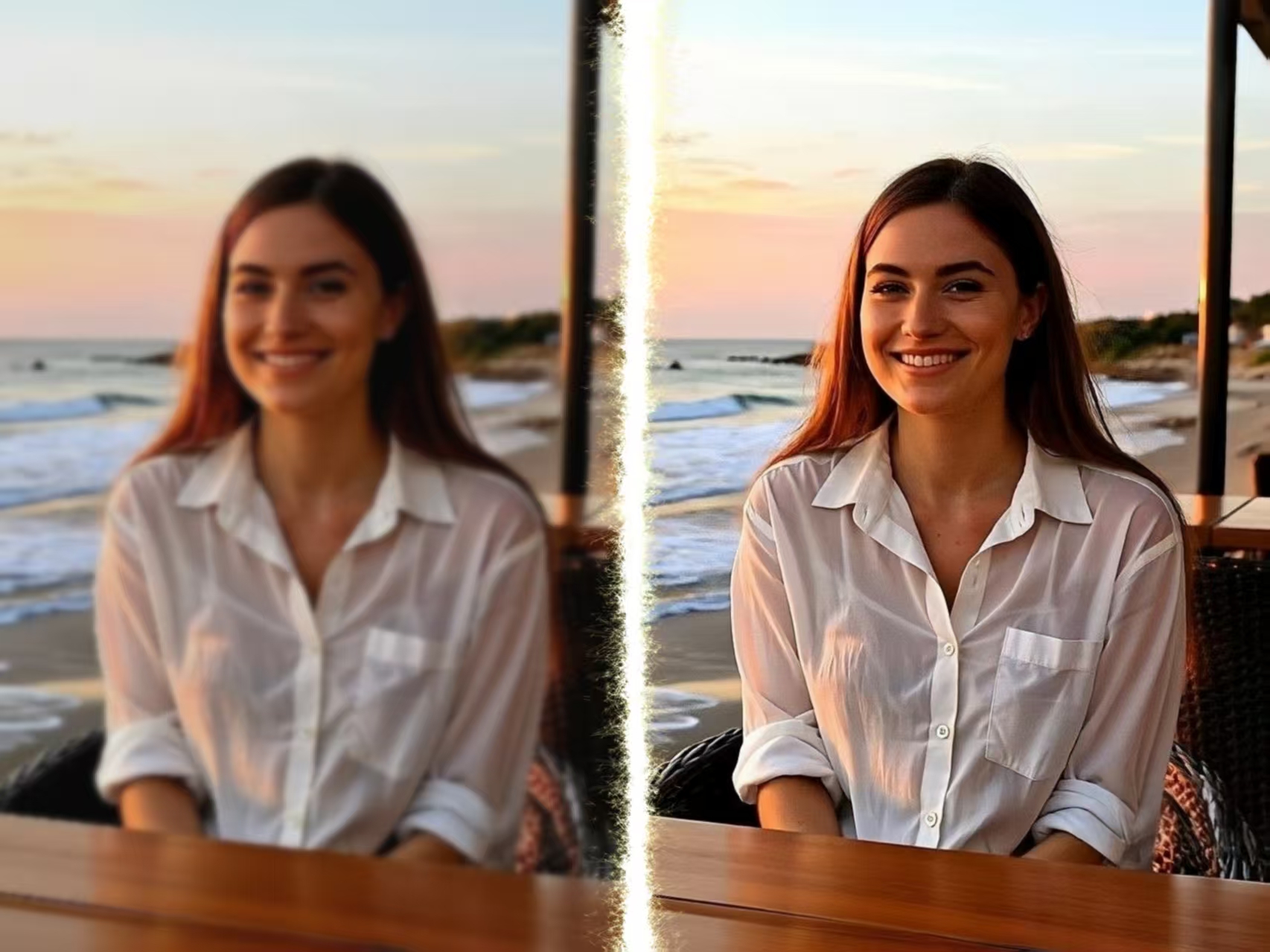
Old videos looking blurry on modern screens? I tested an AI video upscaler to enhance video quality up to 4K Read more

This guide explains how to transform selfies into custom pixel art avatars using Nano Banana Pro, detailing steps for uploading Read more

AItab: Turn Your Browser into a Smart Assistant in Seconds AItab connects with the aiai.com ecosystem. It turns web browsers Read more

See how an AI Home Design Generator can turn a simple room photo into complete interior design ideas in seconds. Read more


