If you’ve been creating videos for TikTok, YouTube Shorts, or social media, you’ve probably noticed something common — downloaded or exported clips often come with a stubborn watermark. Whether it’s from a free editor, stock site, or AI generator, that small logo can ruin the clean look of your content.
For casual use it may not matter much, but if you’re posting the video on TikTok, YouTube, Instagram, or a website, that watermark can feel distracting. It pulls viewers’ eyes away from your message and makes your work look less professional.
That’s where a reliable way to remove watermark from video becomes essential. With AI-powered tools, you can clean up those marks quickly and keep your videos polished, no complicated editing required.
In this guide, we’ll walk through why video watermarks exist and how to remove watermark from video easily using an online AI tool like AIAI.com.

What Causes Watermarks on Videos?
Watermarks show up on videos for three main reasons:
- Free plan limitations: Most free tools add watermarks to encourage paid upgrades.
- Branding & attribution: Platforms use marks to promote their service when videos are shared.
- Copyright protection: Some tools add marks to track where their content is used.
While these make sense for platforms, creators almost always want a clean, unmarked version for sharing or editing.
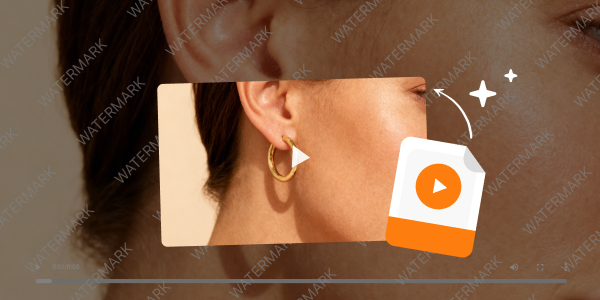
Why Removing Watermarks Feels Frustrating
I’ve wasted hours trying old methods — and they always failed. At first, I tried cropping, but it ruined the framing and cut off key parts of the scene. Then I used Adobe Premiere Pro, which worked but felt like overkill: complex masking, long exports, and a steep learning curve just to erase a tiny logo.
That’s when I found a better solution: an AI tool that can remove watermark from video automatically, without cropping or hassle.

What Is an AI Video Watermark Remover?
An AI watermark remover erases logos, text overlays, or stamps from videos using advanced AI processing. Unlike cropping (which ruins your composition), modern AI tools:
- Detect the exact watermark area
- Reconstruct the background behind the mark
- Fill the space with natural pixels that match the rest of the video
The result is a clean clip that looks like the watermark was never there — no blur, no distortion, no lost framing. After testing dozens of tools, AIAI.com’s Online Watermark Remover is my top pick: fast, free for basic use, and browser-based.
How to Remove Watermark from Video (Step-by-Step)
This workflow takes less than 2 minutes, even for beginners.
1. Upload Your Video
Go to the AIAI Online Watermark Remover and upload your file. It supports all major formats: MP4, MOV, AVI, WebM. Everything processes in your browser — no downloads needed.
2. Select the Watermark Area
Use the selection tool to highlight the watermark. Common positions include the bottom corner, top edge, or small overlay. The AI will automatically analyze the area.
3. Let the AI Process the Video
Click “Remove Watermark” and let the AI work. It reconstructs the background using surrounding pixels and motion data, keeping your video at full resolution and intact framing. Processing takes seconds for short clips, up to a minute for longer videos.
4. Download the Clean Video
Once done, download your watermark-free file. It’s ready for editing, posting to social media, embedding on websites, or sharing with clients.
Tips for Best Results
- Use high-resolution videos for cleaner AI reconstructions.
- Avoid watermarks overlapping faces or moving objects.
- Test short clips first to check quality before processing full videos.
- Stick to trusted tools like AIAI.com to avoid hidden fees or privacy risks.
Final Thoughts
With AI tools like AIAI.com, removing watermarks no longer needs expensive software or hours of learning. You can upload a video, mark the watermark, and download a polished clip in minutes.
For creators working with social media clips, AI-generated content, or stock footage, this simple workflow saves time and keeps your content professional. Next time you’re stuck with a watermark, try the AIAI tool — it’s the easiest way to remove watermark from video and get back to creating.
Need a logo fast but don’t have design skills? An AI Logo Generator can help you create multiple professional logo Read more

struggle with dim lighting or bad angles? Nano Banana Pro AI lets you edit photos with simple text commands. No Read more

Flux 2.0 finally delivers consistent characters, accurate colors, and native 4K output: perfect for storyboards, product design, and faster creative Read more

Need to remove subtitles or watermarks from a video? Use AIAI’s AI video text remover to clean up footage instantly Read more


