f you’ve been scrolling through TikTok or Instagram Reels lately, you’ve probably noticed a shift. We aren’t just looking at static photos of kids anymore. The feed is full of babies that blink, move, and even talk, all thanks to the rise of the Baby AI Video Generator.
It is Christmas Eve, 2025, and the biggest trend closing out the year isn’t a dance challenge—it’s this incredibly popular AI baby video generator technology.
People are using tools like AiAi.com to turn standard JPEGs into hyper-realistic videos. Whether you are an expectant parent, a content creator, or just trying to send a last-minute holiday greeting tonight, this AI video generator for babies has officially hit the mainstream.
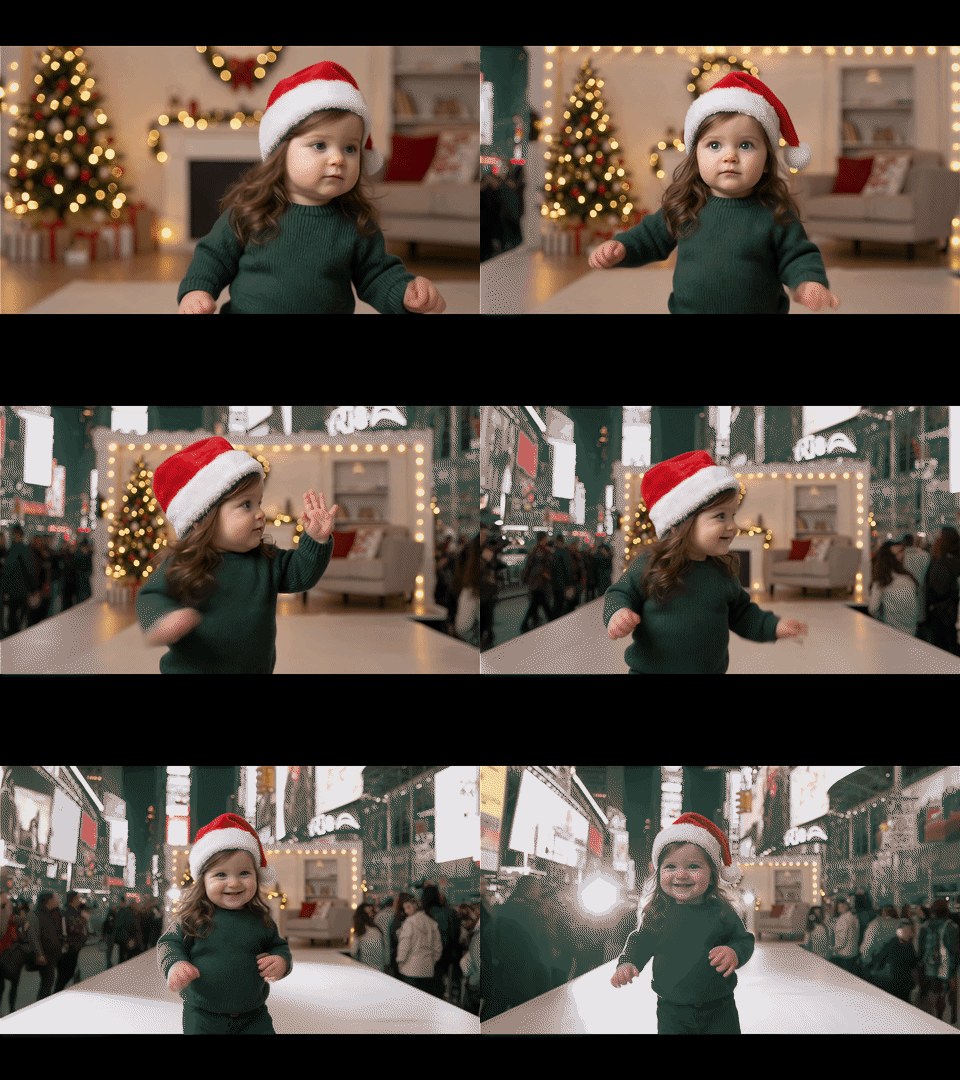
Here is why this is blowing up right now, and 4 ways people are using this new baby video maker to go viral (plus a quick guide on how to do it safely).
The Tech Upgrade: Why “Wan 2.5” Matters
To understand why this is happening now, you have to look at the engine under the hood.
Older AI video tools had that creepy “uncanny valley” look—plastic skin and dead eyes. But the new Wan 2.5 model (which AiAi.com uses for its baby video generator AI) has fixed the texture issues. It captures the micro-expressions, the natural skin flush, and the lighting reflections that make a baby look, well, real.
That leap in quality is the difference between a video that looks like a glitch and a video that makes you cry happy tears. This powerful AI video generator for infants is truly changing the game.
4 Viral Ideas for 2026 Using Your Baby AI Video Generator
1. The “Digital Reveal” (No Cleanup Required)
Let’s be honest: leaving massive piles of pink or blue confetti in a park is so 2024.
The new wave of gender reveals is digital. Picture this: You are at your party, everyone is watching the big screen. You hit play, and instead of popping a balloon, an ultra-realistic AI-generated baby appears on screen.
The baby is wearing a blue suit or a pink dress, giggling and waving at your guests. It’s cleaner, it’s cheaper than a smoke cannon, and seeing a “living” preview of your future child hits way harder emotionally. This is exactly what a baby video maker is perfect for.

2. The “Baby Podcast” Skit
If you are on Gen Z TikTok, you know exactly what this is. Creators are using the lip-sync feature of their baby AI video generator to make toddlers talk about complex adult topics.
There is something objectively funny about a 6-month-old face sighing and complaining about the 2025 housing market or explaining cryptocurrency with a deep, baritone voice. The contrast creates instant engagement. These AI-generated baby videos are pure comedic gold.

3. Inner Child Healing
This is a massive trend on Instagram right now under the hashtag #InnerChildHealing.
People are taking their own childhood photos from the 90s or 00s and animating them using an AI video generator for babies. The video usually shows the “child version” of you listening as the “adult version” of you says something kind, like:
“I know you’re scared right now, but we turn out okay. I’m proud of you.”
It’s less about the tech and more about the feeling. These AI baby videos get tons of shares because they resonate on a human level.
4. The “Talking Holiday Card” (Last Minute Saver!)
It is December 24th. If you forgot to send a card to Grandma in Florida, or if your family hasn’t seen the baby in months, this baby AI video generator is your fix.
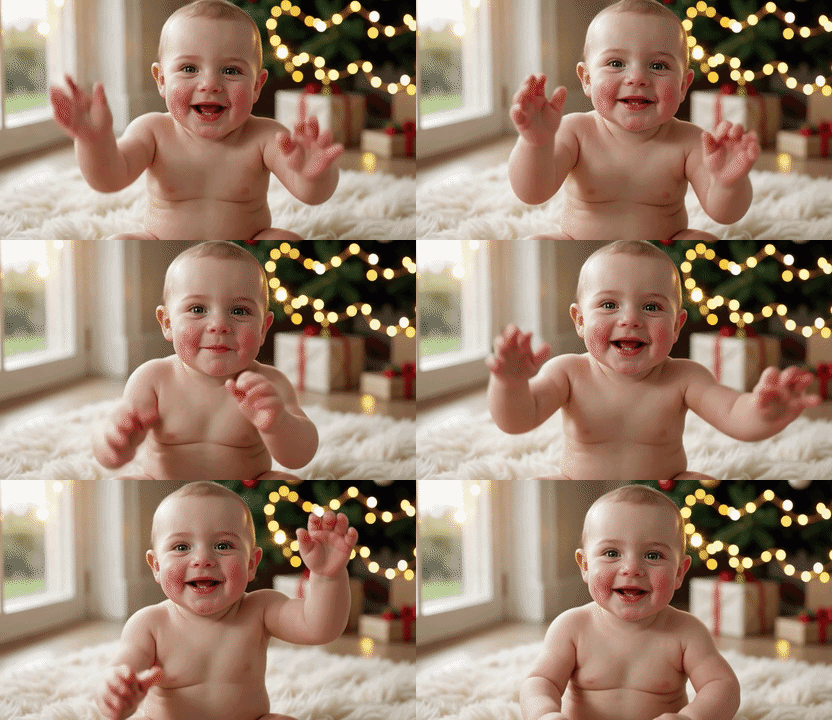
Even if your baby can’t speak yet, AI can make them deliver a message. You can generate a video where your child waves and says, “Merry Christmas, Nana! I love you!” This makes the perfect AI video greeting card for babies.
Try this Prompt for tonight:
“Cinematic close-up. A cute baby looking directly at the camera with a joyful expression. The baby is waving little hands excitedly and speaking clearly. The baby says: ‘Merry Christmas, Grandma! I can’t wait to see you!’. Soft, warm Christmas lighting, blurred Christmas tree in the background, 4K resolution.”
How to Create One (The 3-Step Guide)
You don’t need to be a video editor to pull this off. Here is the workflow using AiAi.com, your go-to baby AI video generator:
- Upload: Drop in a clear photo of your child (or a photo of the parents if you are predicting a future baby).
- Generate: Type in your text prompt or upload an audio clip for the voice. The Wan 2.5 engine handles the lip-syncing and facial movement automatically to create your AI baby video.
- Share: Download the HD video.
- Pro Tip: If you are posting publicly, tag it. Platforms appreciate transparency.
A Note on Safety & Ethics
Google and social platforms are (rightfully) strict about Deepfake content, so if you want your content to stay up, follow these rules:
- Own Your Data: Only use photos of your own children or photos you have express permission to use for your AI baby video generator creations.
- Be Transparent: Use hashtags like #AIGenerated or #AIContent. It builds trust with your audience.
- Keep it Positive: These AI video generators for babies are for entertainment and memories. Never use them for misleading contexts.
We are moving away from static memories. Whether it’s a gender reveal that saves on cleanup or a Christmas message that makes Grandma cry, the Baby AI Video Generator is changing how we share our lives.
Ready to see what your photos look like in motion?
[Click here to try the Wan 2.5 Model at AiAi.com, your powerful baby AI video generator!]
Learn how to make your images look natural with AI Image Extender. Find practical tips, avoid common mistakes, and easily Read more

ChatGPT-5 Technical Analysis: Core Capabilities and Applications Guide ChatGPT-5 has officially launched after much anticipation and many development iterations. This Read more

With the rise of generative AI, creating stunning videos has never been easier. I recently used Meta AI to generate Read more

Turn sketches, concepts, or images into precise technical drawings with an AI CAD generator. Use text-to-image and image-to-image AI to Read more


