You know that moment when you look at a photo and think, “Hmm… this would look hilarious as Lego”? That’s exactly the idea behind the AI Lego Filter. It transforms your regular pictures into playful, blocky versions that look like they popped straight out of a Lego set. Whether it’s a selfie, a city skyline, or even your messy desk, it can turn photos into Legos with just a few clicks.
What Is the AI Lego Style?
What makes the AI Lego filter different from a simple Lego photo effect online is how it preserves details while giving everything that charming blocky texture. High-quality AI generators add depth, glossy textures, and the signature circular studs, making the image look like a high-definition photograph of a real physical build.
It’s not just for kids or Lego obsessives. Anyone who likes experimenting with images—artists, content creators, or just people who are bored of the same old Instagram feed—can have fun. It gives a new perspective on everyday things, turning the familiar into something oddly charming and blocky.

Creative Ways People Use the AI Lego Filter with Nano Banana Pro
✓ “My Life in Lego” Mini-Diary
Turn daily photos into brick vignettes—your breakfast, commute, hobbies.
✓ Lego Pet Universe
Your cat as:
- a chef
- an astronaut
- a tiny medieval knight
- a laid-back vacationer on a beach of plastic studs
Each frame feels like a collectible set.
✓ Lego-Style Family Calendar
Twelve months of Lego-transformed memories—from winter holidays to summer trips.
✓ Kids’ Bedroom Posters
Child-friendly mini-worlds starring their favorite toys, pets, or themselves.
✓ Brick-World Home Tour
Transform your home, room by room, into a toy-block diorama.
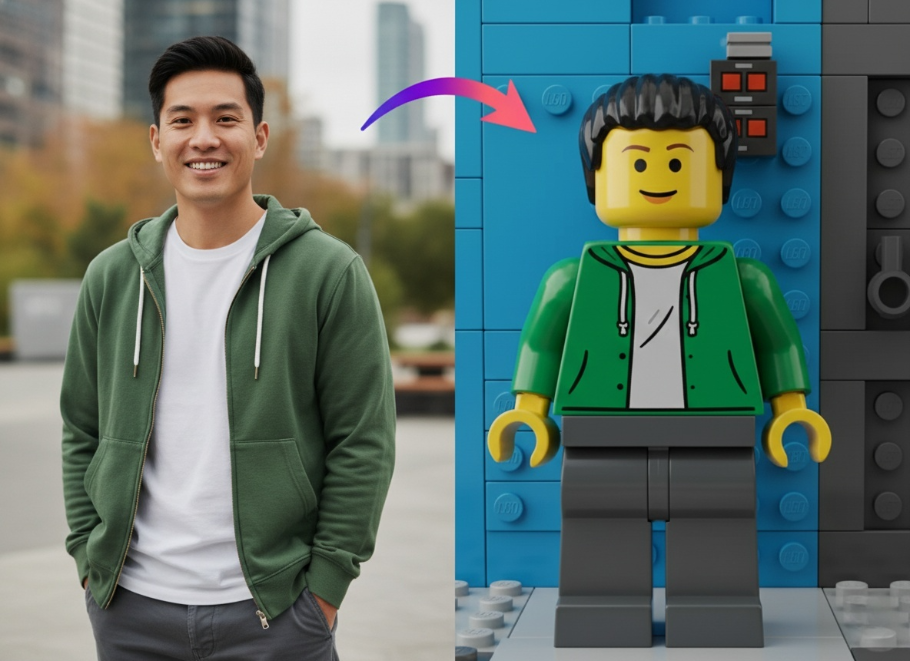
How to Get the Best “Brick” Results
If you are planning to create some Lego photo art, here are a few pro tips:
- Choose images with good lighting and distinct subjects
- Try photos with multiple colors, they translate nicely into Lego bricks
- If the background is too cluttered, the AI might turn it into a mess of colored noise. meaningful subject matter works best.
- Portraits work better than wide-angle crowd shots. The closer the camera is to the subject, the more detail the “bricks” can capture.
If you want to see what you look like as a plastic figure, or you just want to mess around with some nostalgia, you can try the block-style photo filter right now on our site. We built a tool that handles the heavy lifting for you.
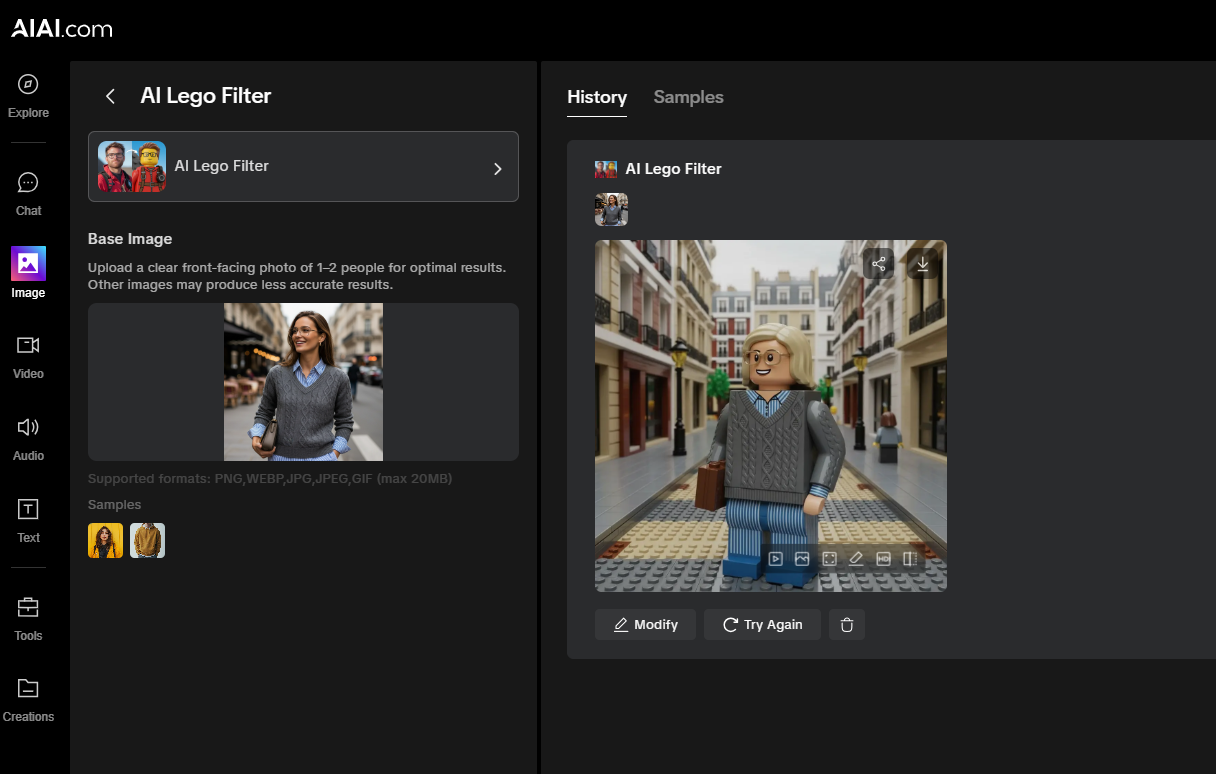
Just upload a photo, hit the button, and watch your image turn into blocks.
Create a custom 3D Floor Plan online without complex CAD software. Select your size, layout priorities, and style to visualize Read more
Is it time to cancel your Claude subscription? After 72 hours of testing, here is why Google’s Gemini 3 Pro Read more
I’ve always liked the look of traditional pencil drawings. A simple graphite sketch can make a portrait feel personal, while Read more
Can an AI Architecture Generator actually deliver buildable structural details, or is it just pretty, impossible-to-construct pictures? Here is my Read more


