Have you ever taken what looked like the perfect photo, only to notice annoying glare afterward?
Maybe it was sunlight reflecting off glasses, window reflections ruining a travel shot, or bright white spots washing out product photos. It happens way more often than people expect.
The good news is that you can now remove glare from photo images much faster than before — and you don’t always need advanced Photoshop skills to do it.
In this guide, we’ll go through:
- what causes glare in photos
- the easiest ways to remove it
- common mistakes to avoid
- and a surprisingly simple AI-based workflow that makes cleanup feel almost automatic
What Causes Glare in Photos?
Glare usually appears when strong light reflects directly into the camera lens or bounces off reflective surfaces.
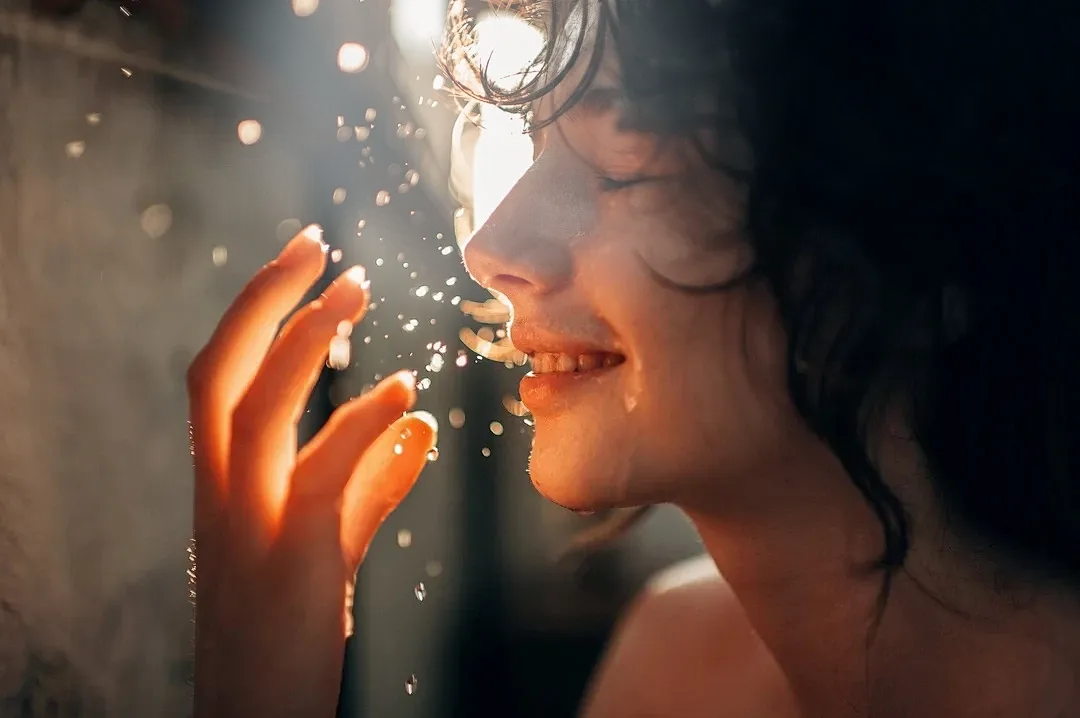
Some of the most common situations include:
- eyeglass reflections in portraits
- sunlight glare outdoors
- window reflections
- shiny skin under harsh lighting
- reflective products like jewelry or electronics
- car windows and building glass
- lens flare from direct sunlight
Sometimes glare only affects a small area. Other times it completely hides details in the image.
That’s why many people search for ways to remove glare from photo files without making the image look overedited.
Why Manual Editing Can Be Frustrating
Traditional editing tools can work, but they often take a lot of time.
For example, in Photoshop you might need to:
- create masks manually
- clone nearby textures
- adjust highlights
- retouch skin or backgrounds
- rebuild missing image details
And honestly, reflections on glasses or windows are especially difficult because the glare often covers important parts of the image.
A lot of beginners end up with:
- blurry skin
- uneven lighting
- strange patches
- fake-looking edits
That’s why AI glare removal tools have become much more popular recently.
The Easier Way to Remove Glare From Photo Images
AI-based tools can automatically detect:
- overexposed areas
- lens flare
- window reflections
- light hotspots
- reflective glare
Instead of manually brushing every section, the system analyzes the image and reconstructs missing details naturally.
One tool that does this pretty smoothly is the glare removal feature from AIAI.
It’s designed specifically for cases like:
- portrait glare
- eyeglass reflections
- outdoor sun glare
- product photography
- real estate photos
What’s nice is that the cleanup process doesn’t feel overly aggressive. The restored areas still keep natural skin texture and lighting, which is usually where many AI tools fail.
How to Remove Glare From a Photo in 3 Simple Steps
The workflow is pretty straightforward.
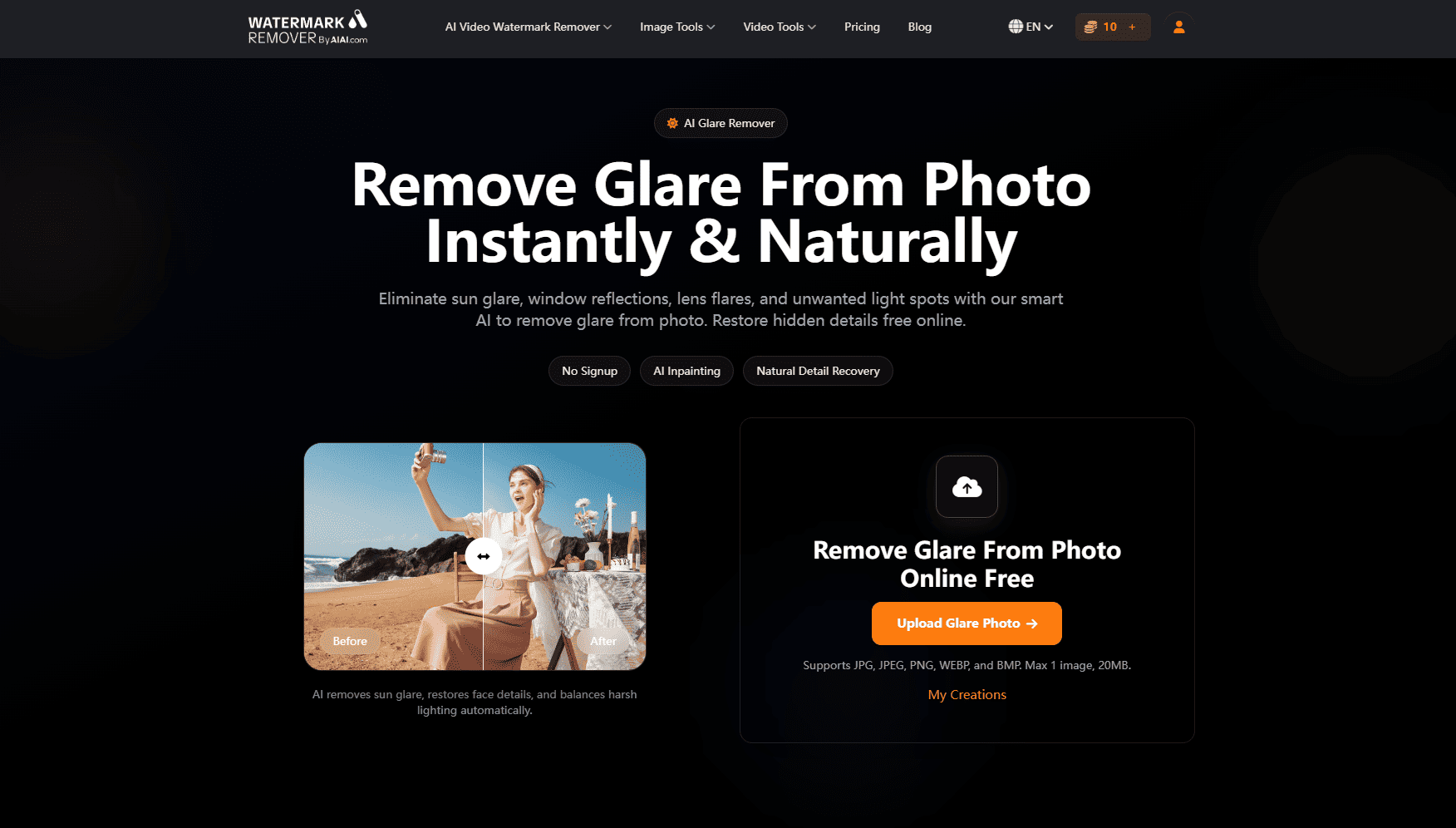
1. Upload Your Image
Start with the original image that contains glare, reflection, or lens flare.
Most standard image formats work:
- JPG
- PNG
- WEBP
- BMP
2. Let the AI Process the Photo
The AI automatically identifies glare zones and reflective areas.
Instead of simply blurring bright spots, it tries to rebuild:
- textures
- skin details
- backgrounds
- lighting balance
This is especially useful for glasses glare where the eyes are partially hidden.
3. Download the Clean Version
Once processing finishes, you can preview the result and download the cleaned image.
The final image usually looks much more balanced without obvious editing artifacts.
Best Situations for AI Glare Removal
Here are a few real-world cases where glare removal tools help the most.
Portrait & Eyeglass Photos
Probably the most common use case.
Reflections on glasses can completely hide facial expressions or eye details. AI tools can often restore the eye area surprisingly well.
Outdoor & Travel Photography
Sun glare and water reflections are hard to avoid during travel photography.
Removing excess glare helps:
- recover sky details
- improve color balance
- reduce washed-out highlights
Real Estate & Interior Photos
Window reflections can make interior shots look messy and distracting.
Glare cleanup helps rooms appear:
- cleaner
- brighter
- more professional
Product Photography
Shiny products like:
- jewelry
- phones
- watches
- cosmetics
- glass products
often create harsh reflections under studio lighting.
Removing glare helps customers focus on the actual product instead of distracting hotspots.
Tips for Better Results
Even with AI tools, starting with a decent photo helps a lot.
A few simple tips:
- avoid shooting directly into strong sunlight
- clean camera lenses before taking photos
- slightly change shooting angles around reflective surfaces
- use softer lighting indoors when possible
- avoid overexposing highlights
The less severe the glare is originally, the more natural the final cleanup usually looks.
Can AI Completely Remove Heavy Glare?
Sometimes yes, sometimes partially.
If the glare completely destroys image information, no tool can magically recover every hidden detail perfectly.
But modern AI tools are much better than older editing methods because they can intelligently reconstruct missing textures instead of just smudging pixels.
For moderate glare, the results are honestly pretty impressive now.
Final Thoughts
Trying to manually remove reflections and harsh light spots can turn into a very time-consuming editing task.
For quick cleanup, AI tools make the process much easier — especially for portraits, travel photos, window reflections, and product images.
If you regularly deal with reflections or overexposed hotspots, using an AI-based tool like the glare remover from AIAI can save a lot of editing time while still keeping photos looking natural.
And the best part is that you don’t really need advanced editing experience anymore to get clean-looking results.
Discover how Nano Banana Pro's AI image-to-image feature can turn your ordinary photos into stunning "Stranger Things" themed artwork. Unleash Read more

If you’ve ever opened a video editor and felt stuck, AI video generators might feel like a shortcut worth trying. Read more

Looking for New Year's manicure inspiration? Learn how to use the ultra-popular AI tool Nano Banana Pro to upload a Read more

Life in plastic, it's fantastic! Use the best AI Barbie Generator to turn your selfies into stunning dolls. Create custom Read more


