If you’ve created videos with Google Veo or Google Flow, you’ve probably noticed the visible Veo logo appearing on the final output. While the watermark helps identify AI-generated content, it can be frustrating when you’re preparing videos for social media, marketing campaigns, client work, or portfolio projects.
That’s why more creators are searching for a reliable Veo watermark remover.
In this guide, we’ll explain what Veo watermarks are, why they’re difficult to remove, and the best methods available today. We’ll also compare popular tools and show how AI-powered solutions like AIAI can help speed up the process.
What Is a Veo Watermark?
Before trying to remove a watermark, it’s important to understand how Veo watermarks work.
Google currently uses two different types of watermarking technologies in Veo-generated videos:
Visible Veo Watermark
This is the watermark most users notice immediately.
Characteristics include:
- Semi-transparent Veo logo
- Usually placed in a corner of the video
- May shift slightly between frames
- Visible during playback
- Can distract viewers or affect the professional appearance of content
Many creators initially assume they can simply crop the logo out. However, because the watermark position can vary throughout the video, cropping isn’t always an effective solution.
Invisible SynthID Watermark
In addition to the visible logo, Veo videos may contain SynthID watermarking technology.
Unlike the visible logo, SynthID cannot be seen by viewers. It is embedded into the content itself and is designed to help identify AI-generated media.
This means that even if you remove the visible watermark, traces of AI-origin information may still remain in the video.
Why Creators Want a Veo Watermark Remover
There are several common reasons people search for ways to remove Veo watermarks.
Social Media Publishing
Creators posting to TikTok, YouTube Shorts, Instagram Reels, and other platforms often prefer clean videos without distracting logos.
Client Deliverables
Freelancers and agencies frequently need professional-looking assets when delivering projects to clients.
Marketing Campaigns
Brands using AI-generated content for ads or promotional materials often want a cleaner visual presentation.
Portfolio Projects
Many creators use AI-generated videos in their portfolios and prefer showcasing work without visible branding overlays.
Better Viewer Experience
Even a small watermark can draw attention away from the main content. Removing it can create a cleaner and more polished viewing experience.
4 Methods to Remove Veo Watermarks
There isn’t a single perfect solution for every situation. Below are the most common approaches.
Method 1: Use an AI-Powered Veo Watermark Remover (Recommended)
For most users, AI watermark removal tools provide the best balance between quality and convenience.
These tools automatically detect the watermark area and reconstruct the affected parts of the video.
How It Works
- Upload your Veo video.
- The AI detects the watermark automatically.
- The system removes the logo and reconstructs the affected frames.
- Export the cleaned video.
Pros
- Fast processing
- No editing experience required
- Preserves original composition
- Better quality than cropping
- Suitable for social media and client work
Cons
- Some features may require a paid plan
- Processing time varies depending on video length
Best For
- Content creators
- Marketers
- Agencies
- Freelancers
How to Remove a Veo Watermark with AIAI
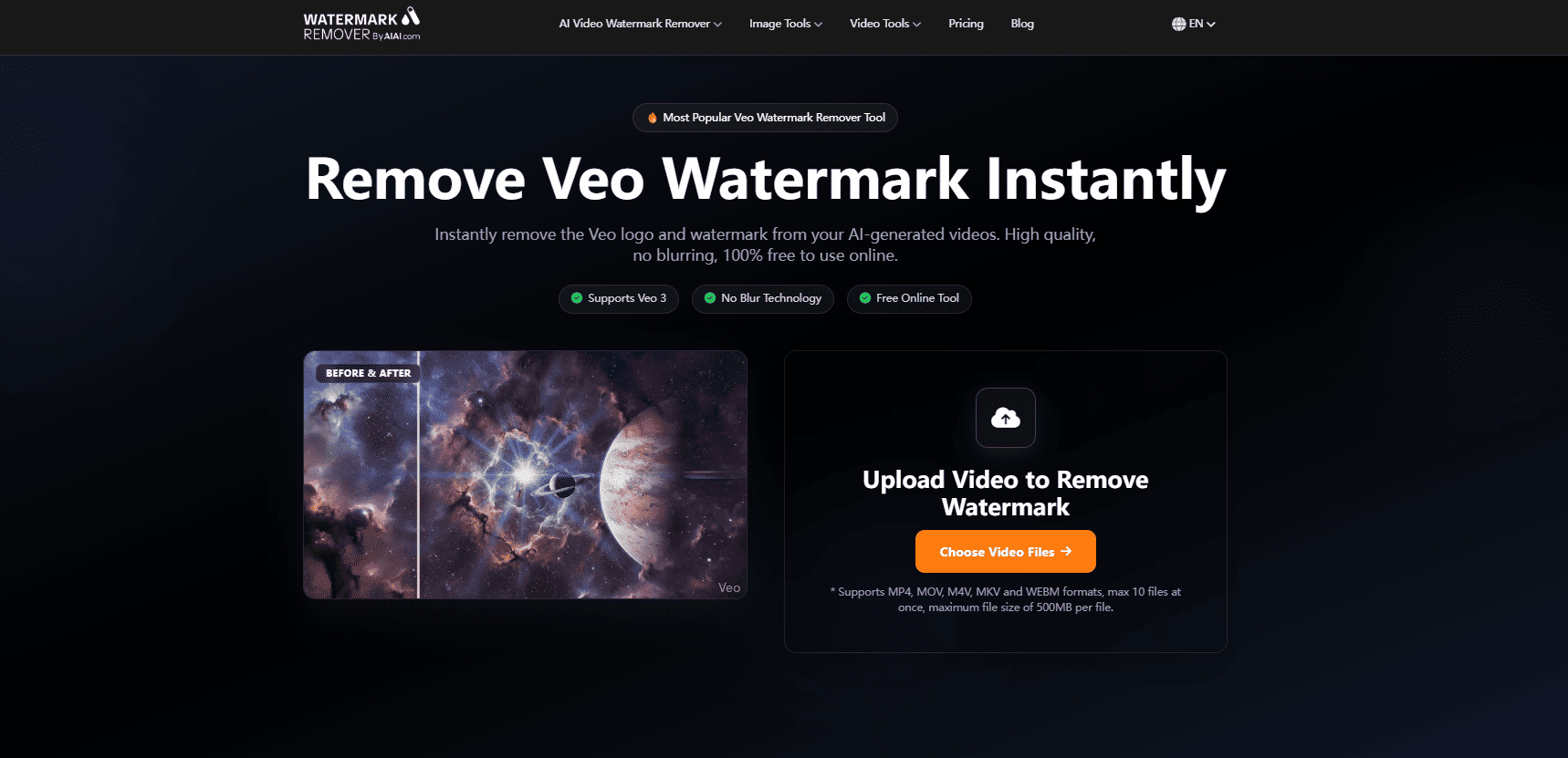
If you’re looking for a quick and beginner-friendly solution, AIAI offers an AI-powered watermark remover that can handle visible Veo logos automatically.
Instead of manually cropping the video or covering the watermark with overlays, AIAI analyzes the watermark area frame by frame and attempts to reconstruct the surrounding content naturally.
Steps
- Upload your Veo video to AIAI.
- Allow the AI to scan the watermark.
- Preview the result.
- Export the processed video.
Why Creators Use AIAI
- No video editing skills required
- Fast AI processing
- HD export support
- Quick preview before downloading
- Works directly in the browser
For creators who regularly publish AI-generated videos, this can be significantly faster than manual editing workflows.
Method 2: Crop the Video
Cropping is the simplest free solution.
By trimming the edges of the video, you can sometimes remove the visible Veo logo.
Pros
- Completely free
- No special software needed
- Quick to apply
Cons
- Reduces video resolution
- Can cut important content
- Doesn’t work well if the watermark moves
Best For
- Temporary use
- Casual projects
- Low-resolution content
Method 3: Cover the Watermark with Blur, Masks, or Motion Tracking
Advanced video editing software such as CapCut, Premiere Pro, Final Cut Pro, and DaVinci Resolve offers several techniques for hiding visible Veo watermarks.
Instead of simply placing a sticker over the logo, editors can use:
- Localized blurring to selectively soften the watermark area
- Motion tracking to automatically follow watermark movement across frames
- AI inpainting masks to reconstruct hidden pixels
- Optical flow replication to generate more natural transitions between edited frames
- Content-aware fill tools that attempt to replace the watermark with surrounding visual information
These techniques can produce better results than basic overlays, especially when the watermark shifts position during playback.
Pros:
- Greater control over the final output
- Useful for experienced editors
- Can achieve cleaner results than simple cropping
Cons:
- Requires editing knowledge
- Time-consuming for longer videos
- Results vary depending on scene complexity
Best For:
Creators already familiar with professional video editing workflows.
Method 4: Generate Watermark-Free Videos from the Start
Some creators choose to avoid watermark removal entirely by using subscription plans or workflows that provide cleaner exports.
Pros
- No post-processing required
- Maintains original quality
- Saves editing time
Cons
- Additional cost
- Not available in every workflow
Best For
- Professional creators
- Businesses
- Frequent Veo users
Can SynthID Watermarks Be Removed?
This is one of the most common questions people ask. The short answer is: not reliably.
While visible Veo logos can often be removed using AI tools or editing techniques, SynthID is a different technology entirely. Because SynthID is designed to remain detectable after common editing operations, there is currently no widely available solution that can reliably remove it from generated videos.
For most users, the practical goal is removing the visible watermark while understanding that invisible identification systems may still exist.
Which Veo Watermark Removal Method Is Best?
The answer depends on your priorities.
Choose AI Removal If:
- You want the fastest workflow
- You care about video quality
- You don’t have editing experience
- You create content regularly
Choose Cropping If:
- You need a free solution
- Resolution isn’t important
- The watermark stays in one corner
Choose Manual Editing If:
- You already use video editing software
- You only need to process a few videos
For most creators, AI tools such as AIAI provide the most practical balance between speed, quality, and ease of use.

Frequently Asked Questions
What is the best Veo watermark remover?
AI-powered tools are generally the easiest option because they automatically detect and remove visible logos without requiring manual editing.
Can I remove a Veo watermark online?
Yes. Several browser-based tools allow you to upload a video, remove the watermark, and download the result without installing software.
Does removing a Veo watermark reduce quality?
It depends on the method. Cropping typically reduces quality, while AI-based tools often preserve more of the original appearance.
Can I remove a Veo watermark for free?
Yes. Cropping is the most common free method, although it often affects framing and resolution.
Can SynthID Be Removed?
Currently, there is no widely available consumer tool that can reliably remove SynthID watermarking technology.
However, for most creators, the primary concern is the visible Veo logo rather than the underlying metadata. Removing the visible watermark is often enough to create a cleaner viewing experience for social media publishing, portfolio presentations, and client deliveries.
Final Thoughts
Finding a reliable Veo watermark remover isn’t always easy. While manual methods like cropping and overlays can work in some situations, they often compromise video quality or require additional editing time.
For creators who want a faster workflow, AI-powered tools have become the preferred solution. Platforms like AIAI can automatically detect and remove visible Veo watermarks while helping preserve the original look of the video.
If your goal is to publish cleaner content on social media, deliver more professional client work, or simply save editing time, using an AI-powered Veo watermark remover is often the most efficient option available today.

Struggling with a long-distance relationship this Valentine's Day? Discover how to use an AI couple photo maker to create realistic Read more

Learn how to create engaging, photorealistic travel tips infographics using Nano Banana Pro. This guide covers step-by-step instructions, real prompts, Read more

Learn how to create unique Christmas cards with AI in 5 easy steps. Use Nano Banana Pro on AIAI.com for Read more

Finding the perfect AI video tool in 2026 can feel like an expensive guessing game of trial and error. We Read more


