From Prompt to Video in a Minutes
A text to video generator turns written descriptions into short videos using AI. Instead of filming, editing, or animating manually, users simply describe what they want to see—and the AI generates the video.
On AIAI.com, text to video generation goes beyond a single model or fixed output. Users can choose from multiple AI video models, control video quality, duration, and size, and even specify negative prompts to avoid unwanted elements. This flexibility makes it suitable for both experimentation and serious content creation.
What is a Text to Video Generation?
A text to video generator uses AI to interpret natural language prompts and convert them into moving visuals. The AI handles:
- Scene composition
- Character or object motion
- Camera movement
- Lighting and style
Instead of working frame by frame, users focus on ideas, mood, and structure.
Why Model Chocie Matters in Text to Video Generation?
Not all text to video models behave the same way. Some prioritize motion, others focus on visual clarity or style interpretation.
On AIAI, users can choose from multiple models, including:
- Kling 3.0
- Kling 2.6
- Kling 2.5
- Kling 2.0
- Kling 2.1 Master
- Kling 1.6 Standard
- Wan 2.6
- Wan 2.5
- Wan 2.1 Turbo
- Wan 2.1 Plus
- Doubao-Seedance 1.5
- Grok Imagine NEW xAI
- Sora 2
- Sora 2 Pro
- Veo 3
This allows creators to test the same prompt across different models and choose the result that best fits their goal—whether that’s cinematic visuals, smooth motion, or stylized scenes.
Creative Controls That Make a Difference
Video Resolution and Visual Clarity
Users can select different levels of visual clarity depending on their needs:
- Higher clarity for marketing or showcase videos
- Lighter settings for fast social media content
This balance helps manage generation time and output quality.
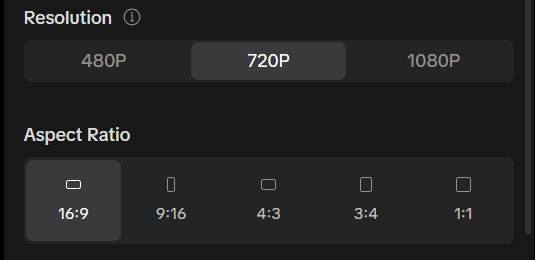
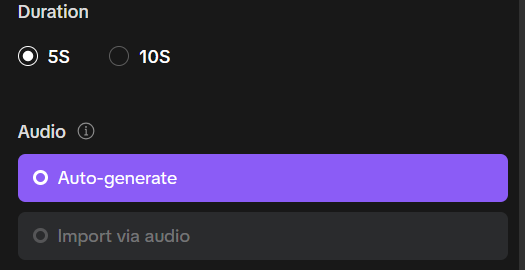
Video Duration and Aspect Ratio
AIAI allows control over:
- Video length (short clips or longer scenes)
- Aspect ratios (vertical, square, horizontal)
This makes the text to video generator suitable for platforms like TikTok, Instagram, YouTube, and websites.
Negative Prompts for Better Result
Negative prompts allow users to clearly state what should not appear in the video.
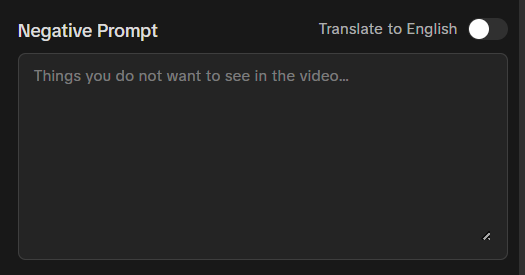
Examples include avoiding:
- Blurry visuals
- Extra characters
- Text overlays
- Logos or watermarks
- Unwanted objects
This gives creators more precision and reduces trial-and-error.
How to Use a Text to Video Generator on AIAI.com
- Step 1: Write a Clear Text Prompt
Describe the scene, style, mood, and movement. Natural language works well. - Step 2: Choose a Video Model
Select one of the available models based on your visual preference. - Step 3: Adjust Video Settings
Set resolution, video length, and aspect ratio. - Step 4: Add a Negative Prompt
Clearly define elements you want to avoid. - Step 5: Generate and Review
Preview the result and refine your prompt if needed.
Examples of Text to Video Prompt
Example 1: Cinematic Landscape Scene
Prompt: A cinematic sunset over a mountain valley, slow camera pan, golden light, realistic clouds, peaceful atmosphere.
Negative Prompt: blurry, text, watermark, people, oversaturated colors.
Example 2: Social Media Short Video
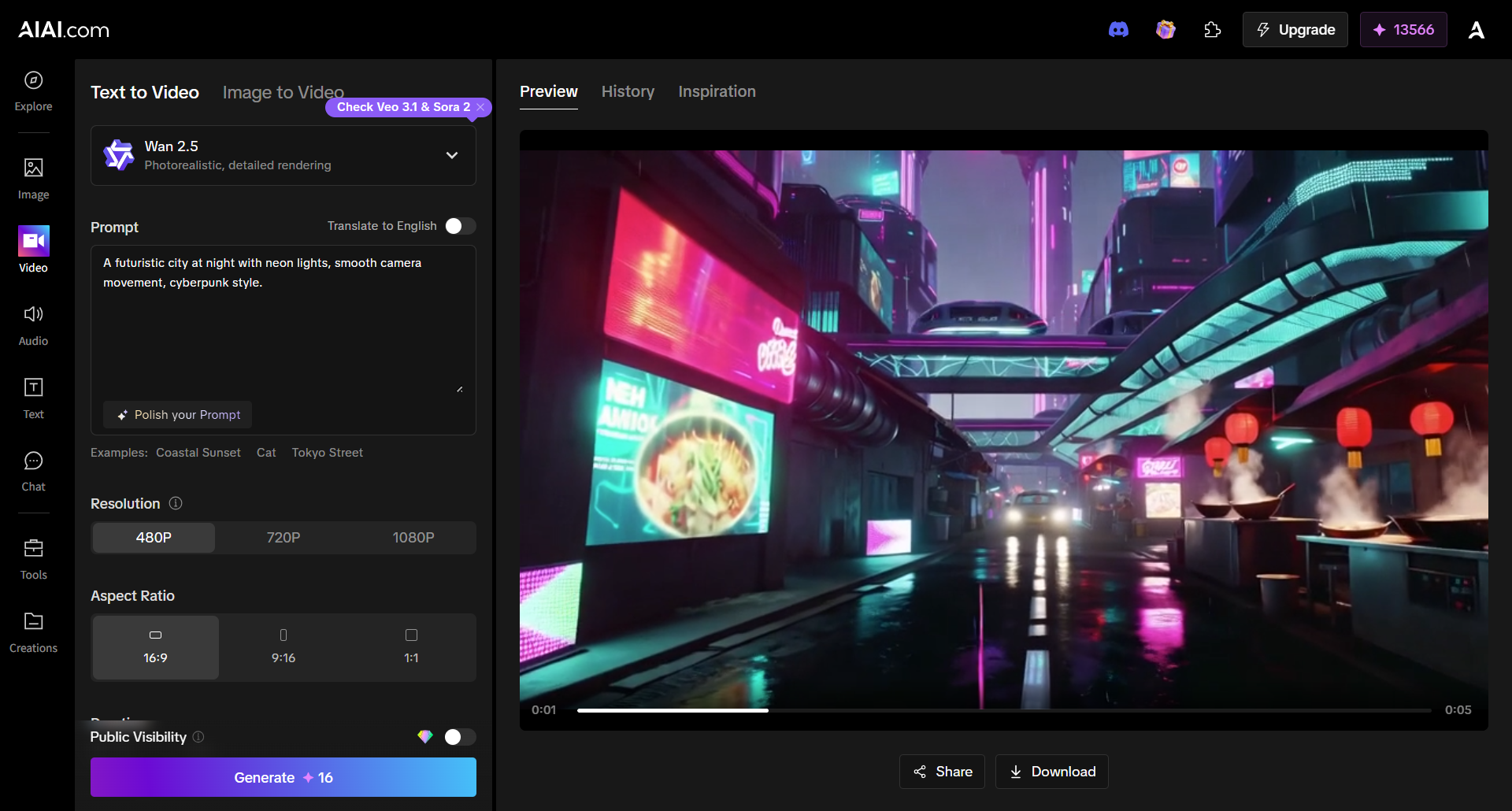
Here’s the generator video:
https://image.aiai.com/production/ai-video/20260227/5885c5f4-adaa-4954-9c88-ab0e1817107e.mp4
Prompt: A futuristic city at night with neon lights, smooth camera movement, cyberpunk style.
Negative Prompt: low resolution, shaky motion, logos, distorted buildings.
Who is the Text to Video Generator For?
Text to video generation on AIAI works well for:
- Content creators and influencers
- Marketers and brand teams
- Designers and product builders
- Educators and presenters
- Anyone exploring AI-generated video
Because users control both the model and parameters, the same tool can serve very different creative goals.
Content creators and influencers, marketers and brand teams, desigers and product builders, educators and presenters.anyone exploring ai generated video. because users control both the model and parameters, the same tool can serve very deffent creative goals.
Final Thoughts
A text to video generator is most powerful when it offers flexibility—not just one-click results. By providing multiple AI models, adjustable video settings, and negative prompts, AIAI allows users to shape videos intentionally rather than randomly.
Whether you’re creating social content, concept visuals, or experimental storytelling, text to video generation on AIAI gives you room to explore, refine, and iterate.
Turn bad snapshots into great memories. See how this new AI tool fixes lighting, shadows, and color casts in seconds—no Read more
Create Realistic Body Transformations from Photos Have you ever wondered what you'd look like with six-pack abs, a lean athletic Read more

Thinking about a perm? Don't risk the damage yet. Use the best Curly Hair Filter to visualize tight curls, beach Read more
Veo 3 Highlights: Native Audio & Synced AV Generation Redefine AI Video Creation Veo3 launched at Google’s I/O Developer Conference Read more


