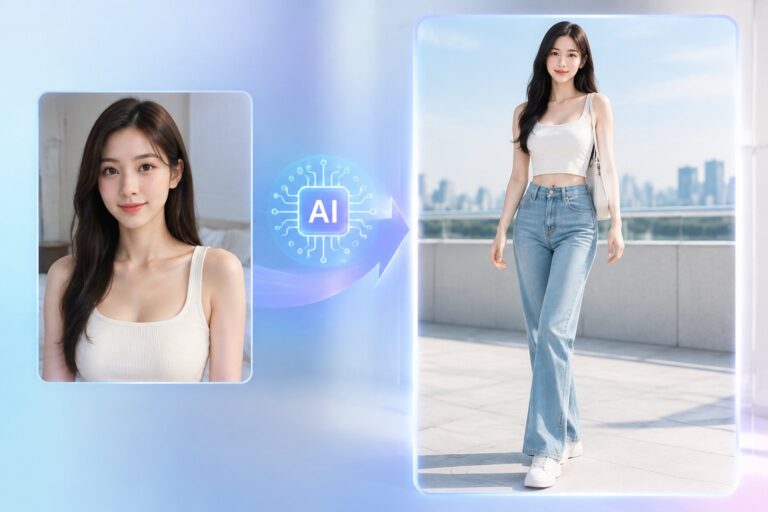
Have you ever looked at one of your photos and thought, “Wow, this could look like a movie poster if it had the right lighting and motion?” Well, now you don’t need expensive cameras, Photoshop skills, or a film crew. With AI, you can take any ordinary picture—your pet, a landscape, or even a selfie—and transform it into a cinematic, CG-style movie poster that’s bursting with color, motion, and drama. It’s like giving your photo a Hollywood upgrade, instantly.
Why Choose AI to Generate Movie Poster Style Images?
Ultra-High Definition
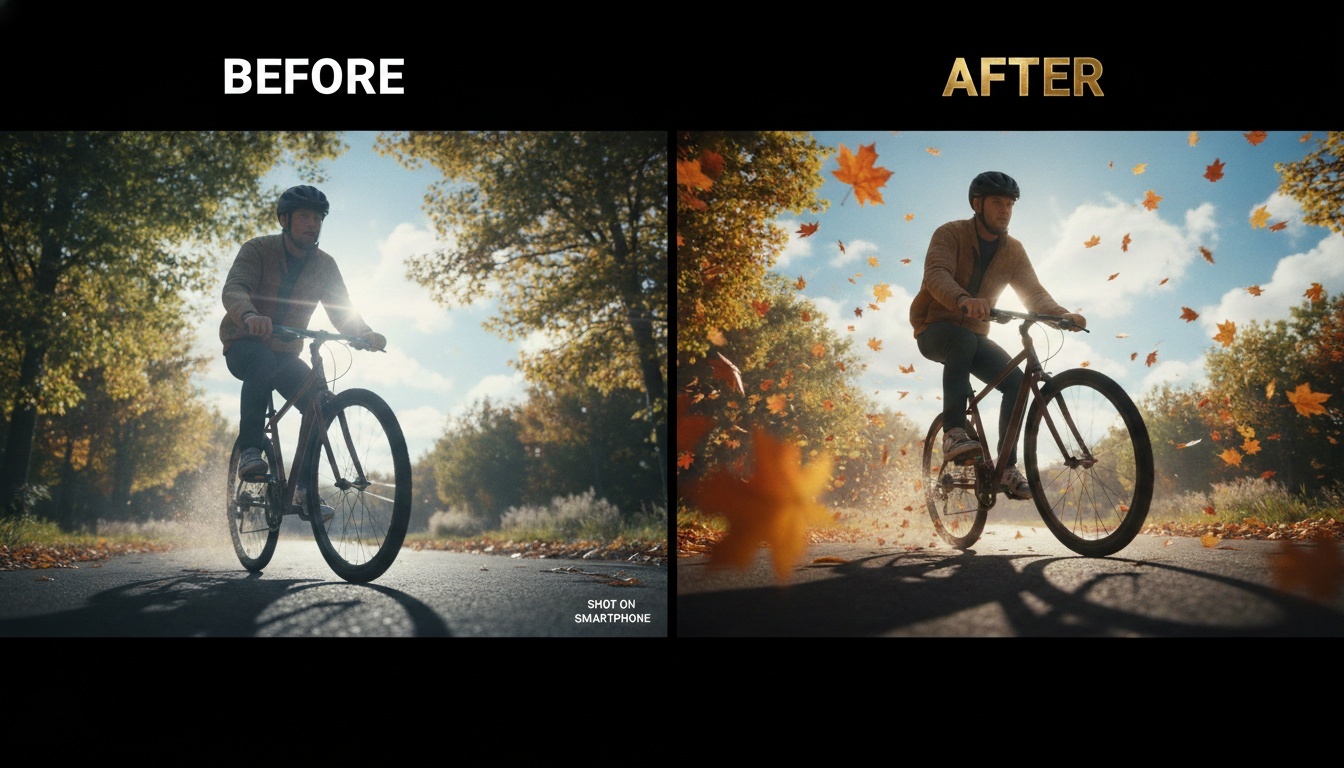
AI preserves the original image proportions while creating ultra-high-resolution results. Every detail, from falling leaves in the foreground to blurred distant backgrounds, is rendered with incredible clarity.
Rich Colors and Cinematic Lighting
AI enhances your image with dark layer blending, sunlit highlights, blue skies, and soft clouds. Combined with dynamic background and foreground blurring, your photo gains depth and cinematic layers, making it visually striking.
Dynamic Effects and Motion
Falling leaves, motion blur, foreground leaf bokeh, low-angle close-ups… these cinematic details add speed and energy to the image. Strong perspective and interwoven light shadows further enhance the sense of motion.
Artistic CG Style
AI-generated images mimic professional CG and movie concept art styles, delivering a stunning, artistic look that goes far beyond traditional filters. Perfect for game-like visuals, cinematic posters, and concept art.
Smart Sharpening and Clarity Enhancement
AI can subtly sharpen or enhance clarity, making textures pop while maintaining a natural, cinematic feel.
Creative Inspiration and Examples
Here are a few ways you can use AI to turn your photos into cinematic masterpieces:
- Dynamic Nature Scenes: A simple park or forest photo can become alive with falling leaves, sun rays piercing through trees, foreground leaf bokeh, and subtle motion blur.
- Action and Speed: A shot of a cyclist, runner, or car can feel like an action movie poster with low-angle perspectives, exaggerated motion blur, and dramatic lighting.
- Cityscape or Sci-Fi: Urban night scenes can be enhanced with neon highlights, reflections, and cinematic shadows for a futuristic vibe.
- Fantasy and Dreamlike Styles: Landscapes or portraits can gain ethereal, magical qualities with soft sunlight, moving clouds, and CG-style color grading.
Experimenting with angles, dynamic effects, and lighting can turn any ordinary image into something that looks professionally designed.
Prompt Tips and Tricks for Best Results
Here’s a prompt to try for maximum cinematic impact:
“Movie poster style, cinematic CG, ultra-detailed, rich colors, falling leaves, foreground leaf bokeh, dynamic blur, sunlit, blue sky with clouds, dramatic light and shadows, low-angle close-up, emphasizing speed and perspective, ultra HD, sharp details, original proportions.”
Other variations for different moods:
- Sci-Fi/Cyberpunk: “Neon lights, futuristic city, cinematic lighting, ultra HD, motion blur, dramatic perspective”
- Action Scene: “Dynamic motion blur, falling debris, low-angle shot, speed and energy, ultra HD, cinematic shadows”
- Fantasy/Dreamlike: “Soft sun rays, ethereal clouds, glowing highlights, magical atmosphere, cinematic depth, ultra HD”
Tweaking details like foreground blur, motion intensity, lighting angles, and perspective will make your AI-generated movie poster feel even more professional.
Getting Started
- Upload Your Image: High-resolution photos work best.
- Select Style: Cinematic, movie-poster, or CG concept art style.
- Adjust Parameters (Optional): Modify lighting, motion blur, foreground bokeh, and sharpening.
- Generate AI Poster: Watch as your image is transformed into a visually stunning, cinematic masterpiece.
If you want a tool that makes this quick and intuitive, platforms like AIAI.com offer AI generators that can turn your photos into cinematic, movie-poster-style images with just a few clicks.

Conclusion
AI-generated movie posters let anyone—from casual photographers to designers—turn ordinary images into epic, cinematic visuals. With rich colors, dynamic motion, CG-style artistry, and dramatic lighting, your photos can instantly feel like they belong on a big-screen poster. By experimenting with prompts, angles, and effects, the creative possibilities are endless.
Creating CAD drawings has always required patience, technical skills, and familiarity with professional design software. While tools like traditional CAD Read more

Thinking about a perm? Don't risk the damage yet. Use the best Curly Hair Filter to visualize tight curls, beach Read more
Struggling with a long-distance relationship this Valentine's Day? Discover how to use an AI couple photo maker to create realistic Read more
Looking for the best AI Feet Generator? I tested popular AI image tools and compared their features, image quality, and Read more