AI CAD Generator: A Faster Way to Turn Ideas into Technical Drawings
There’s a point in almost every design or engineering workflow where things slow down—not because the idea is unclear, but because translating it into a proper drawing takes too long. You sketch something quickly. It makes sense to you. But turning that into a clean, structured CAD-style drawing? That’s where the friction starts.
An AI CAD generator is designed to remove that friction.
Instead of manually rebuilding your idea from scratch, you can now convert sketches, concepts, or even rough images into usable technical visuals within seconds.
The Hidden Bottleneck in Design Workflows
Most people think the hardest part of design is coming up with ideas. In reality, it’s often the opposite.
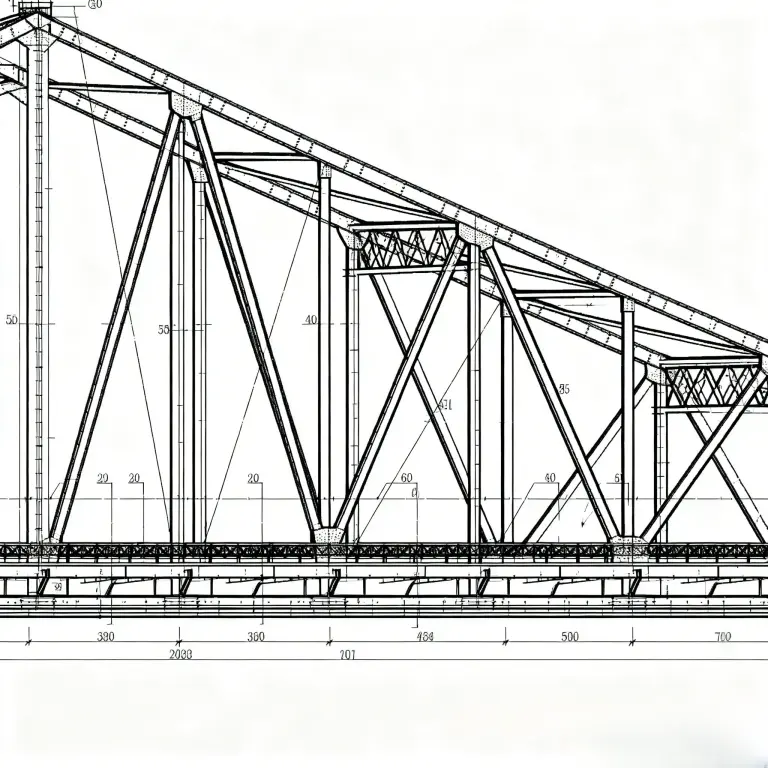
You Already Have the Idea—But Not the Time
- You sketch on paper or a tablet
- You block out a concept quickly
- You understand the structure
But converting that into a precise drawing slows everything down.
Manual Drafting Isn’t the Creative Part
Cleaning lines, adjusting proportions, recreating shapes—this isn’t design thinking. It’s execution work that eats up time.
Iteration Becomes Expensive
When each version takes time to redraw, you naturally explore fewer ideas. That limits creativity more than people realize.
What Changes When You Use an AI CAD Generator
Instead of starting from zero every time, you start with a generated draft.
That shift changes how you work:
- You test more ideas because it’s faster
- You visualize concepts earlier
- You spend less time on repetitive work
On AIAI.com, this process is built around two flexible approaches.
Two Ways to Turn Ideas into Drawings
Start from a Description (Text to Image)
If your idea exists in words, you can describe it and let the AI generate a structured visual.
This is useful when:
- you’re brainstorming
- you don’t have a sketch yet
- you want to explore multiple directions quickly
Example Prompt: Technical drawing of a compact mechanical hinge, clean CAD linework, front and side views, white background.
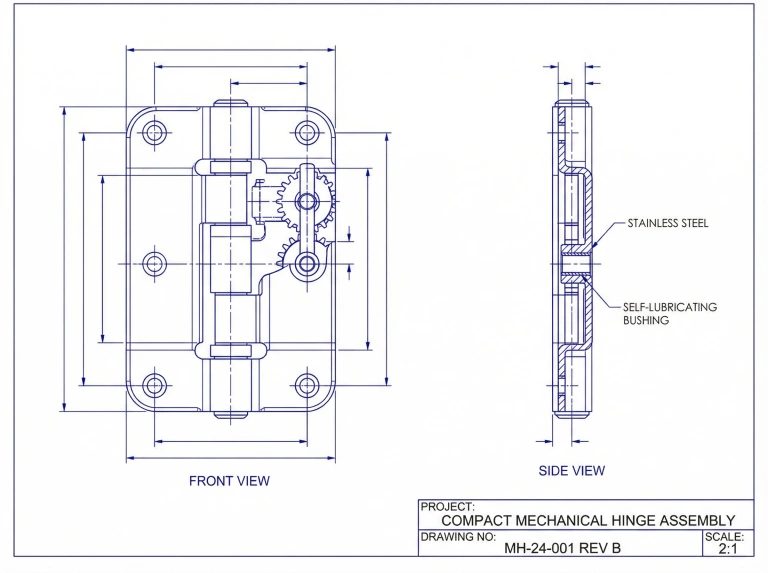
Start from a Sketch (Image to Image)
If you already have a rough drawing, you don’t need to redraw it. Upload it, then guide the AI to refine it into a clean technical version.
Why Prompts Matter More Than You Think
The quality of your result depends heavily on how you describe what you want.
With prompts, you can control:
- level of detail
- drawing style (schematic vs realistic)
- clarity and line precision
It’s less about “using a tool” and more about communicating intent clearly.
What This Looks Like in Real Work
Concept Development Without the Wait
Instead of sketch → redraw → refine, you can:
idea → generate → adjust → regenerate
This loop is much faster and encourages experimentation.
Turning Whiteboard Ideas into Shareable Visuals
A quick whiteboard sketch can be converted into something structured enough to share with a team or client.
No need to recreate it manually.
Early Visualization Before Full CAD Modeling
You don’t need a fully built CAD file to discuss a design.
A clean AI-generated drawing is often enough for early feedback.
Where This Fits in a Professional Workflow
This isn’t a replacement for CAD software—it’s a front layer.
Think of it as:
- the fastest way to get a first draft
- a tool for idea validation
- a way to reduce repetitive setup work
Once the concept is clear, you can move into detailed modeling with much more confidence.
Why This Approach Is Gaining Traction
The biggest shift isn’t just speed—it’s how people think about drafting.
Instead of treating drawings as something you build slowly, they become something you generate and refine.
That changes:
- how quickly ideas move forward
- how many variations you explore
- how easily you communicate concepts
Start with the Idea, Not the Process
An AI CAD generator removes one of the most frustrating parts of design—turning rough ideas into structured visuals.
With AIAI.com, you can move directly from concept to draft using text or images, without getting stuck in repetitive work.
If your workflow involves constant sketching, iteration, or early-stage design thinking, this kind of tool doesn’t just save time—it changes how you approach the entire process.

Struggling with a long-distance relationship this Valentine's Day? Discover how to use an AI couple photo maker to create realistic Read more

Why use an Image to Video generator instead of text? It offers superior stability and control. Learn how to combine Read more

Looking for the best free AI image generators in 2026? Compare 7 top Grok Imagine alternatives, including GPT Image, Leonardo Read more
Want to see your favorite book couples move? Here is how an AI French kiss generator can turn static character Read more


