Late on a Thursday night, our startup had an early morning pitch with angel investors. We urgently needed an early-stage mechanical concept for an offshore wind turbine drivetrain—complete with an internal gearbox breakdown, assembly callouts, and a bill-of-materials table.
Opening my usual CAD software meant facing at least 12 hours of tedious modeling that I simply didn’t have time for. Out of desperation, I turned to Midjourney, prompting it for an exploded isometric technical drawing with dimension lines.
The result? A stunning, glowing digital painting—that was completely useless as a technical document. The gear teeth melted into each other, the dimension lines pointed to empty air, and the callouts were unreadable gibberish.
That frustrating experience sent me looking for a dedicated AI technical drawing generator that actually understands blueprint conventions, line weights, and schematic layouts. Here is what I discovered after testing the top tools on the market, what real hardware engineers think, and where these tools actually save you time.
The Reality Check: Why Hardware Engineers Are Skeptical of AI
Before looking at any software, we have to talk about the elephant in the room. If you browse Reddit’s r/MechanicalEngineering forum, you will quickly notice that hardware engineers are fiercely cynical about AI claims.
When a developer recently posted a tool claiming to review mechanical drawings in 60 seconds, the top comment was brutal: “I’ll save you the trouble. Nobody, and I mean nobody, wants this.”

Why the instant backlash? Because mechanical engineering carries heavy legal liability. In mass production, a missing GD&T tolerance, an ambiguous hole depth, or a loose fit can scrap a $50,000 mold or cause a machine to fail. AI should never stamp a production drawing for a CNC milling line without rigorous human engineering review.
| Design Stage | Primary Goal | Best Tool for the Job |
|---|---|---|
| Phase 1: Concept & Ideation | Brainstorming, pitch decks, patent sketches, visual proposals | Dedicated AI Technical Drawing Tools |
| Phase 2: Production & Tooling | Exact GD&T tolerances, FEA simulation, CNC CAM toolpaths | Traditional Parametric CAD (SolidWorks, AutoCAD) |
The catch is that 90% of technical drawings don’t start on the factory floor. They start when you are trying to explain a brand-new idea to a client, pitch to investors, or map out a rough patent application. Spending 12 hours building parametric constraints just to figure out what a concept might look like is a painful bottleneck. That early-stage ideation gap is where specialized AI tools shine.
Putting Popular AI Drawing Tools to the Test: Do They Actually Work?
To find the best ai technical drawing generator, I put several popular platforms through real-world testing over the past few weeks. Here is an honest look at how they perform.
OpenArt
What it is: A versatile prompt-based AI creation platform with a massive community.
My Take: It’s fantastic for game concept art and fantasy illustrations. However, it treats technical drawings like artistic paintings. The line weights wander around, and any text or dimension markings turn into absolute chaos.
Writecream
What it is: A lightweight content suite featuring AI-driven technical sketch prompts.
My Take: It’s fine for absolute beginners who want a quick rough outline, but it lacks the depth needed for industrial assemblies. When I tried generating a multi-layer microchip layout, the details were too fuzzy to use.
Midjourney & DALL-E 3
What it is: The heavyweights of general text-to-image generation.
My Take: They deliver incredible lighting and cinematic rendering. But they possess zero engineering logic. You cannot get orthographic consistency, and because standard tiers store your creations in public community feeds, it is a nightmare for hardware confidentiality.
Enterprise Generative CAD (Autodesk / SolidWorks AI)
What it is: Heavy industrial topology optimization and generative design software.
My Take: If you are a massive enterprise with thousands of dollars to spare for annual licenses, these tools are powerful. But they require hefty workstation hardware and months of training, making them total overkill for a quick weekend brainstorming session.
The Winner in My Book: Why I Switched to AIAI.com
After growing frustrated with tools that either produce messy fantasy art or require an expensive engineering degree to operate, I tested the AIAI.com. It immediately solved the specific pain points I was running into.
Instead of treating technical drawings like oil paintings, AIAI is built specifically around engineering workflows. Here is why it became my go-to choice:
True Schematic Logic
Unlike general image models, it understands structural geometry, isometric lines, annotated callout positions, and clean layout framing instead of creating random artistic noise.
100% Data Privacy
(All Private)
Hardware concepts are trade secrets. Knowing that my reference uploads and generated drafts are locked down and never thrown into a public training pool gave me total peace of mind.
Zero Software Bloat
You don’t need to install any heavy software or configure complex rendering engines. It runs entirely in your browser, serving as a fast, reliable ai cad technical drawing generator whenever I need immediate visual answers.
From Blueprints to Microchips: What Styles Can You Generate?
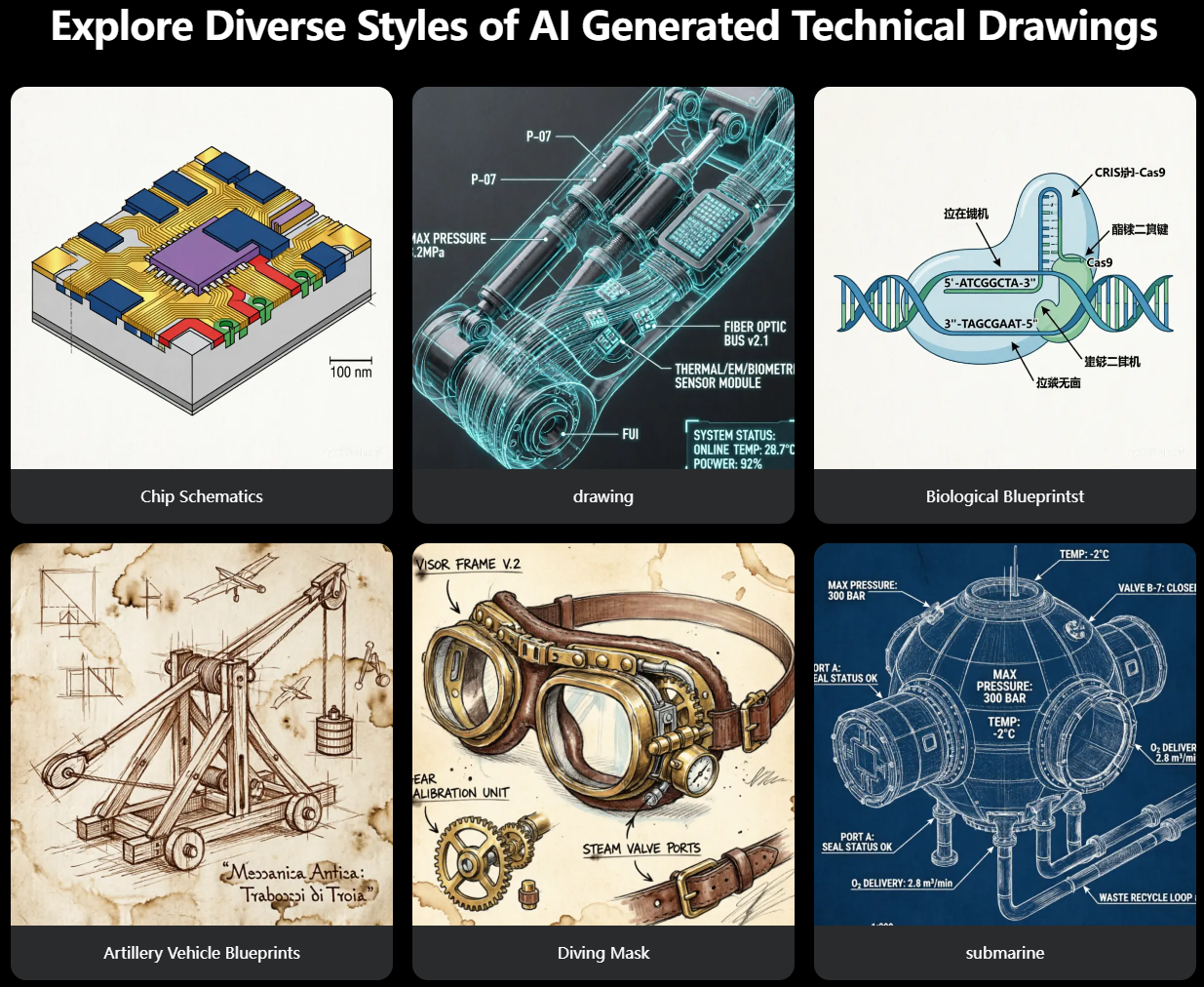
Technical drawing isn’t a one-size-fits-all format. Depending on your project, you need entirely different visual standards, and the engine handles these surprisingly well:
Classic Blueprints:
Deep navy backgrounds with crisp white isometric wireframes, pressure callouts, and fluid ports (ideal for automotive parts and subsea hardware).
Industrial & Robotic Schematics:
Exploded assembly views featuring numbered callout tags and clean reference lines.
Microchip & Circuit Layouts
3D multi-layer semiconductor and substrate interconnect diagrams.
Bio-Technical & Patent Art
Molecular diagrams (like CRISPR-Cas9 concepts) and vintage, Da Vinci-style patent line drawings.
Whether you need a text to technical drawing ai generator to sketch an idea from a blank text box, an image to technical drawing ai generator to turn a whiteboard snapshot into a clean asset, or a flexible ai blueprint and technical drawing generator for a hardware pitch, it covers all those bases smoothly.
How to Generate Your First Technical Drawing (Step-by-Step)
Getting a clean schematic out of this free ai technical drawing generator online takes less than a minute once you know how to talk to it.
Step 1: Head to the Tool
Go to the AIAI.com Technical Drawing Tool. Choose Text to Image if you are starting from a description, or Image to Image if you want to upload a photo of a whiteboard scribble.
Step 2: Write a Smart Prompt
Don’t just write “a cool machine.” Be specific about perspective and layout.
- For a mechanical assembly: Try prompting “Isometric exploded technical drawing of an electric vehicle rear suspension subframe, cyan blueprint style, clean white vector lines, dimension lines, numbered part callouts, high precision.”
- For a vintage patent style: Try prompting “Vintage Da Vinci technical sketch of a mechanical gear winch assembly on aged parchment paper, detailed hatching, structural annotations.”
Step 3: Hit Generate and Download
Click generate. Within seconds, you get a clean, high-resolution drawing that you can drop straight into a presentation slide or patent draft.
When and Where to Use It: Practical Scenarios That Save Your Time
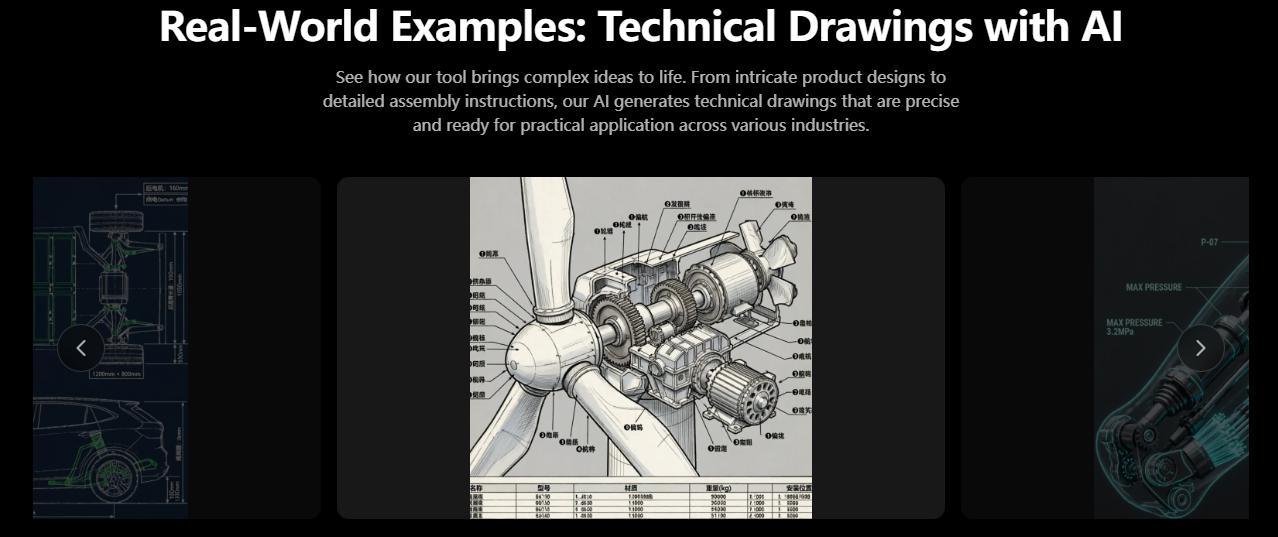
Instead of spending days in heavy software, here are three practical scenarios where using an AI schematic generator completely changes your workflow:
- Startup Pitch Decks & Investor Meetings: When you need to show investors how your physical product or hardware mechanism works internally without having a fully manufactured prototype yet. An exploded isometric schematic sells the vision instantly.
- Rapid Brainstorming & Whiteboard Iterations: If you and your co-founders are sketching ideas on a physical or digital whiteboard, you can snap a photo, upload it as a reference image, and watch it turn into a polished mechanical concept within seconds.
- Patent Preparation & Concept Documentation: Drafting initial visual descriptions for provisional patent applications or technical reports where clean line art and structural breakdowns are mandatory.
Frequently Asked Questions
Is this AI technical drawing generator truly free to use online?
Yes, there is a robust free tier available directly in your browser, letting you test out generations and evaluate the layout quality without any upfront software subscriptions.
Do I need CAD software experience to use this?
Not at all. It is built entirely for quick concept visualization. You don’t need to know anything about 3D coordinate mapping or assembly constraints—just type what you want or upload a photo.
Are my uploaded sketches and custom designs kept private?
Yes. Privacy is heavily enforced so that your proprietary hardware ideas, product concepts, and unreleased designs are never exposed to public feeds.
Can I turn a photo of a napkin sketch into a blueprint?
Definitely. By using the image-to-image mode, you can upload a photo of a hand-drawn doodle, and the AI will clean it up into a structured blueprint or schematic line art.
Wrap Up: Work Smarter on Early Concepts
Drafting technical visuals shouldn’t feel like pulling teeth when you’re just trying to explore a new idea. While traditional CAD software will always remain king for actual factory production, AI has completely changed how we handle early-stage prototyping and visual communication.
If you have a hardware concept bouncing around in your head that you need to visualize before tomorrow morning, skip the late-night modeling marathon and give the AI Technical Drawing Generator a spin. It might just save you an entire evening of frustration.

As someone who tests AI tools regularly, I've downloaded plenty of AI-generated images for blog posts, social media content, and Read more

As a hobbyist artist and social media content creator, I’ve always loved the clean, minimalist look of line drawings—but I’m Read more

Let’s be honest: in the crowded world of AI generation in 2026, if Midjourney wins on texture and Sora wins Read more
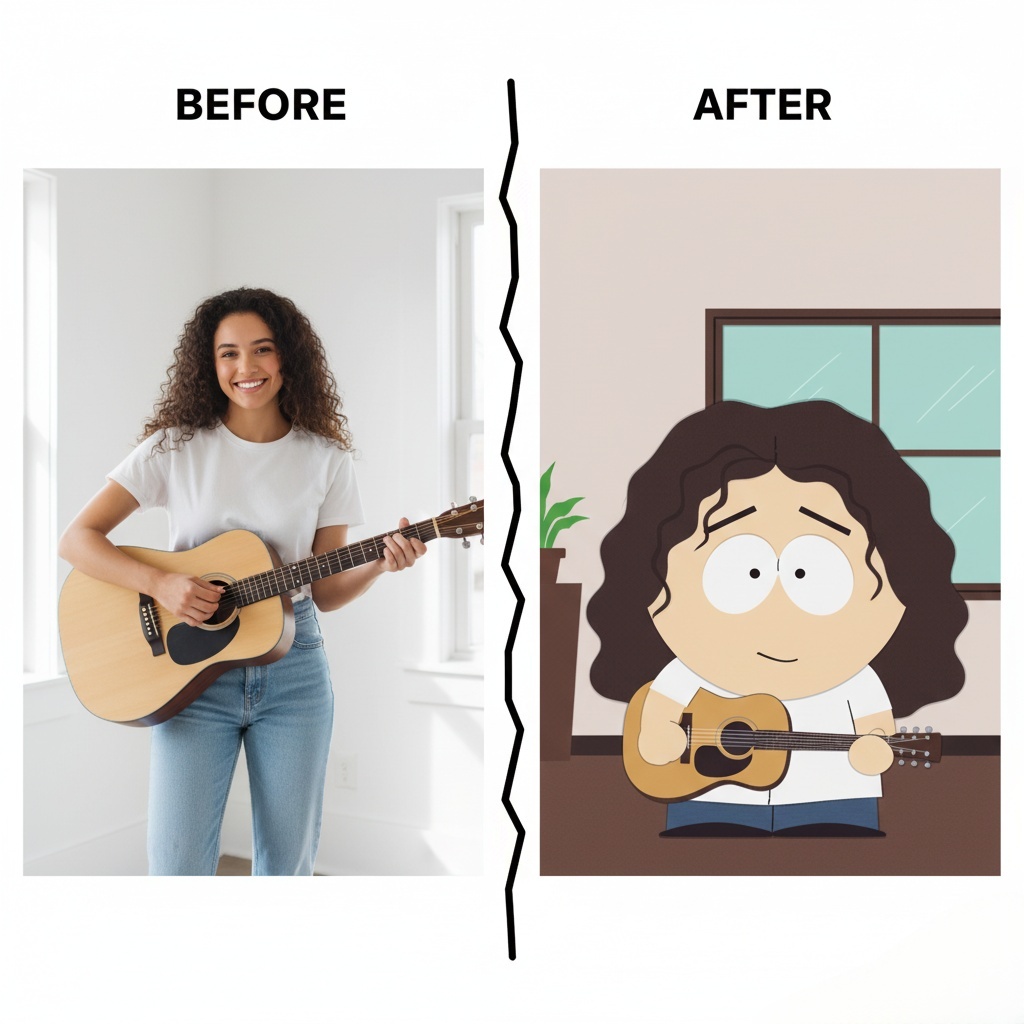
how to create your own South Park Make Characters! Upload a photo, customize hairstyles, outfits, and expressions, and bring your Read more


