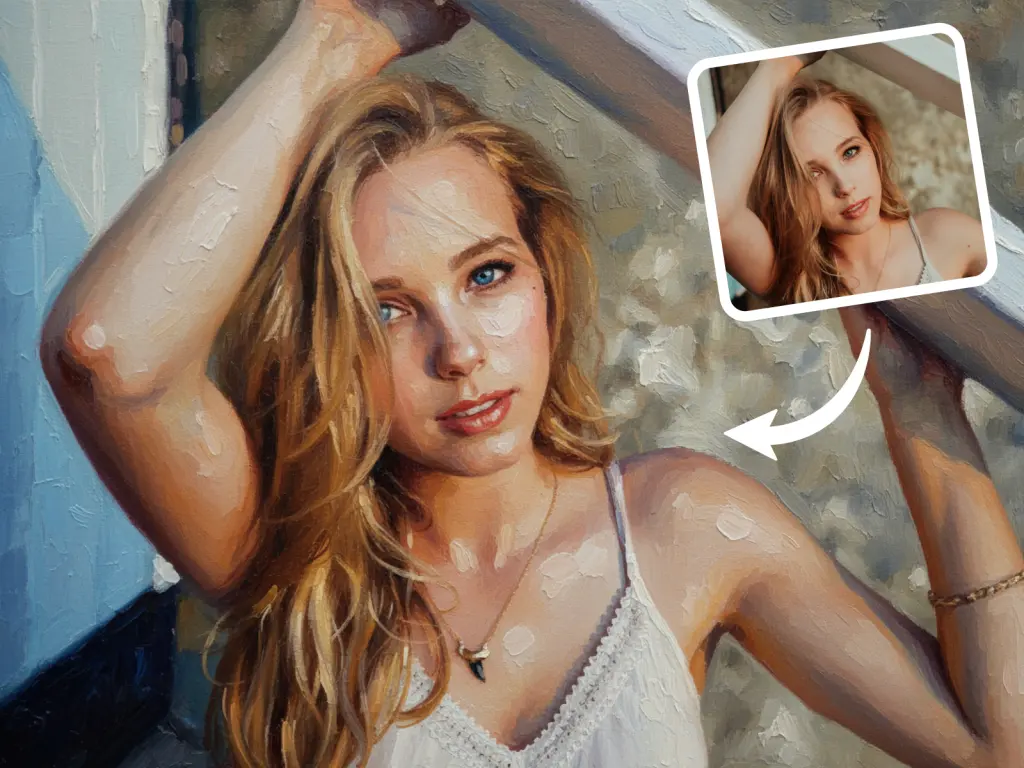
A Photo to Oil Painting converter is an AI tool that transforms a standard digital photograph into an image that mimics the texture, brushstrokes, and lighting of traditional oil art.
Unlike simple Instagram filters that look flat, the Photo to Oil Painting Tool from AIAI.com uses “Style Transfer” technology to simulate the thickness of paint (impasto) and the technique of old masters, allowing you to create museum-quality art from selfies in seconds.
What is an AI Photo to Oil Painting Tool?
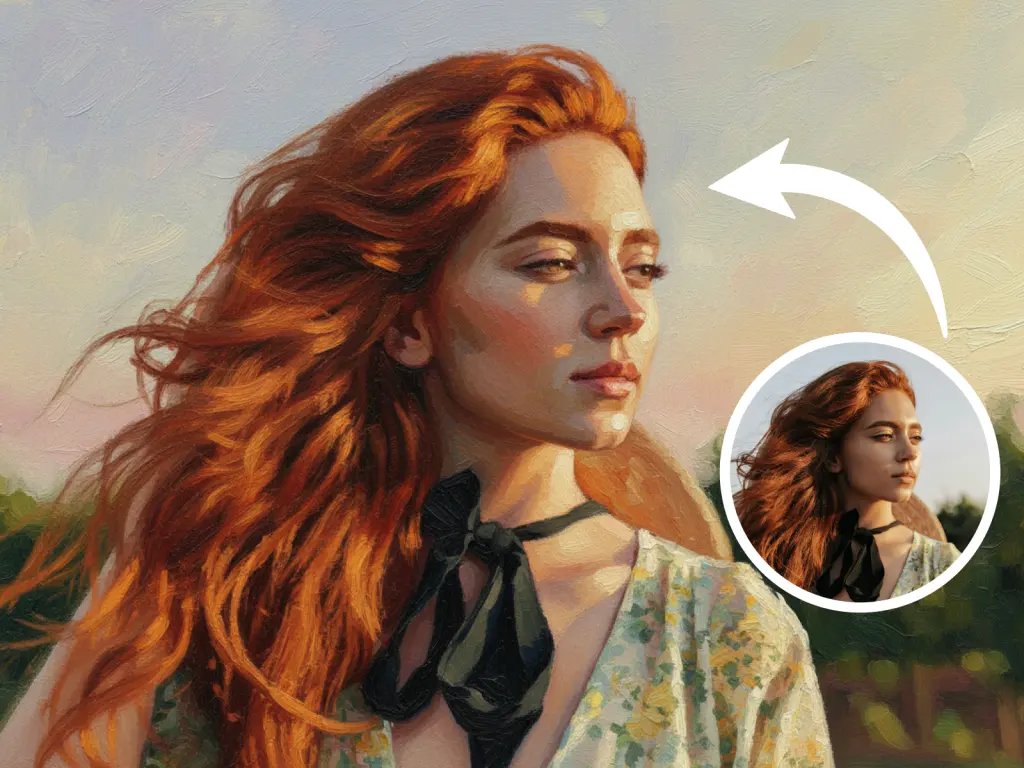
An AI Photo to Oil Painting tool is a generative application that uses Neural Style Transfertechnology to reimagine a digital photograph as a traditional artwork. Unlike basic filters that simply blur an image, AI analyzes the content (e.g., separating the subject from the background) and reconstructs it using digital “brushstrokes.” It simulates the texture of canvas and the thickness of paint (impasto), allowing users to convert portraits, landscapes, and pet photos into realistic oil paintings instantly.
Why Turn a Photo into an Oil Painting?
Why is this trend exploding in home decor and gifting?
- Emotional Value (The Perfect Gift): A standard photo frame is nice, but a canvas painting is a statement. Giving a photo to oil painting conversion of a loved one or a beloved pet elevates the memory. It feels timeless, classic, and deeply personal.
- Hiding Imperfections: Photos are unforgiving. They show every wrinkle, pixel, and blurry hand. Oil paintings, by nature, are impressionistic. Converting a lower-quality photo into a painting is a brilliant hack to hide low resolution or motion blur while adding an artistic flair.
- Cohesive Home Decor: If you want a “Dark Academia” or “Cottagecore” aesthetic in your home, a glossy digital photo print might look out of place. An oil painting adds warmth, texture, and sophistication to any room.
Filters vs. AI Style Transfer
You might be asking, “Can’t I just use a Photoshop filter?”
There is a massive difference between a “filter” and AI generation.
Standard Filters:
- Apply a flat overlay on top of the image.
- Do not understand depth or lighting.
- Result looks digital and cheap.
AI Photo to Oil Painting:
- Understand Geometry: The AI recognizes a face vs. a background. It paints the face with fine, detailed strokes and the background with loose, broad strokes—just like a real artist.
- Simulates Texture: It creates the illusion of “Impasto”—the raised texture of thick paint on canvas.
- Color Grading: It shifts the colors to match the palettes used by classical painters, giving it that warm, museum-quality vibe.
Step-by-Step: How to Create Your Own Oil Painting
Ready to pick up the digital brush? Follow this simple workflow.
Step 1: Upload Your Photo
Go to the Photo to Oil Painting pagel. Upload a clear image (PNG, WEBP, JPG or JPEG).
- Tip: Photos with high contrast and distinct lighting work best. Landscapes, portraits, and pet close-ups are ideal candidates.
Step 2: Generate and Download
Click “Generate.” Once satisfied, download the high-resolution file. You can now send this file to any local print shop to be printed on real canvas!
Comparison: AI vs. Human Artist vs. Filters
| Feature | AI Photo to Oil Painting (AIAI.com) | Commissioned Artist | Basic App Filter |
| Cost | Free / <$10 | $150 – $1,000+ | Free |
| Time | < 1 Minute | 2-4 Weeks | Instant |
| Texture Quality | High (Simulated) | Real Paint | Flat / Blurry |
| Likeness | High (Exact) | Varies by artist skill | 100% Accurate |
Conclusion: If you want a physical masterpiece with real paint smell, hire an artist. For everything else, gifts, prints, and digital use, AI is the smarter, faster choice.
Looking for a reliable text remover from video free tool? I tested AIAI.com to erase TikTok watermarks and hardcoded subtitles. Read more
Is it time to cancel your Claude subscription? After 72 hours of testing, here is why Google’s Gemini 3 Pro Read more
Nano Banana Pro: Unveiling the Updates and Usage Tips! This article is about Google DeepMind's Nano Banana Pro (Gemini 3 Read more
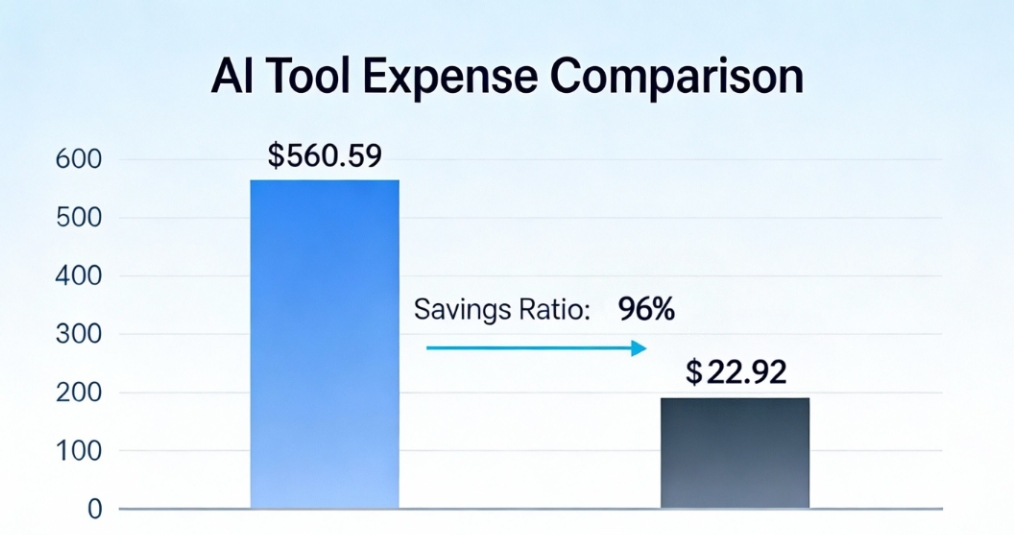
How I Reduced AI Costs by 96% with All-in-One AI Tool This article shares a real case study from one Read more


